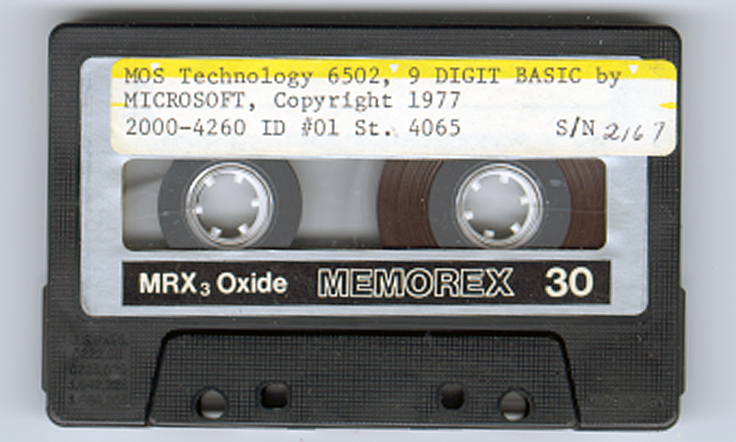
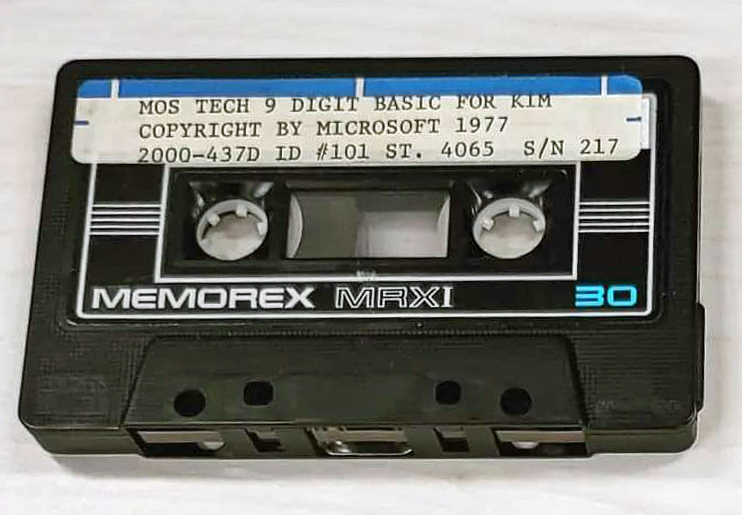
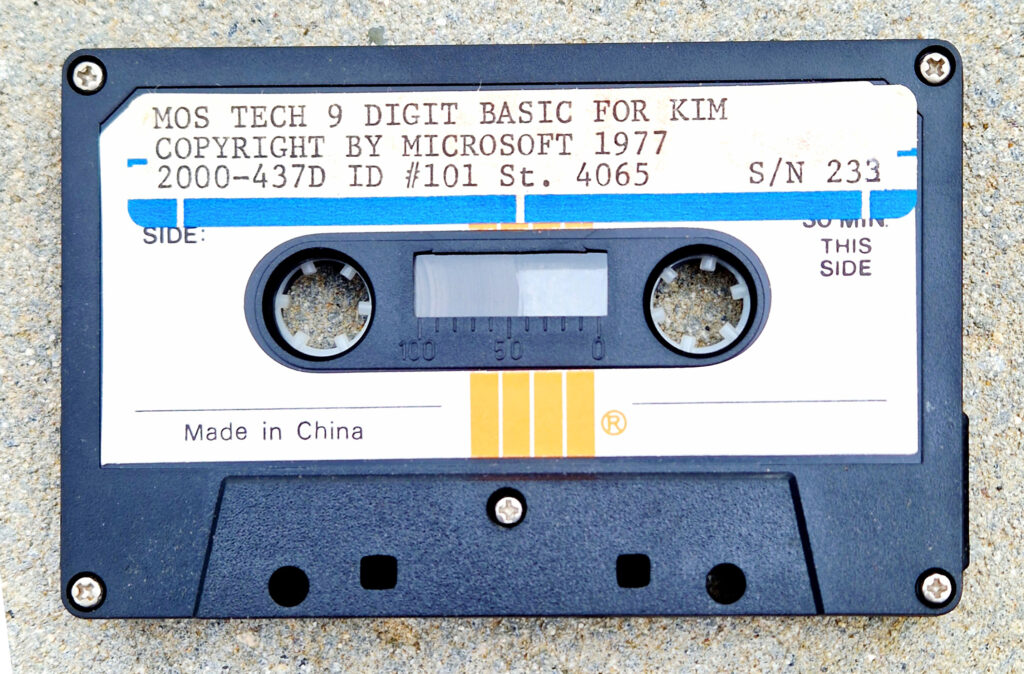
Microsoft MOS TECH 6502 BASIC V1.1 or KB9

Microsoft’s 6502 BASIC is now Open Source, and that includes KB9 or as it is officially called:

MOS TECH 6502 BASIC V1.1
COPYRIGHT 1977 BY MICROSOFT

Microsoft’s 6502 BASIC is now Open Source

“Now, for the first time, this influential 6502 version is truly yours to explore, modify, and share.”

This means that we are allowed to distribute and modify KB9 and derivates without breaking licenses!

Also see the pagetable post from 2005 that explains a lot about this source.

The license that goes with 6502 BASIC is the MIT License.

On this page you will find:

Another MOS TECH BASIC for KIM-1, lower serial number


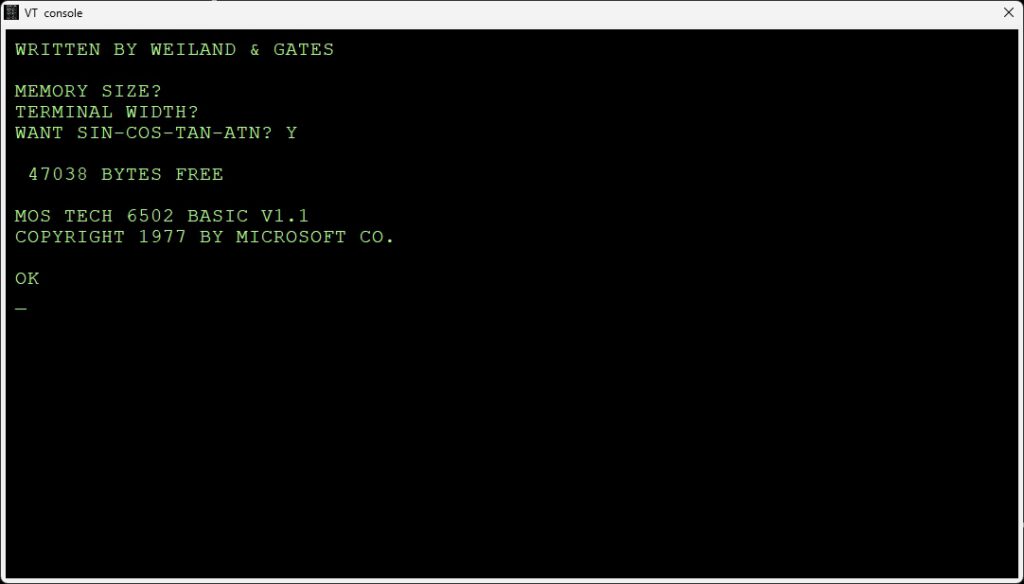
KB-9 stands for Microsoft Basic V1.1 for the KIM-1  with 9 digits precision. Actually, when you run it, it is called MOS Tech 6502 Basic v1.1 Copyright 1977 by Microsoft Co.
The ‘9’ stands for 9 digit precision floating point numbers. A KB-6 (6 digits precision) existed, but no copy ever turned up.

Downloads

Scanned manual
Scanned manual alternative version (incomplete)
The original KIM-1 KB-9 Microsoft Basic V1.1, cassette audio wave, binary and papertape format
The updated (see below) KIM-1 KB-9 Microsoft Basic V1.2, binary and papertape format
The reconstructed KIM-1 KB-6 Microsoft Basic V1.2, binary and papertape format
How to use, read this! Clear decimal, set vectors!

Resources

Articles on KB9 in the clubmagazine KIM/6502 Kenner:
– KIM Kenner 4 Siep de Vries Evaluatie 8K Basic, test of accuracy of KB-9, Dutch
– KIM Kenner 5 Uwe Schroder, English, Some Basic problems solved
– KIM Kenner 6 S. Woldringh Patches op 8K Basic Load and Save commands
– KIM Kenner 10 p 10 Microsoft Basic, Hans Otten.
– KIM Kenner 11 p 15 S. Woldringh Patches op 8K Basic part 2
– KIM Kenner 11 p 19 W. van Gelderen Read and Write on cassette for 8K Basic
– KIM Kenner 12 p 15 Patches Microsoft Basic, Hans Otten. Trace mode Renumber
– KIM Kenner 14 p 39 Patches Microsoft Basic, Hans Otten. Calculated line numbers
– 6502 Kenner 16 p 49 Patches Microsoft Basic, W. Blonk Corrections on KIM Kenner 12
– 6502 Kenner 19 p 34 Patches Microsoft Basic, Hans Otten. Speed up Basic 10% with ROR
– 6502 Kenner 22 p 12 Patches Microsoft Basic part 1, van Nieuwenhove Koen, adapt KB-9 to Elektor Junior
– 6502 Kenner 23 p 12 Patches Microsoft Basic part 2, van Nieuwenhove Koen, adapt KB-9 to Elektor Junior
– 6502 Kenner 24 p 14 Patches Microsoft Basic part 3, van Nieuwenhove Koen, adapt KB-9 to Elektor Junior
– 6502 Kenner 25 p 6 Patches Microsoft Basic part 4, van Nieuwenhove Koen, adapt KB-9 to Elektor Junior
– 6502 Kenner 29 p 33 KB-9 Basic on Acorn SYSTEM-1
– 6502 Kenner 32 p 21 W. L. van Pelt KB-9 Basic Tokenized keywords and addresses

All the KB9 KIMKenner articles in one PDF here

Language lab section in the 6502 User Notes:
– Vol 13 Basic tips, Renumber Page 1, Page 2
– Vol 14, Tips, Paging, Automatic Line numbers, the GET statement, USR function
Page 1, Page 2, Page 3, Page 4
– Vol 15 USR Dispatch, Load/save Basic arrays Page 1, Page 2, Page 3
-Vol 16 Line Editor Page 1, Page 2, Page 3, Page 4
-Vol 17 IEEE, Save Load cassette
Page 1, Page 2, Page 3, Page 4

Basic V3.0

After I bought MOS Basic for the KIM-1 in 1978 a lot of study went into understanding and adapting the interpreter. In the Dutch club magazine the KIM Kenner (see above) I and others published my work on it, like tape I/O in hypertape format, calculated goto’s, trace mode, paged output and such.

I modified it later on to suit a bit better to my system, that moved from the KIM-1 I/O to keyboard input via a ASCII keyboard, output to video terminal and a parallel matrix printer Heathkit H14. Even later a real serial interface (ACIA 6850) was used for I/O. I also replaced the startup routine, from destructive to reusable and no questions asked.

Here the Micro Ade source of the patches to V3.0 (Parallel keyboard, video output, H14 printer) and nothing asked non-destructive startup routine. I should rewrite that to the current KB-9 V2 to also include the GET and Backspace patches. V1.3 perhaps?

Sources of KB-9 Microsoft Basic v1.1

Adapt KB-9, first step make it faster and smaller

In the previous section the pagetable article was shown, with resources to recreate from source many 6502 Basic’s, like KB-9.

Here an example how I, quick and dirty, used this to create a KB-9 named V1.2 which is smaller and faster than the original.

This is how to prepare for it (Windows, can be done also on Linux)

  1. Download and unpack the archive of pagetable in a folder on your PC.
  2. Download and unpack the CC65 package, a C compiler, from which only the assembler and linker is used. I used the Windows binaries.
  3. Copy CA65.EXE, LD65.EXE and longbranch.mac from the CC65 package to the folder where you unpacked the MS Basic source.

Do the adaptations as described below or your own:

  1. To save you the work I have collected the adaptations described above in this archive for your convenience here.
  2. Change whatever you like in the source. It is quite a complicated construction, with macros for every variant, so look carefully at the listing file what really is produced.
    Start with no adaptations and then go on studying the listing file and testing. The KIM-1 Simulator is a good tool for testing! Load the symbol table file to see what is where.
  3. Assemble and link with this simple batch file makekb9v2.bat, resulting in an object, a binary, a listing file and a symbol label file.
ca65 -D kb9 msbasic.s -o tmp/kb9v2.o -l tmp/kb9v2.lst
ld65 -C kb9.cfg tmp/kb9v2.o -o tmp/kb9v2.bin -Ln tmp/kb9v2.lbl
  • Repeat step 4 and 5 until you are satisfied with the adaptations. The article listed above are a good source of inspiration.
  • First example: use the ROR instruction and suppress nulls sent to the terminal and Clear decimal and fix GET
    I changed this:

      • In define_kim.s make a comment of the following two lines:
    CONFIG_NULL := 1                     
    ;CONFIG_ROR_WORKAROUND := 1             ; patch HO 2021
    
    • In init.s add this line at label COLD_START
      COLD_START:
      .ifdef SYM1
              jsr     ACCESS
      .endif
      .ifdef KBD
        .
        .
        .
      .else
        .ifndef CBM2
              cld                     ; patch for KIM-1 HO 2021
              ldx     #$FF
              stx     CURLIN+1
      
    • do the fix in the “GET handling (see below)
    • Add backspace handling to correct typing errors
    • Change the version number in inline.s line 493 to “MOS TECH 6502 BASIC V1.2

    Assemble and link with the batch file makekb9v2.bat, this will deliver in the folder tmp/
    – kb9v2.bin file : load as usual at $2000
    – kb9v2.lbl text file
    – kb9v2lst textfile

    Start KB9 V2 now at location $3F8E, label COLD_START (used to be $4065, so we gained some RAM), see the lbl file.

    Here is an archive with all files mentioned above.

    And here the new KB-9 V1.2 executable, faster (no ROR instruction emulation) and a bit smaller.
    You can test all this with the KIM-1 Simulator (version 0.9.3 lets you load CC65 type of symbol files)

    KB-6

    I know KB-6 existed. The ‘6’ stands for the precision in digits of the floating point number. In the documentation KB-6 is described.
    Never seen a version in the wild. So the reconstruction here is not checked with the original, addresses in the reconstruction from the linker differ from the documentation.
    Perhaps the ROR workaround or the insertion of CLD in the init.s caused this.

    KB-6 can be ‘reconstructed’ since other versions of 6 digit Microsoft Basic are in the ‘pagetable sources’.
    It takes one define added in define_kim.s, changes on the original file are now:

    ; CONFIG_NULL := 1                      ; patch HO 2021
    ;CONFIG_ROR_WORKAROUND := 1             ; patch HO 2021
    CONFIG_SMALL := 1                       ; patch H0 2021
    

    Assemble and link as above, replace kb9v2 with kb6 in the batch file. See the archive for a working batch file.
    COLD_START moves to $3D50, size shrinks to 8K.
    Download KB-6 here.
    As you can see in the following screenshots it works! Note the number of digits is less, as expected. It should be faster also.

    Microsoft Basic for the KIM-1 KB-9

    Microsoft Basic for the KIM-1 KB-6, less precision, smaller program size


    The GET bug

    The bug was described and fixed first by an article in the KIM User note

    From the pagetable sources:
    BUG: The beq/bne L2AF8 below is supposed to be always taken. For this to happen, the last load must be a 0 for beq and != 0 for bne.
    The original Microsoft code had ldx/ldy/bne here, which was only correct for a non-ZP INPUTBUFFER. Commodore fixed it in CBMBASIC V1 by swapping the ldx and the ldy. It was broken on KIM, but okay on APPLE and CBM2, because these used a non-ZP INPUTBUFFER. Microsoft fixed this somewhere after KIM and before MICROTAN, by using beq instead of bne in the ZP case.

      .ifdef CBM1
         ldy  #>(INPUTBUFFER-1)
         ldx  #<(INPUTBUFFER-1)
      .else 
         ldx  #<(INPUTBUFFER-1)
         ldy  #>(INPUTBUFFER-1)
    ..
         beq 08
    

    You can easily fix this in KB9 by changing the branch in $2AEE from $D0 (bne) to $F0 (beq).
    I have fixed this in the source of KB9V2 (KB6 does not have the GET statement) .

    Use the backspace key to correct typing errors

    Correcting typing errors can be done with the _ key ($5F). On a video terminal, like we use nowadays it can be done with backspace.
    The way characters are handled by the input routine do not allow to just replace the compare with _ (C9 5F) with 08 for backspace.

    A trick by Jim W4JBM can be used to reuse the BELL handling (07) to a backspace.
    Replace in inline.s

    INLINAIM:
        .endif
        .ifndef CONFIG_NO_LINE_EDITING
            cmp     #$07
            beq     L2443
    

    with

    INLINAIM:
        .ifndef CONFIG_NO_LINE_EDITING
            cmp     #$08 
            beq     L2420
    
    In the original KB9.BIN you can do that with
    poke 9260,8
    poke 9262,241


    The EASTER EGG

    Microchess and MICRO ADE sources and binaries

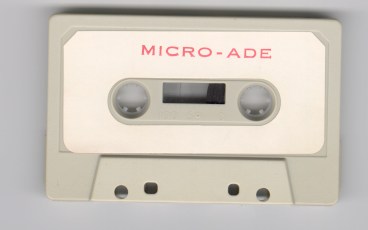
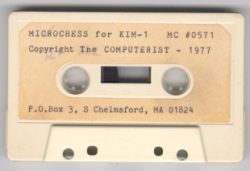
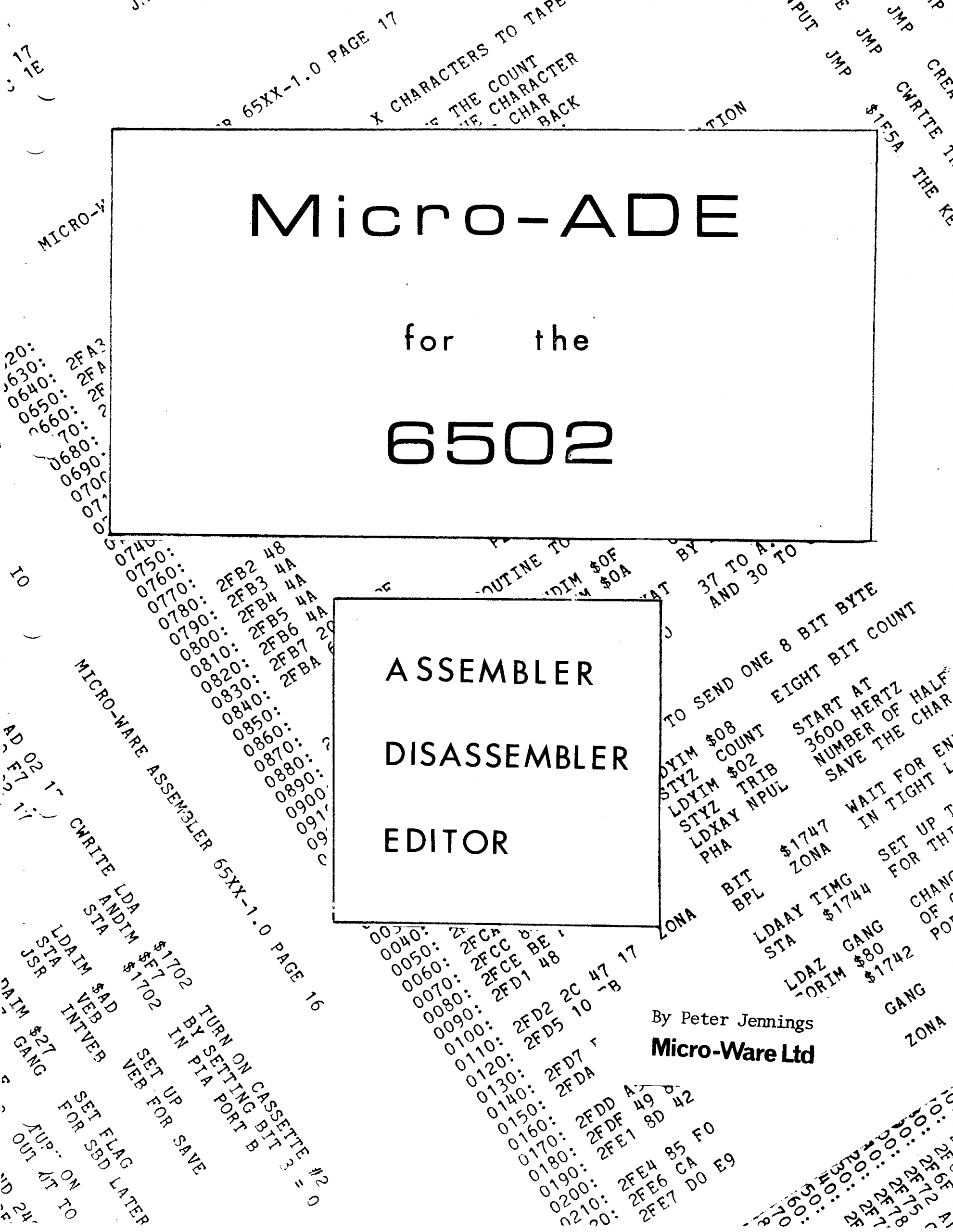
    Microchess and MICRO-ADE are two products from Micro-Ware Limited, a company by Peter R. Jennings.

    The sources of these two programs have been typed in and assembled by me from August to November 2021, and the resulting binary output is identical to my saved from cassette tape binaries.
    All these files (source, binaries, papertape, audio cassette wave files, and manuals) are now
    available at the KIM-1 Software page.

    Robert Leedom games

    In the KIM User Notes there were several KIM-1 games published by Robert Leedom.

    A tiny Colossal Cave Adventure, HEXPAWN and Baseball.

    With his help and others these games have been typed in again and are playable on any KIM-1 (Reproduction), PAL-1, Kim Clone, Micro-KIM.

    In August 2021 I (Hans Otten) typed in the source of MICRO-Ade from the listing in the manual, the output is binary compatible with the binaries I saved from tape and are tested on the KIM-1.
    The result is a source identical (in standard MOS Technology assembler format) to the listing and binary identical to the page image. I also made new high quality scan of the manual and the listing.
    Micro Ade program source and binary
    Scanned manual
    Scanned listing

    Read in the KIM KENNER archive the source of the enhancements (text by S.T. Woldringh o.a.)
    The KIM club enhanced Micro Ade to version 8. Download here the binary with a 2 page command summary.
    MICRO-ADE V8

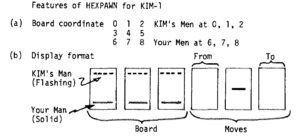
    HEXPAWN

    A game by Robert Leedom, published in 6502 user notes #13, 1979. Typed in by Dominic Bumbaco so we can play it!.

    Suppress the KIM-1 echo

    A page on suppressing the KIM-1 echo of TTY input, read non-blocking and make the TTY input deaf.

    Problems with the KIM-1 TTY character input

    1. The KIM-1 hardware is hardware echoing incoming serial characters to the output, no echo in software involved, so you cannot influence what appears on screen. Very annoying!
    2. The KIM-1 GETCH routine is blocking, no way to check for a character coming in, like a Break. waiting.
      Also quite annoying if porting other software to the KIM-1 or you want the program interruptable.
    3. While a program is running something CPU intensive and you type something the program is not really waiting for, the characters appear on screen. Because the KIM-1 does hardware echoing of TTY input, this is unavoidable it seems

    Here I present solutions for these problems in software, made possible by the genius hardware design of the KIM-1 TTY I/O.
    Are they perfect? Maybe not, it is still bitbanging the incoming serial signal. It can miss the correct starting point for the incoming character bit stream.
    If you want a perfect solution, you will need interrupt driven ringbuffered serial I/O with a dedicated IC like the 6850, 6551 etc.
    Without this extra hardware you can achieve acceptable results with these routines.

    Background in (updated) original article KIM Kenner 17 page 14, Dutch, Hans Otten, 1980

    In the KIM Kenner 1 Siep de Vries, founder of the Dutch KIM Club mentioned how in Focal-65 for the 6502 a trick was built in to suppress the hardware echo by manipulating the TTY out bit PB0. I took the idea and implemented it on my KIM-1 in 1980 without seeing the Focal code, as I did not have a Focal binary yet then!

    I examined in 2003 how it was done, from the Focal disassembly I made then:

    34AF  E6 76       L34AF INC $76         ; random number?
    34B1  2C 40 17          BIT H1740       ; check if character is incoming
    34B4  30 F9             BMI H34AF       ;=> wait until startbit
    34B6  AD 42 17          LDA H1742
    34B9  29 FE             AND #$FE        ; clear PA7
    34BB  8D 42 17          STA H1742
    34BE  20 5A 1E          JSR H1E5A       ; KIM-1 input
    34C1  48                PHA
    34C2  AD 42 17          LDA H1742
    34C5  29 FE             AND #$FE        ; isolate PA7
    34C7  09 01             ORA #$01        ; set PA7 to 1
    34C9  8D 42 17          STA H1742
    34CC  68                PLA
    34CD  18                CLC
    34CE  60                RTS
    

    How to suppress the hardware echo to TTY out or making the TTY input deaf

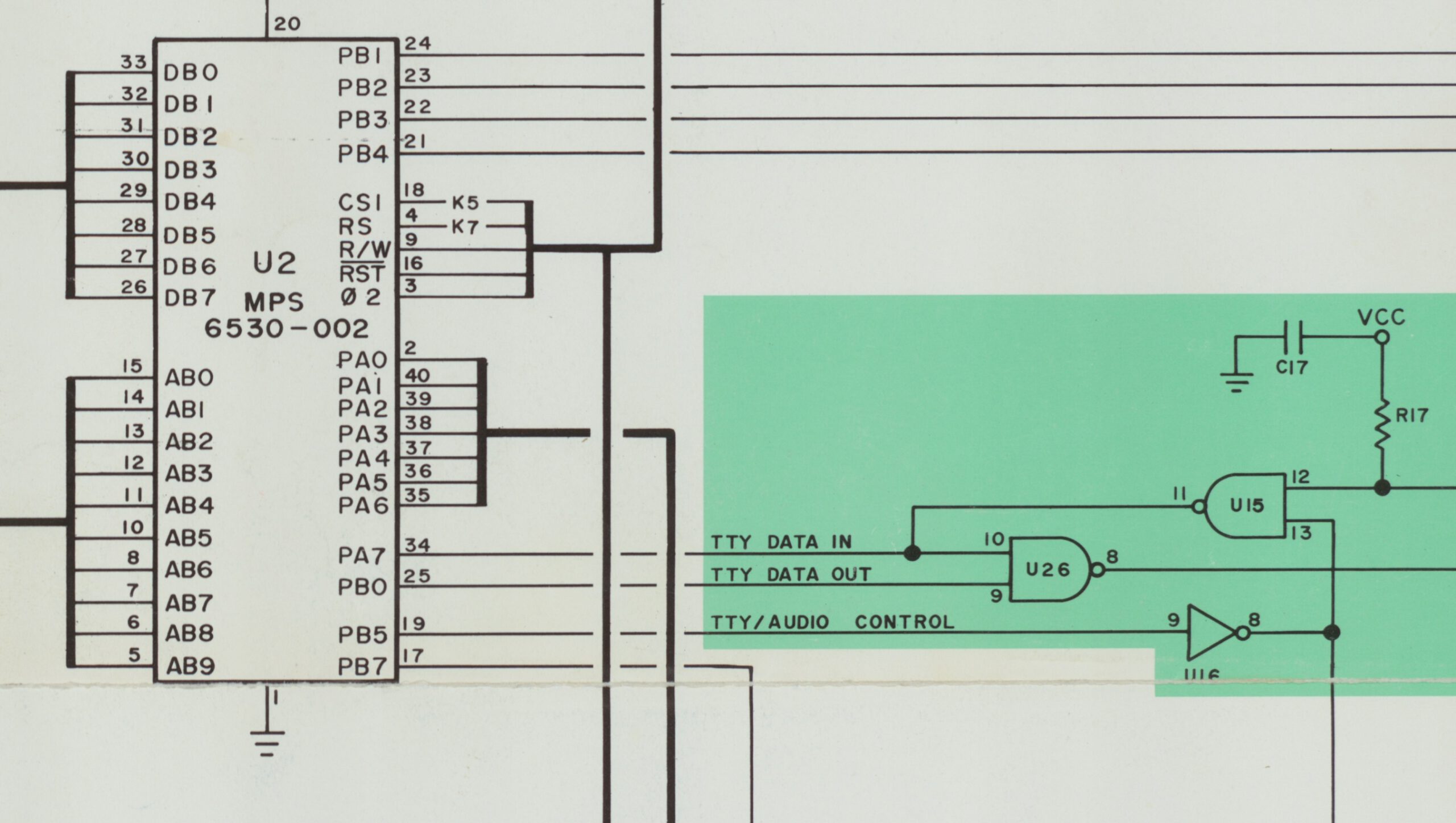
    The hardware echo of incoming serial signal to outgoing TTY output is shown in the next figures (from the KIM user manual and the KIM Circuit poster).
    The TTY KEYBD signal goes via a transistor and NAND gate U15 to PA7 port of the 6532. That signal also goes to pin 10 input  of NAND gate U26  which is the TTY out line. This is the hardware echo. When the KIM-1 sends out a character it comes from PB0 to pin 9 of of NAND gate U26 and so comes out to the TTY Out line.
    PB5 (audio TTY control) is connected via an inverter to NAND gate U15. The other input is TTY IN. Making PB5 high will make the TTY input PA7 deaf for incoming signals.
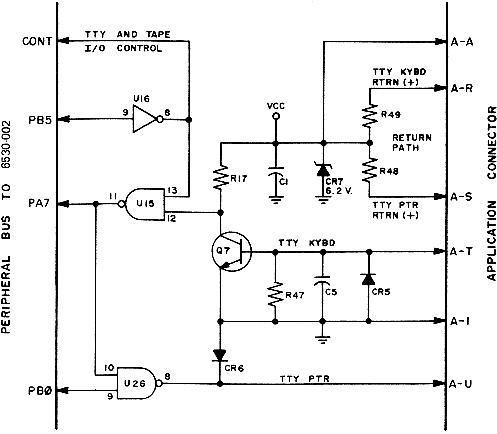
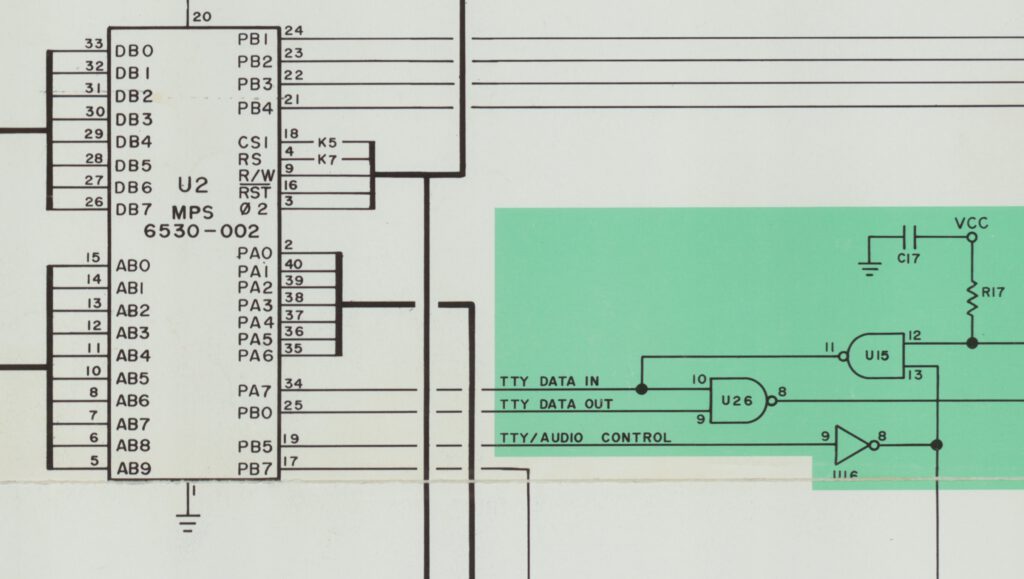
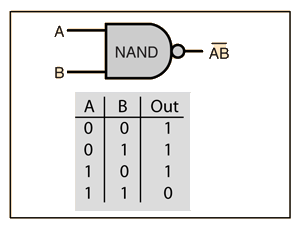
    The genius designers of the KIM-1 used NAND gates in the TTY I/O!

    Non-blocking input

    The KIM-1 GETCH routine detects an incoming character by looking in a loop for the start bit to appear. It then reads the character.
    By first doing that loop of looking for the start bit and returning if not yet, then we have the check for a key pressed and a character coming in.
    If a character is incoming we have to call as fast as possible the GETCH routine.

    ;
    ; KEYPRESS
    ;   check character coming on character non-blocking 
    ;   - carry set if char coming in
    ;   - follow up with GETCH or EGETCH as fast as possible if you want echo or no echo 
    ;
    KEYPRS  LDA  SAD
            BMI  NOKEY      ; If bit 7 is set, the line is idle, no char
            SEC
            RTS             ; Carry set if key pressed, A is key
    NOKEY   CLC
            RTS             ; carry clear, no key
    

    As argued above, this is not foolproof. It is easy to miss an incoming character, as there is no buffering of the input.

    Echo suppress

    The solution to suppress the echo is making output PB0 low. The NAND gate out will now stay high, ignoring any changes on the other input, the incoming serial character. So nothing is echoed.

    In this routine the standard KIM-1 GETCH routine at $1E5A is encapsulated in a subroutine that prevents the echo by setting PB0. Note that this is not a complete block of the echo, it is only active when the program calls the blocking EGETCHAR. The calling program is now responsible for the echoing or otherwise.

    ;
    ; EGETCH from TTY without echo (Y returned FF due to GETCH)
    ;
    EGETCH  LDA  SBD
            AND  #$FE       ; Set PB0 to U26 low to suppress the echo
            STA  SBD
            JSR  GETCH
            PHA
            LDA  SBD
            ORA  #$01       ; Set PB0 to U26 high to enable the echo
            STA  SBD
            PLA
            RTS
    

    To make the TTY input really deaf you can use PB5. Calling the deaf routine hardware blocks any incoming TTY signal.

    ; 
    ; TTYDEAF
    ;   call this to block any incoming character
    ;
    TTYDEAF LDA  SBD
            ORA  #$20       ; Set PB5 to U26 high to block input
            STA  SBD
            RTS
    ; 
    ; TTYHEAR
    ;   call this to restore incoming character via GETCH or EGETCH
    ;
    TTYHEAR LDA  SBD
            AND  #$DF       ; Set PB5 to U26 low to allow input
            STA  SBD
            RTS
    

    Using TTYdeaf/hear in combination with KEYPRS and EGETCH works quite well to prevent most unwanted screen display of characters.

    Example program of suppressing echo and non-blocking

    I wrote a litle program demonstarting the non-blocking and no echo facilities presented here.
    Download sources, binary, papertape here.
    This is the console output of the program:

    KIM
    0000 0200
    0200 A2 G
    
    Demo of echo suppress and non-blocking input Hans Otten, 2026
    
    Normal get character, until ESCAPE
     1 31 2 32 3 33 4 34 5 35 6 36  03 1B
    NOECHO get character, until ESCAPE
      31  32  33  34  35  36  03  1B
    
    If run on KIM-1 Simulator: set in  Settings Non-blocking or Focal-V3D
    
    Non-blocking no echo until ESCAPE
    31
    key pressed
    32
    key pressed
    33
    key pressed
    03
    key pressed
    
    Demo of echo suppress and non-blocking input Hans Otten, 2026
    
    KIM
    0200 A2 _


    If you have a KIM-1, PAL-1, PAL-2 or Micro-KIM, these routines may help you.
    The Corsham KIM Clone does not support PB5, and no deaf input on that one. Echo suppress works!

    These routines also run on the KIM-1 Simulator. The non-blocking routine requires a Setting in the Simulator.
    In versions before 2.3.1 check Focal-V3D, the later versions check Allow non-blocking.
    The TTYdeaf routine does not work yet on the Simulator, PB5 is ignored.
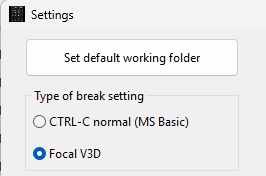
    Settings in 2.3.0
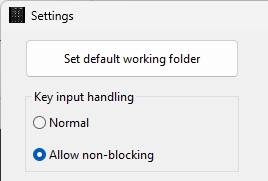
    Settings 2.3.1



    post

    Convert to Papertape V2.2

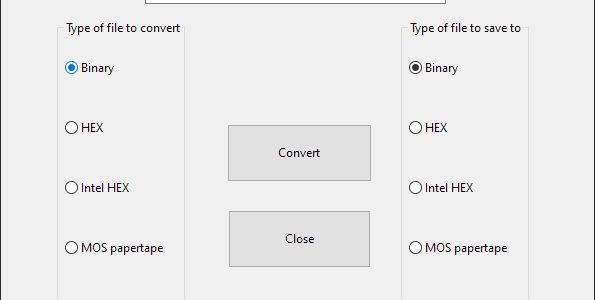
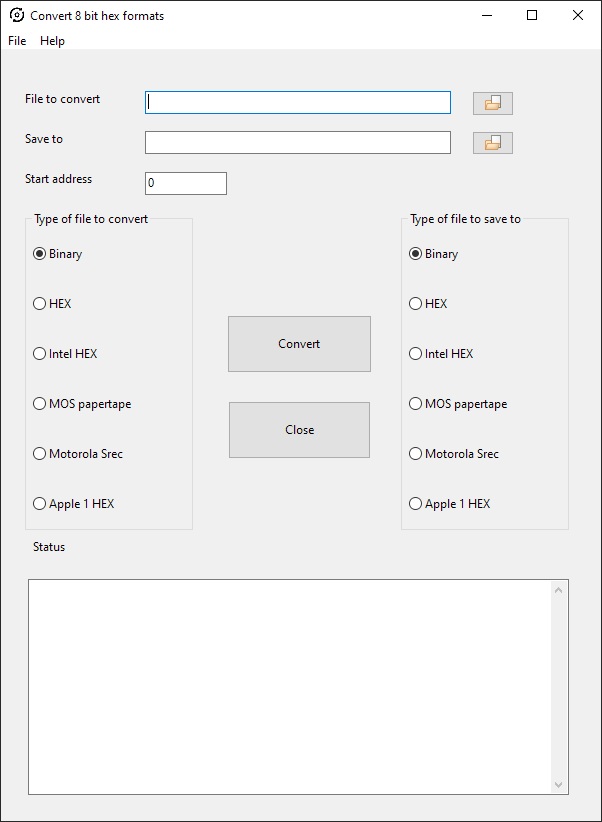
    On the Utilities page I have two programs to convert to MOS Technology papertape format: KIMpaper, a command line utility, and ConvertHexFormat, a GUI app.

    All in Freepascal/Lazarus source format, and tested on Linux (Raspberry PI OS) and Windows 10 64 bit. So the programs will run everywhere Lazarus is available (MS DOS, WIndows, Linux Mac OS).

    KIMPAPER  is written at the time the Micro-KIM appeared. CLI utility.  Supports Binary to/from Papertape.  Still runs fine on all platforms supported by Freepascal (Windows, MS DOS, Linux etc) after a recompilation, source available.

    ConvertHexFormat is a more recent GUI utilitilty with many more 8 bit hex formats as input and output.

    There were some bugs of course in older versions. V2 added the ability for multipart hex formats, records having a non-consecutive load address. That seems to wok fine since V2.1
    In 2.2 a bug in MOS Papertape format for bigger files is fixed, the end-of-file record (record type 00, total line count) had a bug in the checksum calculation. KIMPAPER is and was correct in the calculation.
    But in ConvertHexFormat it was wrong (as it still  is in the well known srec utility in the Unix world!).

    post

    PC utilities updated

    The PC utilities page has seen an update of th4 Conversion hex formats utility.

    Programs to manipulate the binary and hex formatted files of interest for SBC owners. Intel hex, MOS papertape, Motorola S-record, binary, hex conversion fort eh 8 bit world.
    Runs on Windows, Linux, Mac due to Lazarus and Freepascal. Source included.

    post

    Adding I/O to the KIM-1

    By Bob Applegate

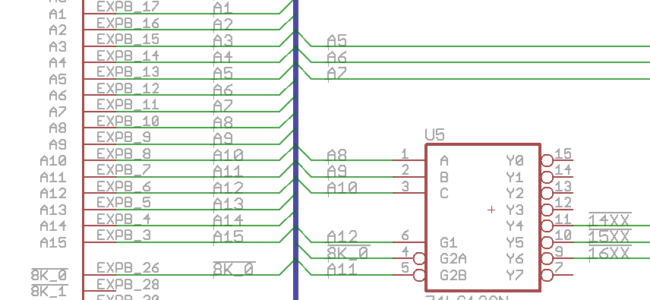
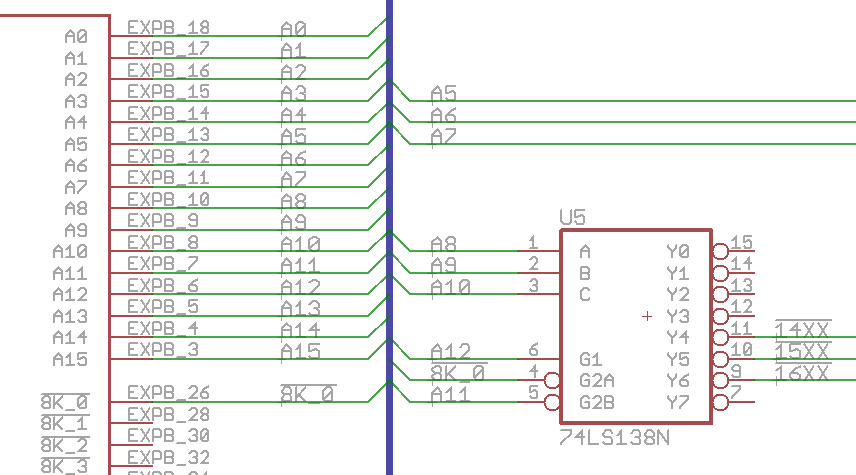
    Adding I/O devices that don’t need much address space. On the KIM-1, the space from 1400-17FF is grouped into the K0 block but only 17xx are used, leaving 1400-16FF open for use. To decode that range into four blocks of 256 bytes is easy using a single chip and a few signals from the KIM Clone expansion bus:

    Everyone has a 74LS138 in their parts collection, so just connect a few signals from the expansion bus and use one of the three signals from the 138 to decode which block you want to use. Use the A0-A7 address lines to decode into smaller pieces.

    KIM Clone software

    KIM Clone software

    Look at the KIM-1 software page for a wide offer of KIM-1 software, suitable also for the KIM Clone.

    KIM Monitor

    The Corsham variant of the KIM Monitor is for the most part made up of the code in the 6530-002 ROM. The 6530-003 (audio cassette save/load) ROM was removed.
    Placed in the main ROM of the KIM Clone.

    List of changes to the original KIM-1 ROMs:

    1. Removal of the (6530-003) code to save/load from cassette tape.
    2. Lunar Lander (First Book of KIM) added.
    3. Farmer Brown (First Book of KIM) added.
    4. New X command from TTY to enter the Corsham Technologies xKIM extended monitor.
    5. L command also loads Intel hex file (from input, send file in terminal emulator, like you can do with papertape files)

    There is no technical reason why you could not load the original KIM 6530-002 and 6530-003 ROMs into the KIM Monitor EPROM. The Corsham KIM Monitor is a bit more convenient.

    Source of Corsham KIM Monitor

    xKIM Monitor
    Placed in the extra EEPROM

    Extra commands in teletype mode.

      ? ........... Show this help
      D ........... Disk directory
      E xxxx ...... Edit memory
      H xxxx xxxx . Hex dump memory
      J xxxx ...... Jump to address
      K ........... Go to KIM monitor
      L ........... Load HEX file
      M xxxx xxxx . Memory test
      P ........... Ping disk controller
      T ........... Type disk file
      ! ........... Do a cold start
    

    Source of Corsham KIM Monitor
    a>

    Corsham eXtended KIM Monitor Manual
    Source of Corsham KIM Monitor

    Microsoft 8K BASIC
    Download the original KB9 binary, dumped from official Micro-soft (no typing error, original name!) cassette audio tape, and documentation from this site.

    Or build your own version from the pagetable blog (for which my KB9 was the KIM-1 version as input!) Install the CC65 package, then run the make.sh command, then look at the file tmp/kb9.bin, You’ll need to convert that raw binary image to a file suitable for downloading to the KIM, see the KIM-1 tools for a utility. All of these needs at least 12K of RAM starting at $2000 in the KIM-1

    Binaries of KB9

    Here is a file suitable for downloading onto a KIM-1. It loads at $2000 but to run it you’ll need to start at $4065. Use the L command in KIM-1’s monitor, then upload the file. I strongly suggest that you change your terminal emulator so it adds a 200 ms pause at the end of each line. Once it loads, run it by going to 4065 and running it.
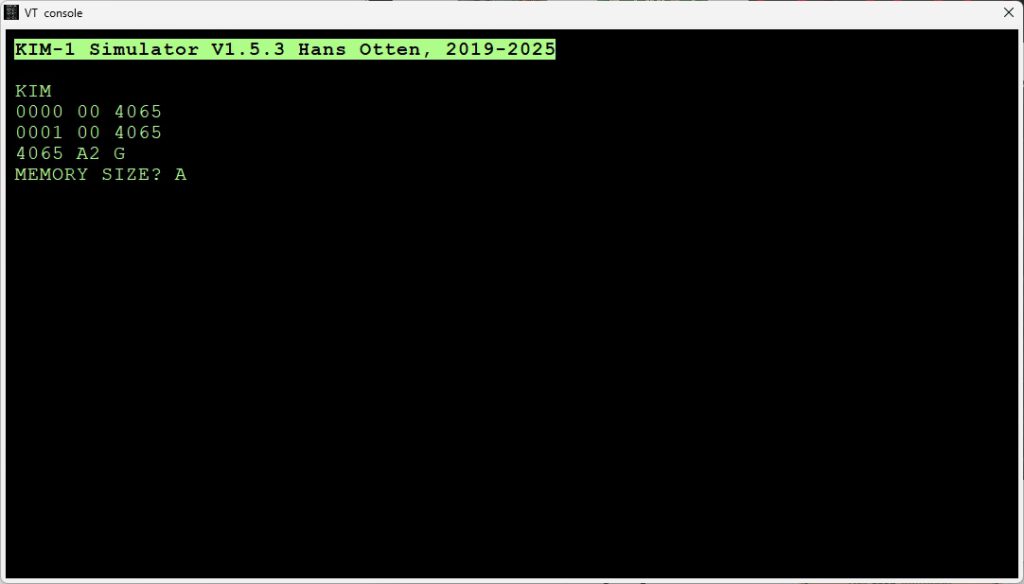
    4065 G
    To see the easter egg, answer “A” when it asks for memory size.

    Original KIM-1 Microsoft BASIC KB9

    This is still experimental but I have a version which uses functions in the xKIM monitor (present on the KIM Clone or on the 60K RAM/EPROM board) to save/load from the SD Card System. It also has a DIR command. This is an Intel HEX file and must be loaded from the xKIM “L” command:

    Download hex file xkim

    This loads and runs at $2000.

    Tom Pittman’s Tiny BASIC
    Tom distributed a very small BASIC that needed about 3K to run, and was available on paper tape for $5!!! He has quite a bit about it at:
    http://www.ittybittycomputers.com/IttyBitty/TinyBasic/

    Here is the source code, listing, and binary to my disassembly which includes a lot of comments and notes from Tom Pittman:
    Tiny Basic source
    Tiny Basic listing

    A ready-to-run binary which loads at $0200 and should have RAM up to $13FFL
    Tiny Basic hex file

    Bob’s Tiny BASIC
    by Bob Applegate

    All the early issues of Dr Dobb’s Journal discussed using using an intermediate language (IL) to write a general interpreter, then writing a BASIC interpreter using the IL language. Nobody used this except for Tom Pittman. I liked the idea and about five years ago wrote my own BASIC using that approach. It is buggy, but the sources are on the Corshams github so anyone can take them, hopefully debug things, and put fixes back in place. My version also has commands to save/load programs to/from a Corsham Technologies’ SD Card System.

    Source and documentation of Bob’s Tiny Basic

    And a binary version that can be run starting at address 0200

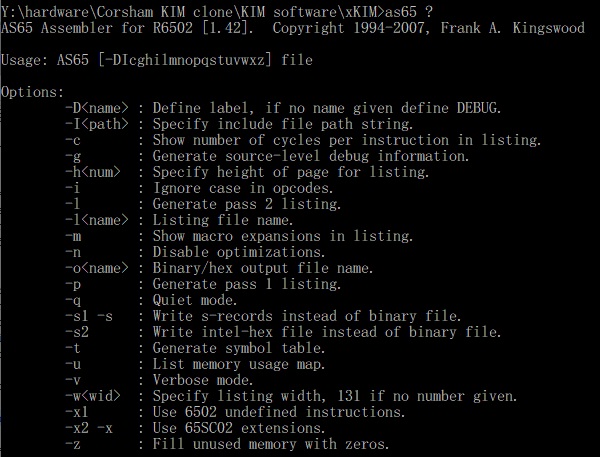
    AS65 assembler

    The software above was assembled with the AS65 Kingwoods assembler, a command line utility for Windows (including 10).

    Download here AS65

    A typical build for a bianry and hex output would be:

    REM Build xKIM
    as65 -l -s2 xKIM.asm
    as65 -l xKIM.asm
    

    Type “as65 ?” for help

    Memory Test

    by Bob Applegate
    This memory test was originally based on Jim Butterfield’s memory test program in the First Book of Kim, but has grown a bit. This now tests every memory location using a rolling 9-bit pattern. Ie the pattern repeats every 9 bytes, so this will detect most shorted address line problems. I use this to test memory boards, so it will run forever unless an error is detected. At the end of each pass, a ‘.’ is printed.

    This does output to the TTY port, so if you’re only using the default KIM display, the output functions will need to be tweaked. Not hard to do, but I didn’t need it.

    Written February 2006 by Bob Applegate, but it uses some bits of code from Jim Butterfield, and Ross Archer
    Memory test soource and hex file

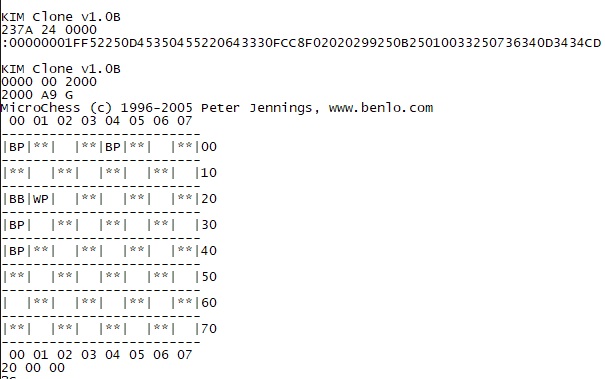
    Microchess Peter Jennings
    Adapted for KIM clone by tennyson.neil

    Source and hex file Microchess for the KIM clone