
In part 4 I showed how to load and run Wozmon and MCP programs on the Sorbus.
Those cores could be loaded with the basic ‘Press BOOTSEL at powerup and drop an UF2 file on the disk’ procedure.
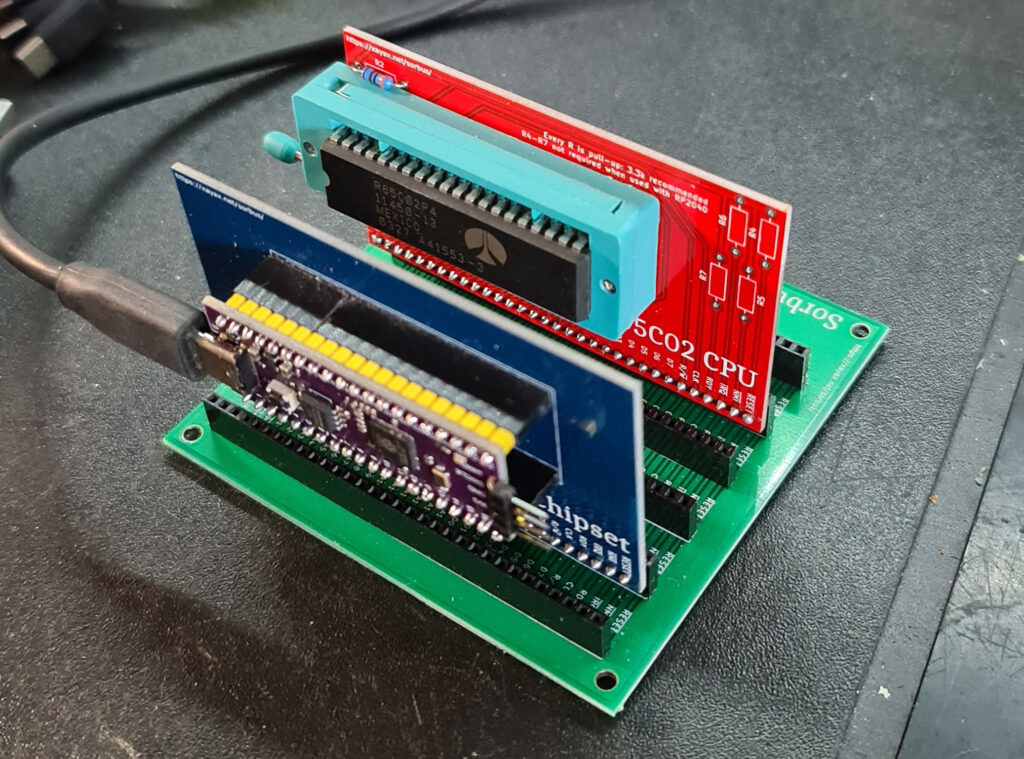
Here I show how to load the more complex UF2 files SvOlli provides. It is not a simple ‘drop a file’.
This is what I did (on Windows).
- Unpack the cores of the release in a folder, e.g. sorbus/cores
- Get a working picotool.
Some searching on the web brought me to this website where I found a command line Picotool for Windows - Download pictool.exe from the website
- You will need to download and run zadig: https://zadig.akeo.ie/
- Set pico in bootmode, run zadig
- You will want to select “RP2 Boot (Interface 1)” from the dropdown, and install the “WinUSB” driver.
- Start a command prompt (‘terminal’ and type
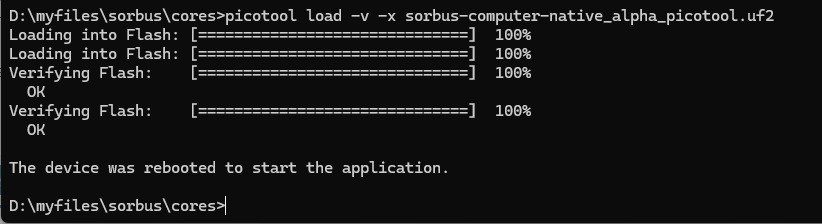
picotool load -v -x your-build-file.uf2
I did this with sorbus-computer-native_alpha_picotool.uf2 and got a nice menu driven interface to various programs as shown below.
Note that option 0 brings up CP/M-65 (with my Pascal-M!). There is also OSI Basic, Taliforth, Instant Assembler TIM and programs developed by SvOlli.


See also:
My KIM-1 expansions in Radio Bulletin
KIM-1 expansions in Radio Bulletin"
My KIM-1 system was based upon what we had published in Radio Bulletin. These artic...
Teach KIM to Sing
A program to let the KIM-1 play music. Store notes and its pitch in memory and listen to it.
Published in the Byte Bo...
Radio Bulletin articles in English
A collection of articles about the KIM-1, original in Dutch, here translated to English and with source and binary of th...
Replica 1 TE PAL version
User ExPLIT on the German forum Verein zum Erhalt klassischer Computer e.V.
has build an Apple 1 Replica 1 TE from th...