post

Convert to Papertape V2.2

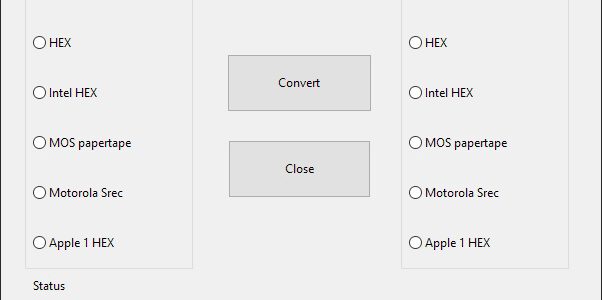
On the Utilities page I have two programs to convert to MOS Technology papertape format: KIMpaper, a command line utility, and ConvertHexFormat, a GUI app.

All in Freepascal/Lazarus source format, and tested on Linux (Raspberry PI OS) and Windows 10 64 bit. So the programs will run everywhere Lazarus is available (MS DOS, WIndows, Linux Mac OS).

KIMPAPER  is written at the time the Micro-KIM appeared. CLI utility.  Supports Binary to/from Papertape.  Still runs fine on all platforms supported by Freepascal (Windows, MS DOS, Linux etc) after a recompilation, source available.

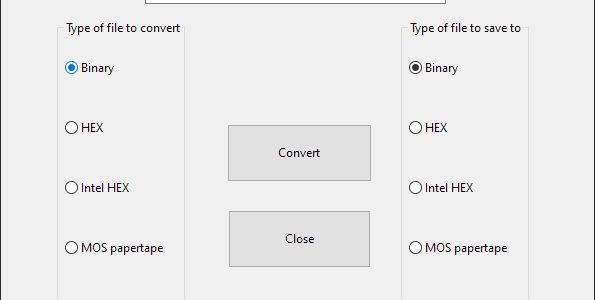
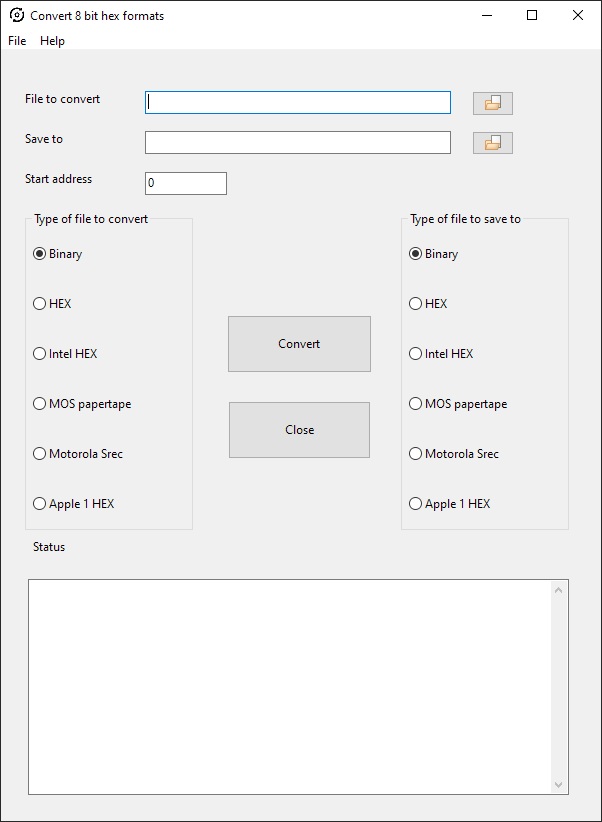
ConvertHexFormat is a more recent GUI utilitilty with many more 8 bit hex formats as input and output.

There were some bugs of course in older versions. V2 added the ability for multipart hex formats, records having a non-consecutive load address. That seems to wok fine since V2.1
In 2.2 a bug in MOS Papertape format for bigger files is fixed, the end-of-file record (record type 00, total line count) had a bug in the checksum calculation. KIMPAPER is and was correct in the calculation.
But in ConvertHexFormat it was wrong (as it still  is in the well known srec utility in the Unix world!).

post

PC utilities updated

The PC utilities page has seen an update of th4 Conversion hex formats utility.

Programs to manipulate the binary and hex formatted files of interest for SBC owners. Intel hex, MOS papertape, Motorola S-record, binary, hex conversion fort eh 8 bit world.
Runs on Windows, Linux, Mac due to Lazarus and Freepascal. Source included.

post

Load papertape format

The KIM-1 has two methods of loading programs:
– from audio files on the audio interface
– from papertape from a papertape reader connected to the teletype terminal

Loading from papertape is something that comes for the old Teletype with papertape reader and punch.
It is therefore accessible with the ‘L’ command in the TTY CLI.
The routine will not work in LED display/hex keyboard mode, as GETCH does not work there.

0868   1DF7 C9 4C               CMP   #'L'       ; LOAD TAPE
0869   1DF9 F0 09               BEQ   LOADV

0874   1E04 4C E7 1C    LOADV   JMP   LOAD

0722   1CE7             ;
0723   1CE7             ;          LOAD PAPER TAPE FROM TTY   
0724   1CE7             ;
0725   1CE7 20 5A 1E    LOAD    JSR   GETCH      ; LOOK FOR FIRST CHAR 
0726   1CEA C9 3B               CMP   #$3B       ; SMICOLON
0727   1CEC D0 F9               BNE   LOAD
0728   1CEE A9 00               LDA   #$00
0729   1CF0 85 F7               STA   CHKSUM
0730   1CF2 85 F6               STA   CHKHI
0731   1CF4             ;             
0732   1CF4 20 9D 1F            JSR   GETBYT     ; GET BYTE COUNT
0733   1CF7 AA                  TAX              ; SAVE IN X INDEX
0734   1CF8 20 91 1F            JSR   CHK        ; COMPUTE CHECKSUM
0735   1CFB             ;             
0736   1CFB 20 9D 1F            JSR   GETBYT     ; GET ADDRESS HI
0737   1CFE 85 FB               STA   POINTH
0738   1D00 20 91 1F            JSR   CHK
0739   1D03 20 9D 1F            JSR   GETBYT     ; GET ADDRESS LO
0740   1D06 85 FA               STA   POINTL
0741   1D08 20 91 1F            JSR   CHK
0742   1D0B             ; 
0743   1D0B 8A                  TXA              ; IF CNT=0 DONT
0744   1D0C F0 0F               BEQ   LOAD3      ; GET ANY DATA
0745   1D0E             ;
0746   1D0E 20 9D 1F    LOAD2   JSR   GETBYT     ; GET DATA
0747   1D11 91 FA               STA   (POINTL),Y ; STORE DATA
0748   1D13 20 91 1F            JSR   CHK
0749   1D16 20 63 1F            JSR   INCPT      ; NEXT ADDRESS
0750   1D19 CA                  DEX   
0751   1D1A D0 F2               BNE   LOAD2
0752   1D1C E8                  INX              ; X=1 DATA RECORD 
0753   1D1D             		         ; X=0 LAST RECORD
0754   1D1D 20 9D 1F    LOAD3   JSR   GETBYT     ; COMPARE CHKSUM
0755   1D20 C5 F6               CMP   CHKHI
0756   1D22 D0 17               BNE   LOADE1
0757   1D24 20 9D 1F            JSR   GETBYT
0758   1D27 C5 F7               CMP   CHKSUM
0759   1D29 D0 13               BNE   LOADER
0760   1D2B             ;
0761   1D2B 8A                  TXA              ; X=0  LAST RECORD
0762   1D2C D0 B9               BNE   LOAD
0763   1D2E             ;
0764   1D2E A2 0C               LDX   #$0C       ; X-OFF KIM
0765   1D30 A9 27       LOAD8   LDA   #$27
0766   1D32 8D 42 17            STA   SBD        ; DISABLE DATA IN
0767   1D35 20 31 1E            JSR   PRTST
0768   1D38 4C 4F 1C            JMP   START
0769   1D3B             ;             
0770   1D3B 20 9D 1F    LOADE1  JSR   GETBYT     ; DUMMY
0771   1D3E A2 11       LOADER  LDX   #$11       ; X-OFF ERR KIM
0772   1D40 D0 EE               BNE   LOAD8

1141   1F91 18          CHK     CLC
1142   1F92 65 F7               ADC   CHKSUM
1143   1F94 85 F7               STA   CHKSUM
1144   1F96 A5 F6               LDA   CHKHI
1145   1F98 69 00               ADC   #$00
1146   1F9A 85 F6               STA   CHKHI
1147   1F9C 60                  RTS
1148   1F9D             ;		
1149   1F9D             ;       GET 2 HEX CHAR'S AND PACK 
1150   1F9D             ;       INTO INL AND INH
1151   1F9D                     X PRESERVED Y RETURNED = 0
1152   1F9D             ;       NON-HEX WILL BE LOADED AS NEAREST HEX EQU
1153   1F9D             ;
1154   1F9D 20 5A 1E    GETBYT  JSR   GETCH
1155   1FA0 20 AC 1F            JSR   PACK
1156   1FA3 20 5A 1E            JSR   GETCH
1157   1FA6 20 AC 1F            JSR   PACK
1158   1FA9 A5 F8               LDA   INL
1159   1FAB 60                  RTS
1160   1FAC             ;		
1161   1FAC             ;       SHIFT CHAR IN A INTO
1162   1FAC             ;       INL AND INH 
1163   1FAC             ;
1164   1FAC C9 30       PACK    CMP   #$30       ; CHECK FOR HEX 
1165   1FAE 30 1B               BMI   UPDAT2
1166   1FB0 C9 47               CMP   #$47       ; NOT HEX EXIT
1167   1FB2 10 17               BPL   UPDAT2
1168   1FB4 C9 40               CMP   #$40       ; CONVERT TO HEX
1169   1FB6 30 03               BMI   UPDATE
1170   1FB8 18                  CLC   
1171   1FB9 69 09               ADC   #$09
1172   1FBB 2A          UPDATE  ROL   A
1173   1FBC 2A                  ROL   A
1174   1FBD 2A                  ROL   A
1175   1FBE 2A                  ROL   A
1176   1FBF A0 04               LDY   #$04       ; SHIFT INTO I/O BUFFER
1177   1FC1 2A          UPDAT1  ROL   A
1178   1FC2 26 F8               ROL   INL
1179   1FC4 26 F9               ROL   INH
1180   1FC6 88                  DEY   
1181   1FC7 D0 F8               BNE   UPDAT1
1182   1FC9 A9 00               LDA   #$00       ; A=0 IF HEX NUM
1183   1FCB 60          UPDAT2  RTS

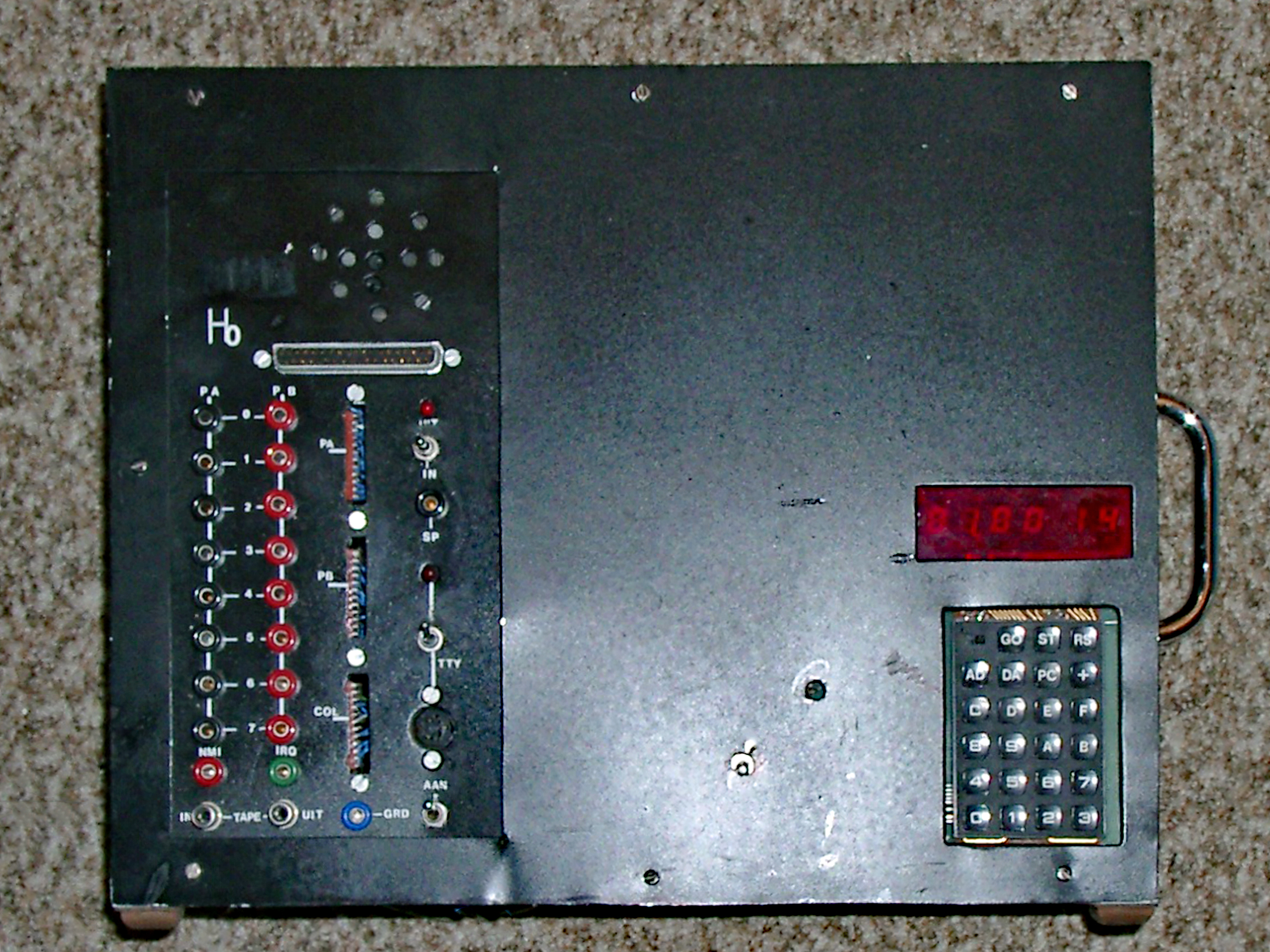
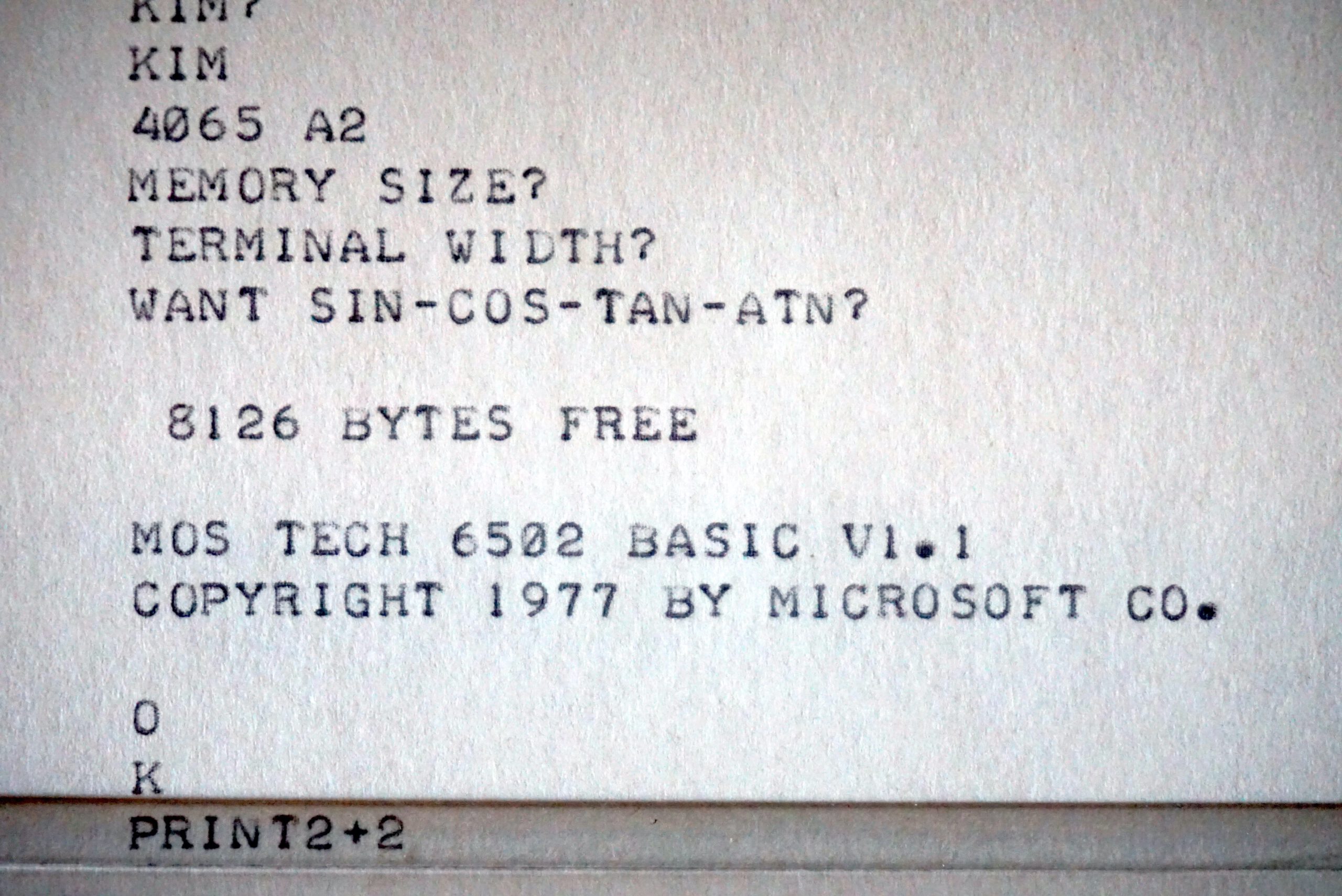
(Photos by Dave Wiliams with the MOS KIM-1 Reproduction connected to a Teletype)

Now papertape format is a special MOS Technology format, already used in the TIM-1. See the KIM-1 user manual for a technical description.
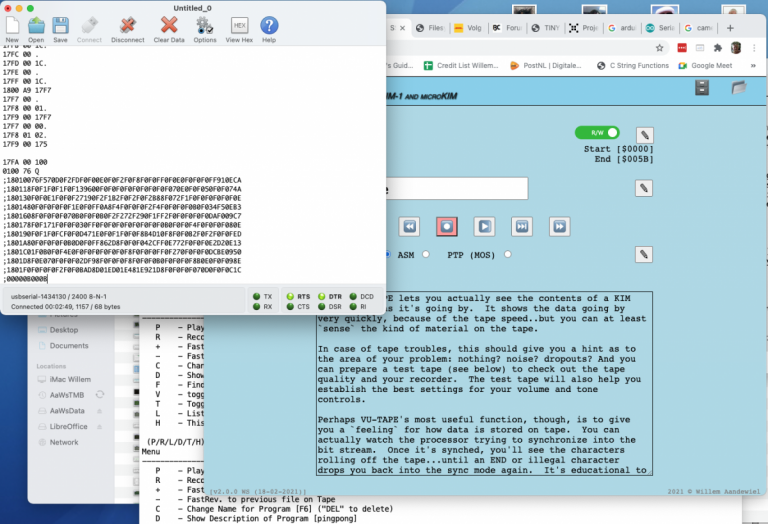
This is for example the papertape output captured with the KIM-1 S command for the memory test program in the Fist Book of KIM

;1800000000A900A885FA8570A2028672A50085FBA601A57049FF850B27
;1800187191FAC8D0FBE6FBE4FBB0F5A672A50085FBA570CA1004A20FF6
;1800300291FAC8D0F6E6FBA501C5FBB0ECA50085FBA672A571CA100F73
;18004804A202A570D1FAD015C8D0F0E6FBA501C5FBB0E8C67210AD0F29
;0B0060A57049FF30A184FA4C4F1C05CE
;0000050005

Load address, data and checksums are in the records.
A record is made up of:

‘;’ XX YYYY D..D CCCC

where
XX is number of databytes
YYYY is load address
D..D are XX databytes
CCCC is checksum, sum of XX YYYY and D.D)

What is happening in the code?

– a papertape record starts with a ‘;’, so line 725-727 look for that incoming to find start of a record, skipping any Null character if present
– the checksum is calculated per record, so cleared in 728 -730
– first two characters in record have byte count in record ($18 in examples above), 732-733 saved in X and added to checksum
– next the address to load the data in is read in and added to checksum (736-741)
– if count = 0 we are at the end of the papertape
– get the databytes in the record in a loop, add to checksum and store at load address (746-751)
– load checksum, compare to calculated checksum and report fatal error if not equal (754-759)
– continue loading records until last record (count 0 in X) (761-762)
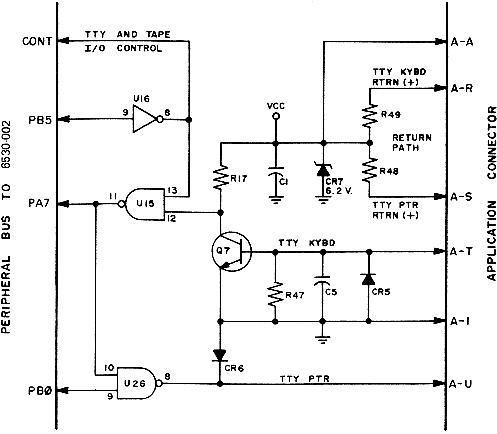
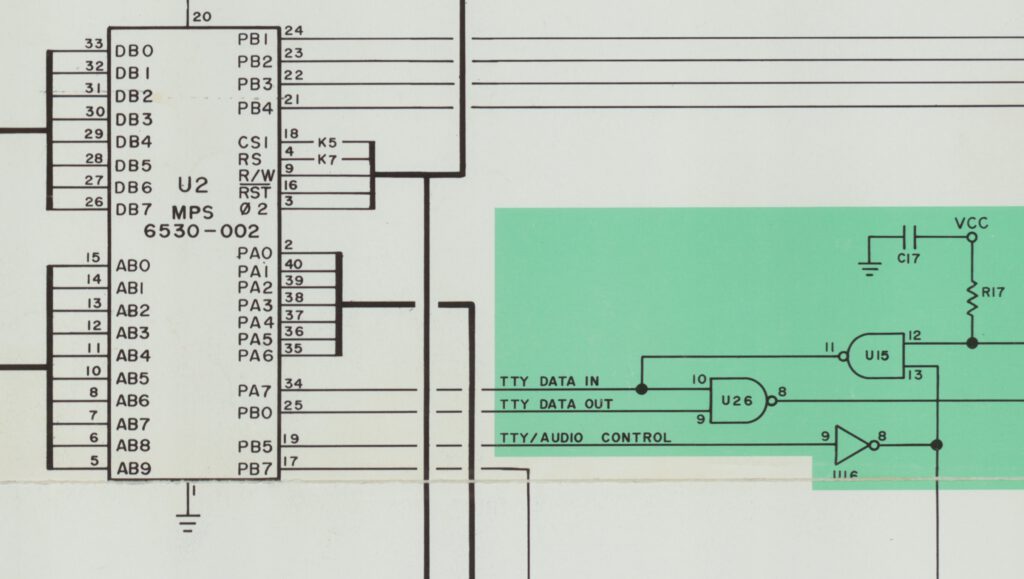
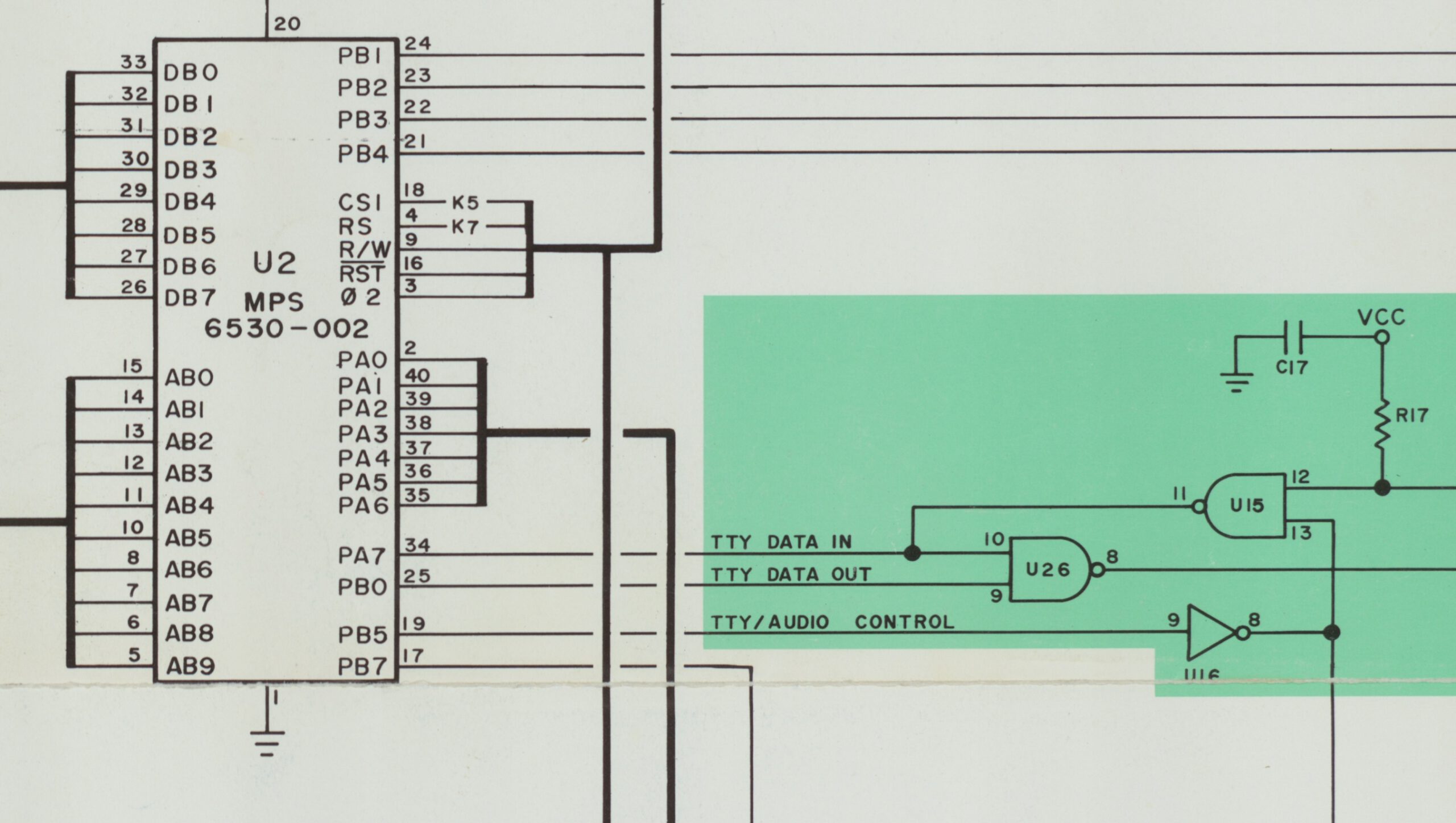
– make input deaf via PB5 ($27 to SBD and print string KIM (0C)KIM and return (764-768)

error handling
– if low checksum wrong, read high checksum byte (770
– print string ERR KIM (771 -772) and return

CHK
– addition to 16 bit checksum, overflow ignored (1141-1147)

GETBYT
– read a character
– pack into byte
– read second character
– pack shift also into byte INL

PACK
– if char < '0' exit (1164) - if char > ‘F’ exit (1166)
– if char <'A' add $09 - convert to binary (1172-1175) - shift into INL (1176-1181) - hex convert success with A = 0 (1182), not used here The convert to binary works as follows: '0' = $30 .. '9' = $39 'A' = $40 + $09 = $4A .. 'F' = $46 + $09 = $4F So the shift of four leaves 0 .. F Note that any non-hex character will load to checksum errors and are detected that way

Note also the null characters (value 00) inserted at the beginning of a papertape are discarded by the search for the ‘;’ starting character.

Multipart papertape format
The papertape format has in every record the address where to load the databytes. So you can have non-contiguous parts of memory loaded with one papertape file.
The Convert to hex 8 bit utility supports mulipart papertapes.
These can be loaded by the KIM-1 loader with no problems, since every record load address is read and used.
The KIM-1 Save to papertape can not produce multipart papertape files.

Microsoft Basic 6502

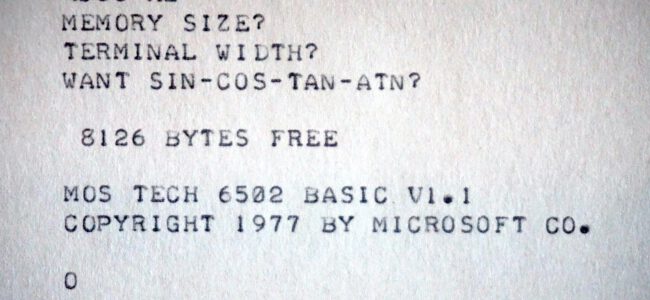
Written in 1976, Microsoft BASIC for the 8 bit MOS 6502 has been available for virtually every 6502-based computer. Also for the SBC’s on this site: KIM-1, SYM-1, AIM 65 and as a port of Applesoft on the Apple 1.

Binary versions and manuals are on the pages dedicated to these machines:

Sources of early Microsoft Basic on 6502 are available on pagetable blog by Michael Steil

Build binaries from source on a Linux system (Raspberry PI OS)

First install CC65 package, the assembler and linker are required.

You need the CC65 package, a C and Macro assembler and linker for the 6502.

https://github.com/cc65/wiki/wiki is broken, https://cc65.github.io/getting-started.html is fine.

git clone https://github.com/cc65/cc65.git
cd cc65
make
sudo make avail

Now get the MS Basic source and assemble the binaries

https://github.com/mist64/msbasic
git clone https://github.com/mist64/msbasic
cd msbasic
./make.sh
cd tmp
ls

and you will see a directory of binaries (.bin), symbol table (.lbl) and object files (.o)

Compare the binary files with the binary files in the msbasic/orig folder and you will see hopefullyy they are identical!

It is not only nice to see the source, now you are able to customize a Microsoft Basic to your likings.

Steps as advised in the pagetable description:
1. Create a .cfg file by copying an existing one.
2. Adapt the make file for the new target.
3. Change the platform specific source files

and assemble again.

For example, the KB9 Basic can be changed:

  • Character in//out to a serial device
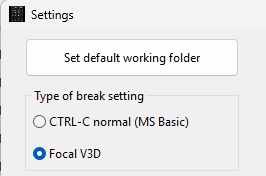
  • Control-C handler update
  • Remove the ROR workaround
  • Save/load to another storage device
  • See the KIM Kenner articles for patches on KB9 Basic

An example is this post by Gordon Henderson who made a serial interfaced Commodore Basic by creating a new variant and tweaking some conditionals, replacing the screen editor with the line editing interface of older versions.

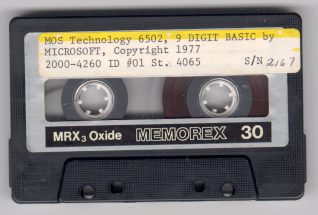
KB-9 stands for Microsoft Basic V1.1 for the KIM-1  with 9 digits precision. .
Scanned manual
The original KIM-1 KB9 Microsoft Basic V1.1, audio wave, binary and papertape format

Solid State Tape Device for the (micro)KIM


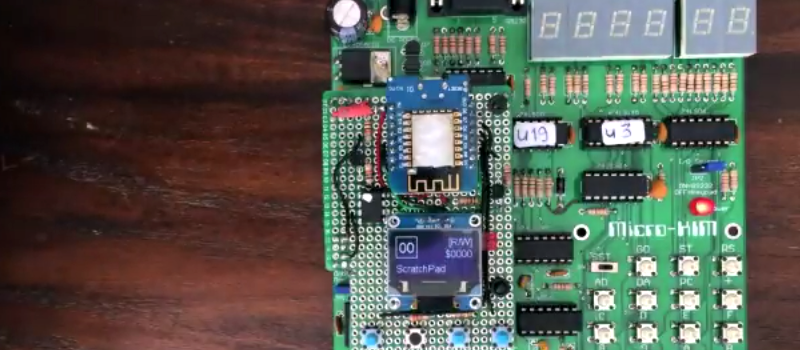
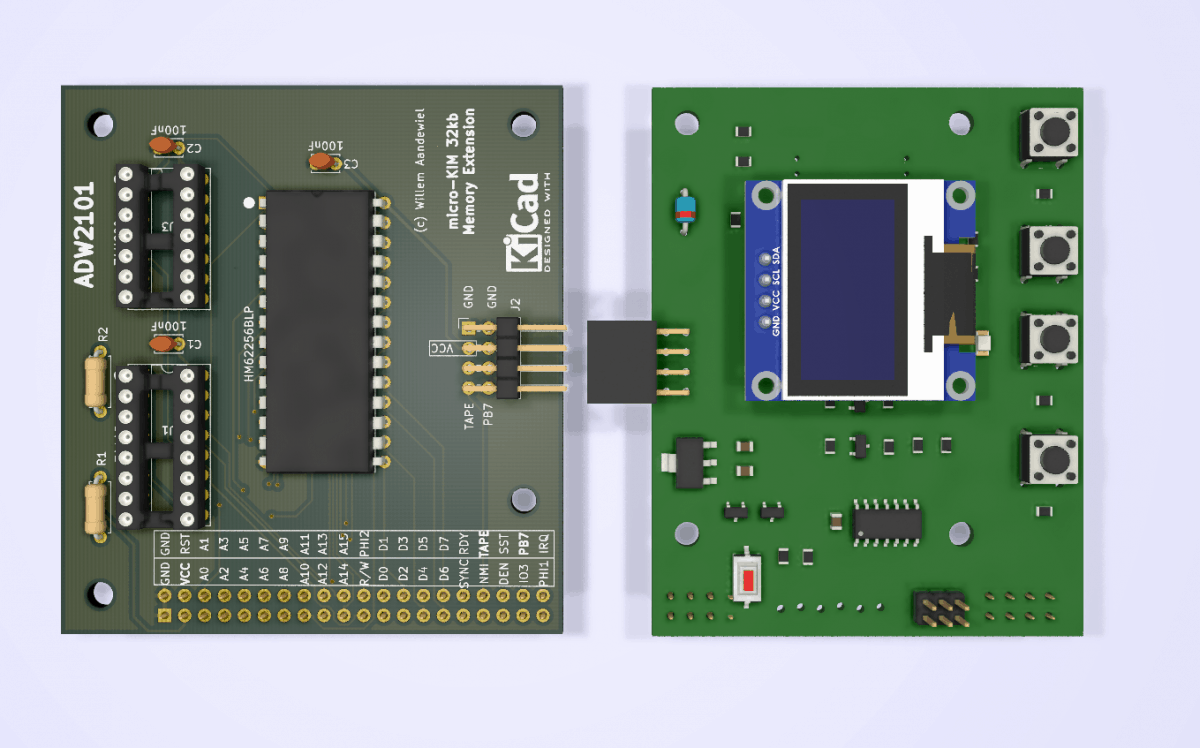
Willem Aandewiel designed a tape device for the (micro)KIM. With a Wemos D1, ES8266 and ATTiny and some clever software to make the KIM believe a audio cassette recorder is connected.
All details here on Willem’s website.

Willem has now published the next generation, together with a 32K RAM card, of this device.

post

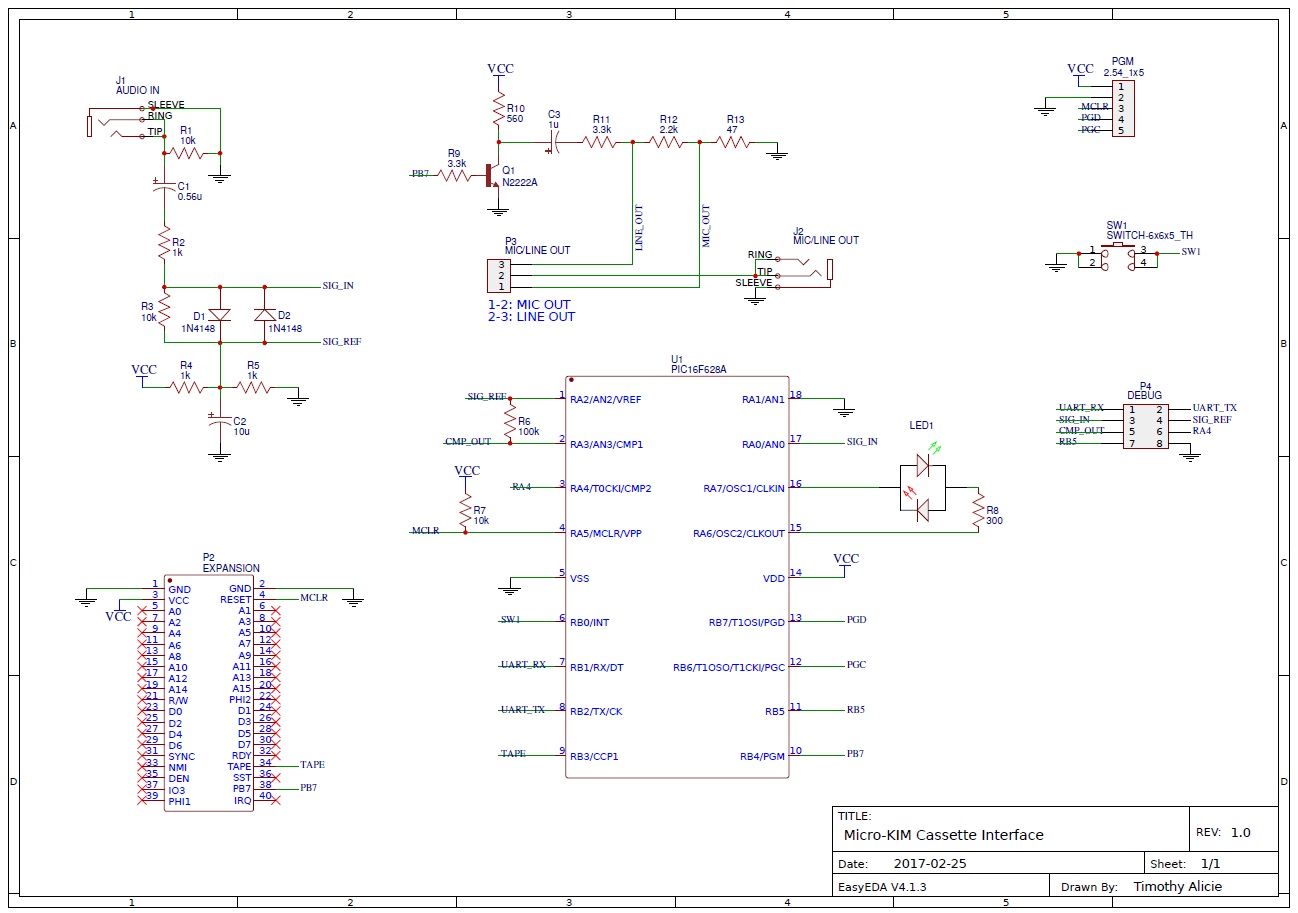
Cassette interface for Micro-KIM

or KIM Clone!

By Timothy Alicie

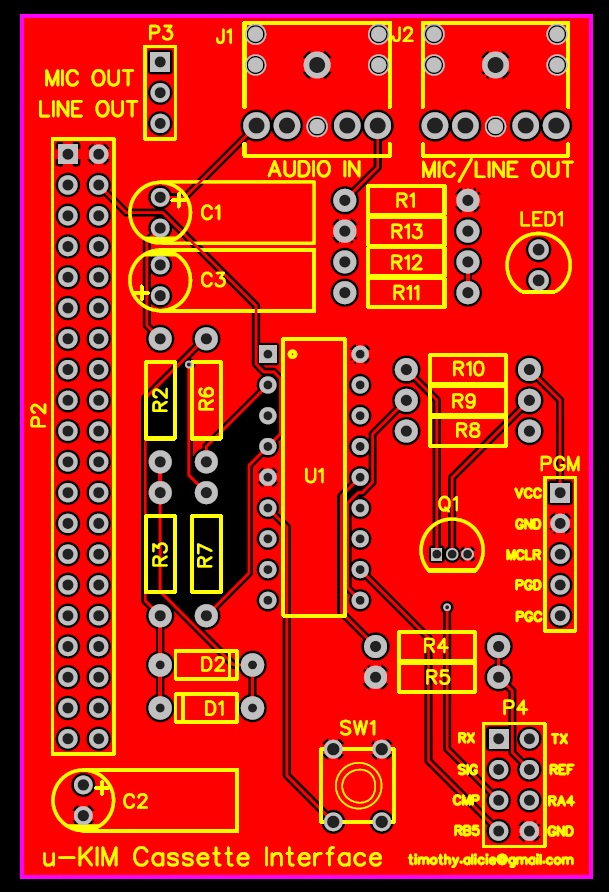
Demonstrates his  design for a cassette interface for the Micro-KIM single board computer from Briel Computers (a replica of the 1970’s KIM-1 SBC). The original KIM-1 has a built-in cassette interface, but the Micro-KIM replica does not, so I designed and built his own. The design uses a single PIC micro-controller, is very reliable, supports all HyperTAPE speeds, and has the ability to save and play back recorded data into the KIM-1.

post

Home-Brew Cassette Interface for Micro-KIM

Design by Timothy Alicie

Demonstrates his design for a cassette interface for the Micro-KIM single board computer from Briel Computers (a replica of the 1970’s KIM-1 SBC). The original KIM-1 has a built-in cassette interface, but the Micro-KIM replica does not, so I designed and built my own.

The design uses a single PIC micro-controller, is very reliable, supports all HyperTAPE speeds, and has the ability to save and play back recorded data into the KIM-1.


From the source of the microcontroller:

All design files (PCB gerbers, source and hex files PIC microcontroller) in this archive.

/*******************************************************************************
* Micro-KIM Cassette Interface, PIC16F6/27A/28A/48A Implementation
*
* The original KIM-1 uses a PLL and a comparator to implement the receive
* path of the cassette interface. These two parts have been replaced by
* this implementation which runs on a PIC microcontroller.
*
* The KIM-1 cassette format encodes each bit using two tones:
* 1) A high-frequency tone of 3623.188 Hz (1.5X the low-frequency tone)
* 2) A low-frequency tone of 2415.459 Hz
*
* Each bit is broken up into three periods, each of which is 2.484 ms long,
* during which either the low frequency or the high frequency tone is played.
*
* The high frequency tone is always played in the first time period, and the
* low-frequency tone is always played in the last time period. A bit is encoded
* as logic ‘1’ by playing the low-frequency tone in the middle time period, and
* a logic ‘0’ by playing the high-frequency tone in the middle time period:
*
* Logic 1: encoded as HiFreq-LoFreq-LoFreq
* Logic 0: encoded as HiFreq-HiFreq-LoFreq
*
* The KIM-1 cassette interface uses a PLL tuned to distinguish between the
* high and low frequency tone. The output of this PLL is then fed into a
* comparator to generate a logic ‘1’ whenever the high frequency is detected,
* and a logic ‘0’ whenever the low frequency is detected. This logic signal
* is analyzed by the KIM-1 to reconstruct the bit-stream stored on the cassette
* tape. Each bit begins with a low-high transition, and the bit value can be
* determine by the timing of the falling edge generated by the high-frequency
* to low-frequency transition within each bit.
*
* The job of the PIC KIM cassette interface implementation is to perform the
* same function of the original PLL and comparator: analyze the input signal,
* and generate a logic ‘1’ output whenever the high frequency is detected, and
* a logic ‘0’ output whenever the low frequency is detected. The implementation
* is rather simple: analyze the timings of zero-crossings detected in the input
* signal, use this information to determine the frequency of the input signal,
* and generate the output signal based on if the input signal is closer to the
* high frequency, or closer to the low frequency.
*
* The original KIM-1 tape algorithm uses a bit period of 7.452 ms, which is
* three periods of 2.484 ms each. Within each sub-period, exactly 9 cycles of
* the high frequency tone can be played, or exactly 6 cycles of the low
* frequency tone can be played.
*
* Jim Butterfield popularize an alternative called HYPERTAPE, which reduces
* these periods to speed up the data by a factor of 2X, 3X, or 6X. The only
* difference between the HYPERTAPE implementation and the original implementation
* is that the sub-bit periods are reduced. The 2X and 6X sub-bit periods are
* reduced such that a non-integer number of cycles of the high and low frequency
* tones are played within each sub-period. Thus, the PIC detects the frequency
* based on half-cycles to fully-support HYPERTAPE.
*
* Interesting facts:
*
* Original KIM-1 cassette bit-rate: 134.2 bits/sec (402.6 baud, 3 symbols/bit)
* HYPERTAPE 6X bit-rate: 805.2 bits/sec (2415.5 baud, 3 symbols/bit)
*
* Each data byte is represented as two ASCII hex digits, so the effective data
* transfer rate is 8.4 bytes/sec for the original speed, or 50.3 bytes/sec for
* HyperTAPE x6.
*
* High frequency tone: 3623.188 Hz, or 0.276 ms/cycle
* Low frequency tone: 2415.459 Hz, or 0.414 ms/cycle
* Center frequency: 2898.551 Hz, or 0.345 ms/cycle
*
* Frequency detection based on half-wave zero-crossings:
* High frequency tone: zero-crossing every 138 us
* Low frequency tone: zero-crossing every 207 us
*
* Separation between high-frequency and low-frequency zero-crossing: 69 us
* Threshold between high and low-frequency zero crossing: 172.5 us
*
* Implementation Notes:
*
* The bi-color LED lights red when an input signal is present, but it does
* not contain the correct frequencies to be a valid KIM-1 bit stream, for
* example, voice input. The bi-color LED lights green if the input signal
* contains the correct frequencies to be a valid KIM-1 bit stream. While
* receiving data, the green LED should be lit solid to ensure reliable data.

* Comparator 1 (CMP1) is used to detect signal zero-crossings by adding a bias
* to the input AC signal of Vcc/2. The bias is used as the V- comparator input.
*
* RB4 is used to monitor the PB7 line to/from the KIM-1. In audio-output mode,
* (dumping to a tape), the KIM-1 drives this line, so we can use it to detect
* audio-output mode and light the LED when the KIM-1 is dumping data.
*
* Timer 0 (TMR0) is used to light the LED indicators for a certain time period.
*
* Timer 1 (TMR1) is set up to count at 1.0 MHz, and it is used to precisely
* measure the time between zero crossings.
*
* Copyright Timothy Alicie, 2017, Timothy Alicie
*******************************************************************************/

post

G.Eisenack Programmieren von Mikrocomputern CPU 6502 Skriptum

New book added tot the KIM-1 Books resources: (thanks netzherpes)

G.Eisenack Programmieren von Mikrocomputern CPU 6502 Skriptum

PAL-1 extensions

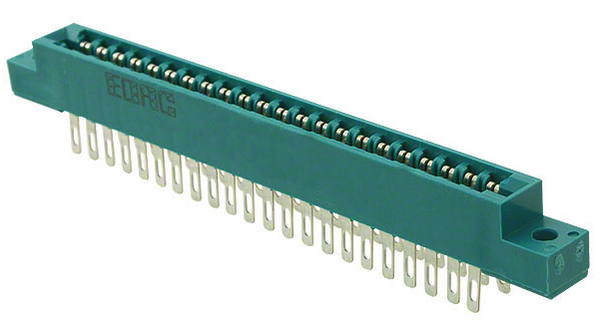
Motherboard 6 slot, 32K RAM , second 6532 board, now on Tindie for the PAL-1 (and Micro-KIM)

post

Adding I/O to the KIM-1

By Bob Applegate

Adding I/O devices that don’t need much address space. On the KIM-1, the space from 1400-17FF is grouped into the K0 block but only 17xx are used, leaving 1400-16FF open for use. To decode that range into four blocks of 256 bytes is easy using a single chip and a few signals from the KIM Clone expansion bus:

Everyone has a 74LS138 in their parts collection, so just connect a few signals from the expansion bus and use one of the three signals from the 138 to decode which block you want to use. Use the A0-A7 address lines to decode into smaller pieces.