Microsoft Basic for the KIM-1: KB9 update

More information on KB9 and a new faster and smaller version

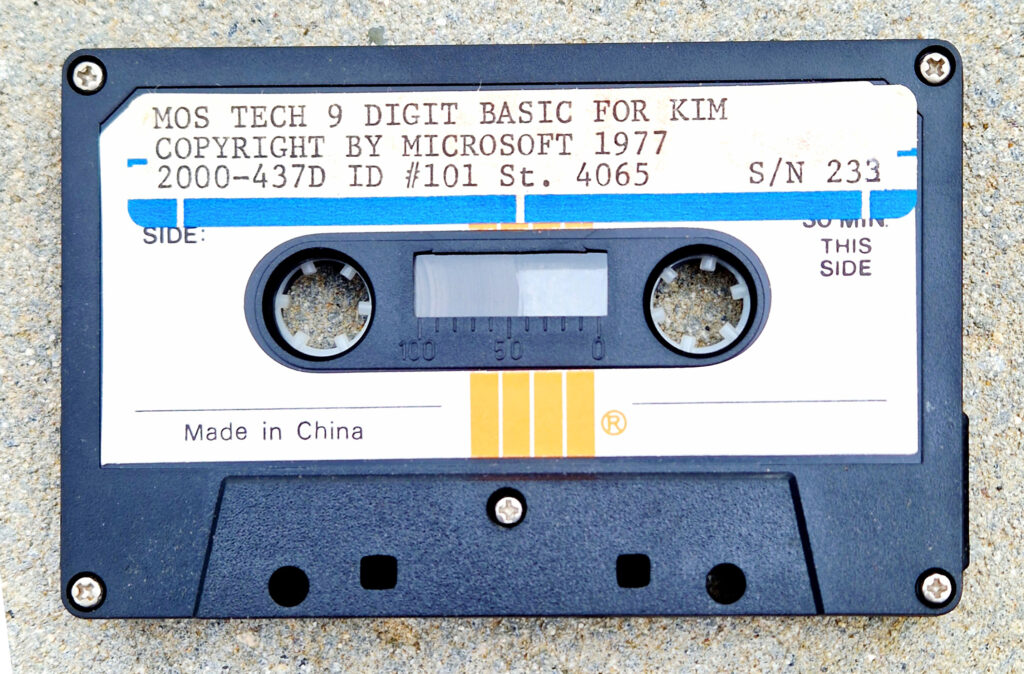
Microsoft MOS TECH 6502 BASIC V1.1 or KB9

Microsoft’s 6502 BASIC is now Open Source, and that includes KB9 or as it is officially called:

MOS TECH 6502 BASIC V1.1
COPYRIGHT 1977 BY MICROSOFT

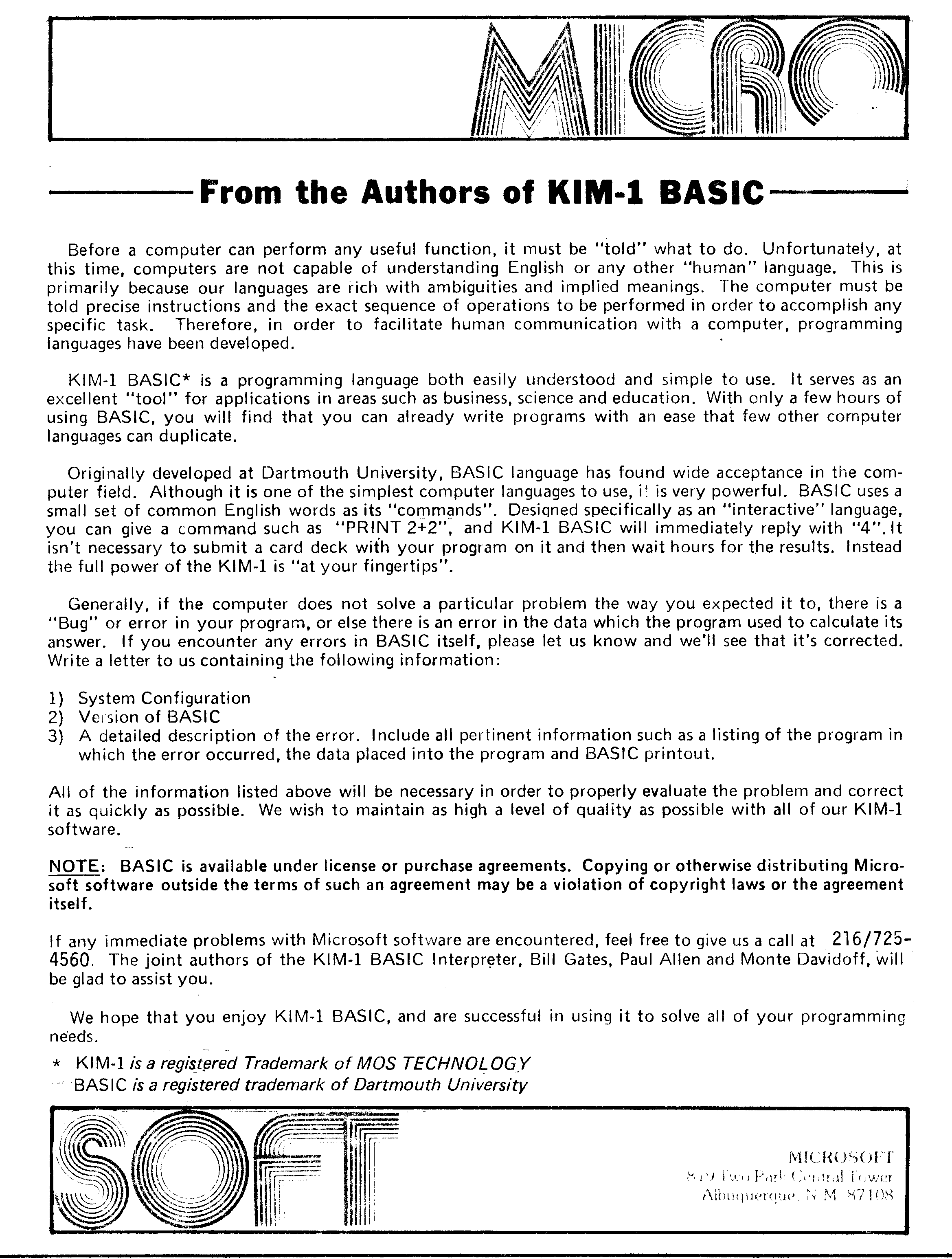
Microsoft’s 6502 BASIC is now Open Source

“Now, for the first time, this influential 6502 version is truly yours to explore, modify, and share.”

This means that we are allowed to distribute and modify KB9 and derivates without breaking licenses!

Also see the pagetable post from 2005 that explains a lot about this source.

The license that goes with 6502 BASIC is the MIT License.

On this page you will find:

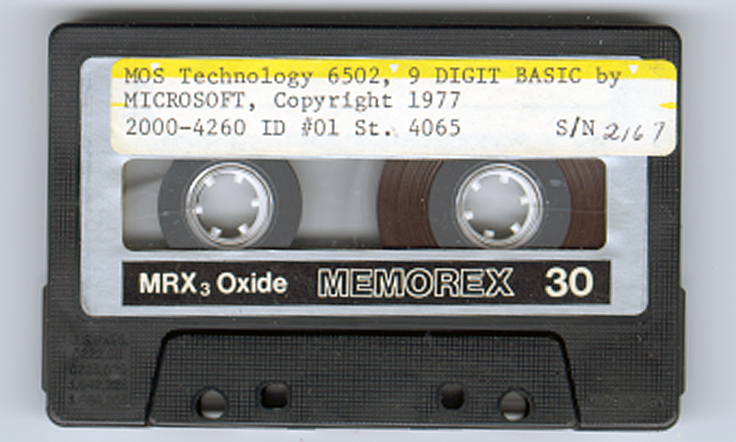
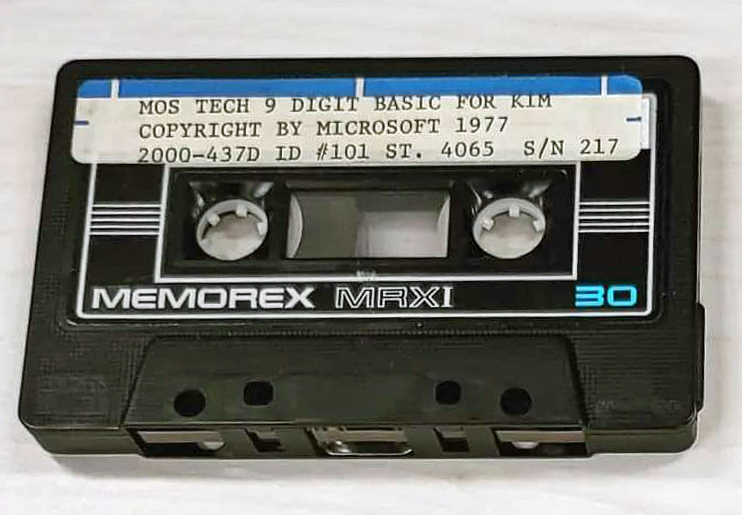
Another MOS TECH BASIC for KIM-1, lower serial number


KB-9 stands for Microsoft Basic V1.1 for the KIM-1  with 9 digits precision. Actually, when you run it, it is called MOS Tech 6502 Basic v1.1 Copyright 1977 by Microsoft Co.
The ‘9’ stands for 9 digit precision floating point numbers. A KB-6 (6 digits precision) existed, but no copy ever turned up.

Downloads

Scanned manual
Scanned manual alternative version (incomplete)
The original KIM-1 KB-9 Microsoft Basic V1.1, cassette audio wave, binary and papertape format
The updated (see below) KIM-1 KB-9 Microsoft Basic V1.2, binary and papertape format
The reconstructed KIM-1 KB-6 Microsoft Basic V1.2, binary and papertape format
How to use, read this! Clear decimal, set vectors!

Resources

Articles on KB9 in the clubmagazine KIM/6502 Kenner:
– KIM Kenner 4 Siep de Vries Evaluatie 8K Basic, test of accuracy of KB-9, Dutch
– KIM Kenner 5 Uwe Schroder, English, Some Basic problems solved
– KIM Kenner 6 S. Woldringh Patches op 8K Basic Load and Save commands
– KIM Kenner 10 p 10 Microsoft Basic, Hans Otten.
– KIM Kenner 11 p 15 S. Woldringh Patches op 8K Basic part 2
– KIM Kenner 11 p 19 W. van Gelderen Read and Write on cassette for 8K Basic
– KIM Kenner 12 p 15 Patches Microsoft Basic, Hans Otten. Trace mode Renumber
– KIM Kenner 14 p 39 Patches Microsoft Basic, Hans Otten. Calculated line numbers
– 6502 Kenner 16 p 49 Patches Microsoft Basic, W. Blonk Corrections on KIM Kenner 12
– 6502 Kenner 19 p 34 Patches Microsoft Basic, Hans Otten. Speed up Basic 10% with ROR
– 6502 Kenner 22 p 12 Patches Microsoft Basic part 1, van Nieuwenhove Koen, adapt KB-9 to Elektor Junior
– 6502 Kenner 23 p 12 Patches Microsoft Basic part 2, van Nieuwenhove Koen, adapt KB-9 to Elektor Junior
– 6502 Kenner 24 p 14 Patches Microsoft Basic part 3, van Nieuwenhove Koen, adapt KB-9 to Elektor Junior
– 6502 Kenner 25 p 6 Patches Microsoft Basic part 4, van Nieuwenhove Koen, adapt KB-9 to Elektor Junior
– 6502 Kenner 29 p 33 KB-9 Basic on Acorn SYSTEM-1
– 6502 Kenner 32 p 21 W. L. van Pelt KB-9 Basic Tokenized keywords and addresses

All the KB9 KIMKenner articles in one PDF here

Language lab section in the 6502 User Notes:
– Vol 13 Basic tips, Renumber Page 1, Page 2
– Vol 14, Tips, Paging, Automatic Line numbers, the GET statement, USR function
Page 1, Page 2, Page 3, Page 4
– Vol 15 USR Dispatch, Load/save Basic arrays Page 1, Page 2, Page 3
-Vol 16 Line Editor Page 1, Page 2, Page 3, Page 4
-Vol 17 IEEE, Save Load cassette
Page 1, Page 2, Page 3, Page 4

Basic V3.0

After I bought MOS Basic for the KIM-1 in 1978 a lot of study went into understanding and adapting the interpreter. In the Dutch club magazine the KIM Kenner (see above) I and others published my work on it, like tape I/O in hypertape format, calculated goto’s, trace mode, paged output and such.

I modified it later on to suit a bit better to my system, that moved from the KIM-1 I/O to keyboard input via a ASCII keyboard, output to video terminal and a parallel matrix printer Heathkit H14. Even later a real serial interface (ACIA 6850) was used for I/O. I also replaced the startup routine, from destructive to reusable and no questions asked.

Here the Micro Ade source of the patches to V3.0 (Parallel keyboard, video output, H14 printer) and nothing asked non-destructive startup routine. I should rewrite that to the current KB-9 V2 to also include the GET and Backspace patches. V1.3 perhaps?

Sources of KB-9 Microsoft Basic v1.1

Adapt KB-9, first step make it faster and smaller

In the previous section the pagetable article was shown, with resources to recreate from source many 6502 Basic’s, like KB-9.

Here an example how I, quick and dirty, used this to create a KB-9 named V1.2 which is smaller and faster than the original.

This is how to prepare for it (Windows, can be done also on Linux)

  1. Download and unpack the archive of pagetable in a folder on your PC.
  2. Download and unpack the CC65 package, a C compiler, from which only the assembler and linker is used. I used the Windows binaries.
  3. Copy CA65.EXE, LD65.EXE and longbranch.mac from the CC65 package to the folder where you unpacked the MS Basic source.

Do the adaptations as described below or your own:

  1. To save you the work I have collected the adaptations described above in this archive for your convenience here.
  2. Change whatever you like in the source. It is quite a complicated construction, with macros for every variant, so look carefully at the listing file what really is produced.
    Start with no adaptations and then go on studying the listing file and testing. The KIM-1 Simulator is a good tool for testing! Load the symbol table file to see what is where.
  3. Assemble and link with this simple batch file makekb9v2.bat, resulting in an object, a binary, a listing file and a symbol label file.
ca65 -D kb9 msbasic.s -o tmp/kb9v2.o -l tmp/kb9v2.lst
ld65 -C kb9.cfg tmp/kb9v2.o -o tmp/kb9v2.bin -Ln tmp/kb9v2.lbl
  • Repeat step 4 and 5 until you are satisfied with the adaptations. The article listed above are a good source of inspiration.
  • First example: use the ROR instruction and suppress nulls sent to the terminal and Clear decimal and fix GET
    I changed this:

      • In define_kim.s make a comment of the following two lines:
    CONFIG_NULL := 1                     
    ;CONFIG_ROR_WORKAROUND := 1             ; patch HO 2021
    
    • In init.s add this line at label COLD_START
      COLD_START:
      .ifdef SYM1
              jsr     ACCESS
      .endif
      .ifdef KBD
        .
        .
        .
      .else
        .ifndef CBM2
              cld                     ; patch for KIM-1 HO 2021
              ldx     #$FF
              stx     CURLIN+1
      
    • do the fix in the “GET handling (see below)
    • Add backspace handling to correct typing errors
    • Change the version number in inline.s line 493 to “MOS TECH 6502 BASIC V1.2

    Assemble and link with the batch file makekb9v2.bat, this will deliver in the folder tmp/
    – kb9v2.bin file : load as usual at $2000
    – kb9v2.lbl text file
    – kb9v2lst textfile

    Start KB9 V2 now at location $3F8E, label COLD_START (used to be $4065, so we gained some RAM), see the lbl file.

    Here is an archive with all files mentioned above.

    And here the new KB-9 V1.2 executable, faster (no ROR instruction emulation) and a bit smaller.
    You can test all this with the KIM-1 Simulator (version 0.9.3 lets you load CC65 type of symbol files)

    KB-6

    I know KB-6 existed. The ‘6’ stands for the precision in digits of the floating point number. In the documentation KB-6 is described.
    Never seen a version in the wild. So the reconstruction here is not checked with the original, addresses in the reconstruction from the linker differ from the documentation.
    Perhaps the ROR workaround or the insertion of CLD in the init.s caused this.

    KB-6 can be ‘reconstructed’ since other versions of 6 digit Microsoft Basic are in the ‘pagetable sources’.
    It takes one define added in define_kim.s, changes on the original file are now:

    ; CONFIG_NULL := 1                      ; patch HO 2021
    ;CONFIG_ROR_WORKAROUND := 1             ; patch HO 2021
    CONFIG_SMALL := 1                       ; patch H0 2021
    

    Assemble and link as above, replace kb9v2 with kb6 in the batch file. See the archive for a working batch file.
    COLD_START moves to $3D50, size shrinks to 8K.
    Download KB-6 here.
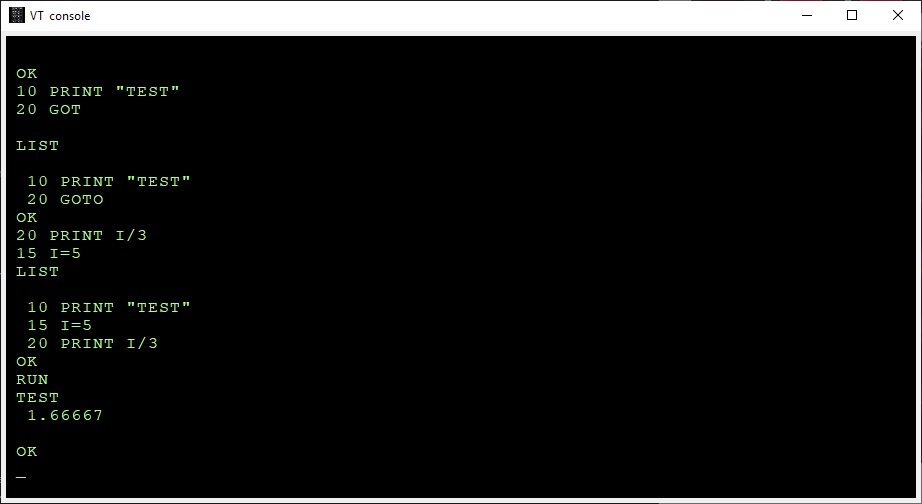
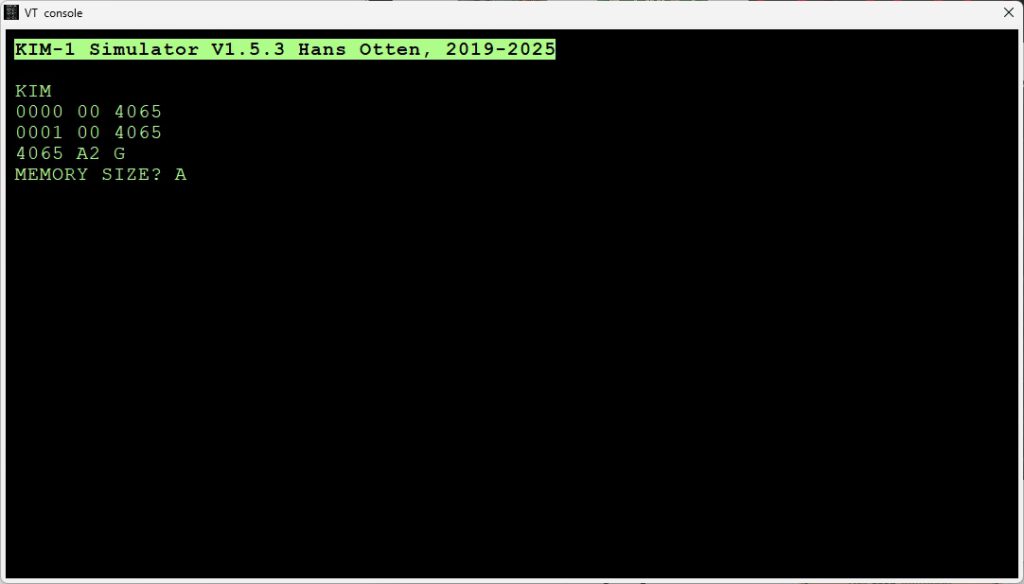
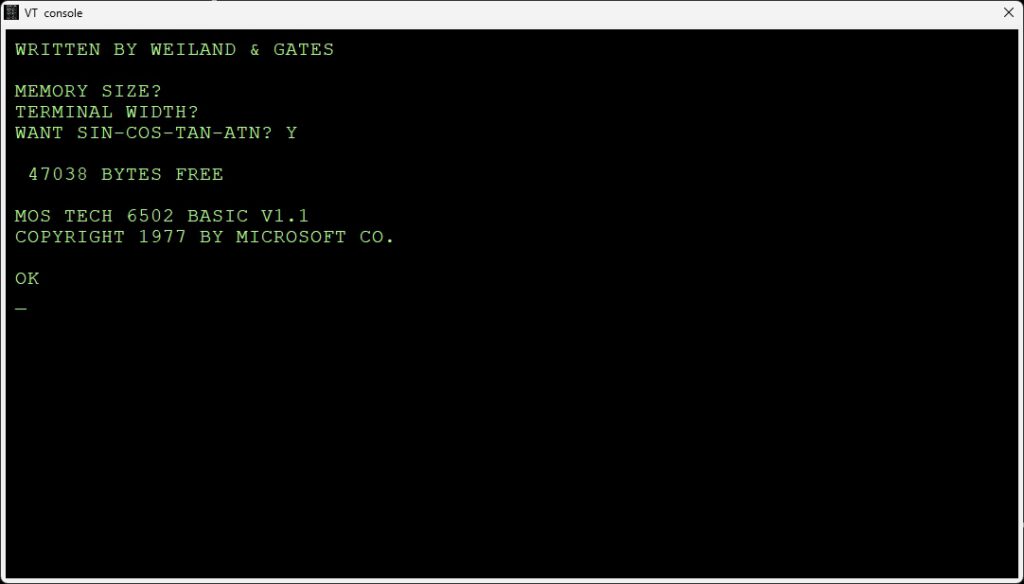
    As you can see in the following screenshots it works! Note the number of digits is less, as expected. It should be faster also.

    Microsoft Basic for the KIM-1 KB-9

    Microsoft Basic for the KIM-1 KB-6, less precision, smaller program size


    The GET bug

    The bug was described and fixed first by an article in the KIM User note

    From the pagetable sources:
    BUG: The beq/bne L2AF8 below is supposed to be always taken. For this to happen, the last load must be a 0 for beq and != 0 for bne.
    The original Microsoft code had ldx/ldy/bne here, which was only correct for a non-ZP INPUTBUFFER. Commodore fixed it in CBMBASIC V1 by swapping the ldx and the ldy. It was broken on KIM, but okay on APPLE and CBM2, because these used a non-ZP INPUTBUFFER. Microsoft fixed this somewhere after KIM and before MICROTAN, by using beq instead of bne in the ZP case.

      .ifdef CBM1
         ldy  #>(INPUTBUFFER-1)
         ldx  #<(INPUTBUFFER-1)
      .else 
         ldx  #<(INPUTBUFFER-1)
         ldy  #>(INPUTBUFFER-1)
    ..
         beq 08
    

    You can easily fix this in KB9 by changing the branch in $2AEE from $D0 (bne) to $F0 (beq).
    I have fixed this in the source of KB9V2 (KB6 does not have the GET statement) .

    Use the backspace key to correct typing errors

    Correcting typing errors can be done with the _ key ($5F). On a video terminal, like we use nowadays it can be done with backspace.
    The way characters are handled by the input routine do not allow to just replace the compare with _ (C9 5F) with 08 for backspace.

    A trick by Jim W4JBM can be used to reuse the BELL handling (07) to a backspace.
    Replace in inline.s

    INLINAIM:
        .endif
        .ifndef CONFIG_NO_LINE_EDITING
            cmp     #$07
            beq     L2443
    

    with

    INLINAIM:
        .ifndef CONFIG_NO_LINE_EDITING
            cmp     #$08 
            beq     L2420
    
    In the original KB9.BIN you can do that with
    poke 9260,8
    poke 9262,241


    The EASTER EGG

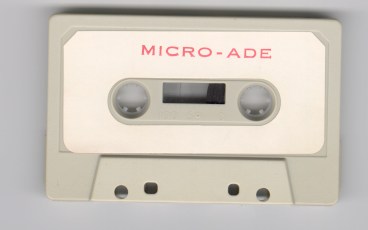
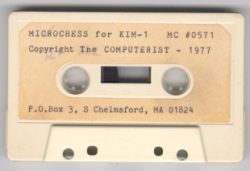
    Microchess and MICRO ADE sources and binaries

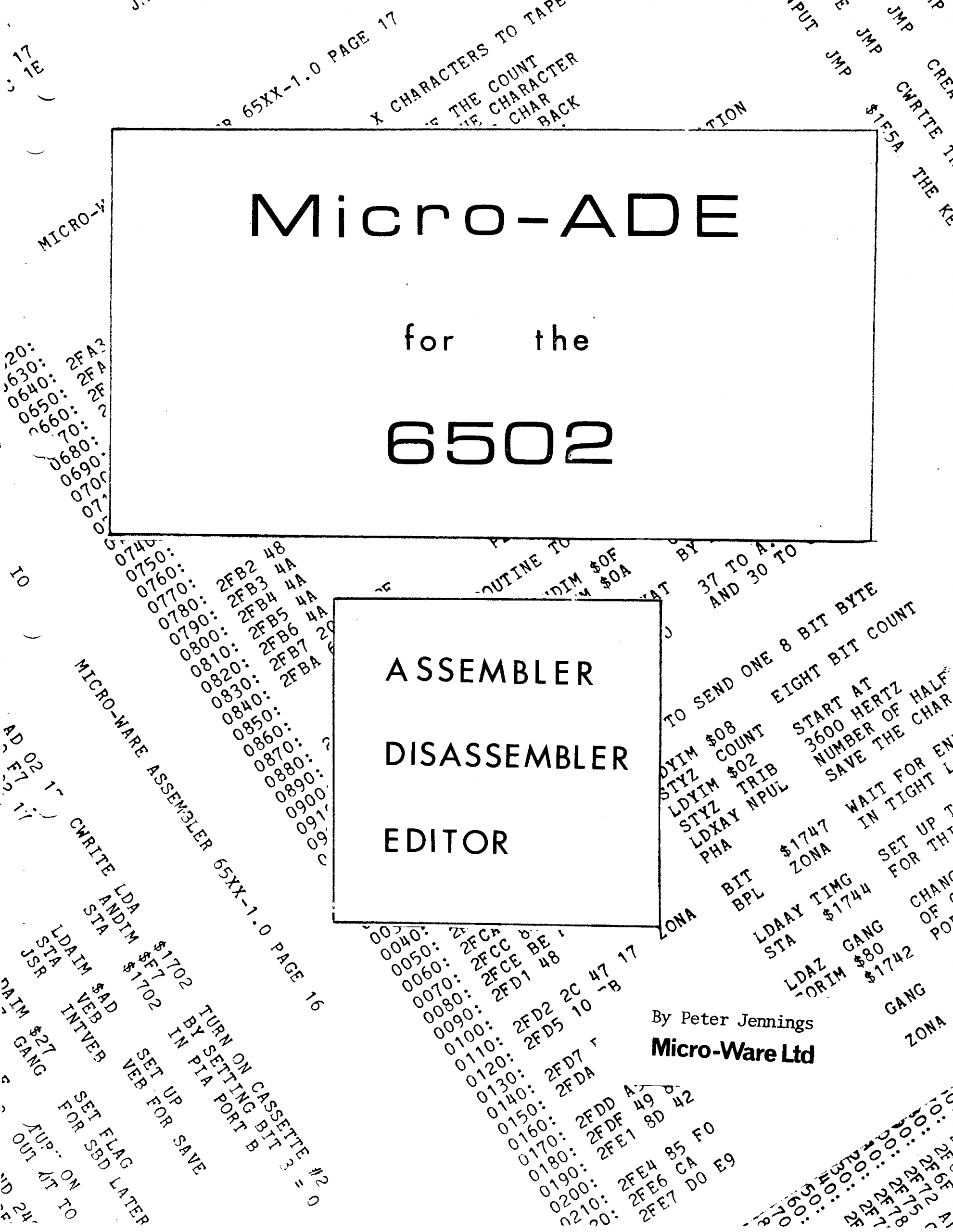
    Microchess and MICRO-ADE are two products from Micro-Ware Limited, a company by Peter R. Jennings.

    The sources of these two programs have been typed in and assembled by me from August to November 2021, and the resulting binary output is identical to my saved from cassette tape binaries.
    All these files (source, binaries, papertape, audio cassette wave files, and manuals) are now
    available at the KIM-1 Software page.

    Robert Leedom games

    In the KIM User Notes there were several KIM-1 games published by Robert Leedom.

    A tiny Colossal Cave Adventure, HEXPAWN and Baseball.

    With his help and others these games have been typed in again and are playable on any KIM-1 (Reproduction), PAL-1, Kim Clone, Micro-KIM.

    In August 2021 I (Hans Otten) typed in the source of MICRO-Ade from the listing in the manual, the output is binary compatible with the binaries I saved from tape and are tested on the KIM-1.
    The result is a source identical (in standard MOS Technology assembler format) to the listing and binary identical to the page image. I also made new high quality scan of the manual and the listing.
    Micro Ade program source and binary
    Scanned manual
    Scanned listing

    Read in the KIM KENNER archive the source of the enhancements (text by S.T. Woldringh o.a.)
    The KIM club enhanced Micro Ade to version 8. Download here the binary with a 2 page command summary.
    MICRO-ADE V8

    Pascal-M 2k1 Pascal on the KIM-1

    New version of the Pascal-M system, run Pascal programs on the KIM-1.

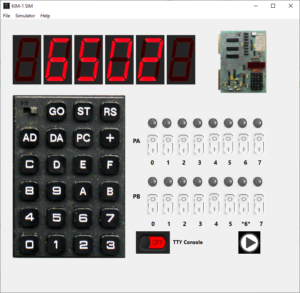
    KIM-1 Simulator


    A KIM-1 simulator with the look and feel of the KIM-1 and a debugger to look ‘inside’

    The KIM-1 Simulator comes with a ‘console’, a glass teletype 24×80 screen. It has a subset of ANSI/VT100 support.

    Of course there are much better terminal emulators, like Teraterm, Putty, Coolterm, Minicom etcetera.
    And a real VT100 type device is really fun! Or a real Teletype …

    Now the KIM-1 Simulator can use either an external serial device,e.g a PC with Teraterm or Minicom, or a terminal emulator locally on the same
    Read HERE how to use a serial terminal emulator extern or on the same PC

    Downloads

    Setup for Windows and Ubuntu and Raspberry Pi 5 and macOS, Version 1.6.0
    Source (requires Lazarus IDE 2.x))
    Bundled with Conversion 8 bit hex formats utility, to convert to/from various binary files like MOS Papertape, Intel Hex, Motorola S-record and more.

    Console, with choice of colors of font and background:


    KIM-1 built in ROM tape load and save:

    If enabled (see Settings) the Simulator traps the Tape Save and Load ($1800 and $1873) and allows to save and load from the host.


    HEXPAWN

    A game by Robert Leedom, published in 6502 user notes #13, 1979. Typed in by Dominic Bumbaco so we can play it!

    Paper tape and hex dump of the program
    Original article

    Suppress KIM-1 echo

    Original article: KIM Kenner 17 page 14, Dutch, Hans Otten. Translation 2021 Hans Otten

    Problem: the KIM-1 hardware is echoing incoming serial characters to the output, no echo in software involved. Very annoying!

    In the KIM Kenner 1 Siep de Vries, founder of the Dutch KIM Club mentioned how in Focal for the 6502 a trick was built in to suppress the hardware echo by manipulating the TTY out bit. I examined later how it was done, from the Focal disassembly:

    34AF  E6 76       L34AF INC $76         ; random number?
    34B1  2C 40 17          BIT H1740       ; check if character is incoming
    34B4  30 F9             BMI H34AF       ;=> wait until startbit
    34B6  AD 42 17          LDA H1742
    34B9  29 FE             AND #$FE        ; clear PA7
    34BB  8D 42 17          STA H1742
    34BE  20 5A 1E          JSR H1E5A       ; KIM-1 input
    34C1  48                PHA
    34C2  AD 42 17          LDA H1742
    34C5  29 FE             AND #$FE        ; isolate PA7
    34C7  09 01             ORA #$01        ; set PA7 to 1
    34C9  8D 42 17          STA H1742
    34CC  68                PLA
    34CD  18                CLC
    34CE  60                RTS
    

    Hardware echo

    I took the idea and implemented the software (without knowing then in 1980 the Focal disassembly!).

    The echo of incoming serial to outgoing is shown in the next figures (from the KIM user manual and the KIM Circuit poster).

    The TTY KEYBD signal goes via a transistor and NAND gate U15 to PA7 port of the 6532. That signal also goes to pin 10 input  of NAND gate U26  which is the TTY out line. This is the hardware echo. When the KIM-1 sends out a character it comes from PB0 to pin 9 of of NAND gate U26 and so comes out to the TTY Out line.
    Note that PB5 is connected via an inverter to NAND gate U15. The other input is TTY IN. Making PB5 high will make the TTY input PA7 deaf.
    Note PB5 is also Audio out.

    Suppress echo in software


    The solution to suppress the echo is making output PB0 low. The NAND gate out will now stay high, ignoring any changes on the other input, which is the incoming serial character.
    Only when receiving a character PBO should be made high. Also any incoming character will now not be echoed unless the program wants to receive a character!

    Example program

    In this routine the standard KIM-1 GETCH routine at $1E5A is encapsulated in a subroutine that prevents the echo by setting PB0. Note that this is not a complete block of the echo, it is only active when the program calls the blocking EGETCHAR. When the program sends out charactersto a dispaly, anything typed at the keyboard will also appear at the display.
    The calling program is now responsible for the echoing!

    0001   1000             echo .org $1000
    0002   1000             ;
    0003   1000             echoflag = $17E2 ; flag: 0 normal echo
    0004   1000             SBD = $1742 ; KIM 6532 PIA B data register
    0005   1000             GETCH = $1E5A ; KIM TTY Getch routine 
    0006   1000             ;
    0007   1000 AD E2 17    EGETCHAR LDA echoflag ; if notechoflag 
    0008   1003 F0 08         beq normal ;  then normal echo 
    0009   1005 AD 42 17      LDA SBD  ; else set TTY bit PB0 to 0 
    0010   1008 29 FE         AND #$FE  
    0011   100A 8D 42 17      STA SBD ; 
    0012   100D 20 5A 1E    normal JSR GETCH ; get character from input
    0013   1010 48            PHA ; save
    0014   1011 AD 42 17      LDA SBD ; set TTY bit PB0 
    0015   1014 09 01         ORA #$01 
    0016   1016 8D 42 17      STA SBD 
    0017   1019 68            PLA ; restore received character
    0018   101A 60            RTS 
    0019   101B               .end
    0020   101B               tasm: Number of errors = 0
    

    Does EGETCHAR work on the KIM-1 clones or SImulator?

    Micro-KIM and PAL-1: yes, the hardware is identical, IC numbers are different
    Corsham Technology: yes, though the hardware for audio is not there, there is still a NAND gate IC17C coupling PA7 and PB0.

    KIM-1 Simulator V1.16 and higher: yes.

    Enhanced solution: always deaf for input
    If you study the hardware shown above you see PB5 also blocks the echo. The following routine tries to use this to make the input permanent deaf.

    0001   1000             echo .org $1000
    0002   1000             ;
    0003   1000             echoflag = $17E2 ; flag: 0 normal echo
    0004   1000             SBD = $1742 ; KIM 6532 PIA B data register
    0005   1000             GETCH = $1E5A ; KIM TTY Getch routine 
    0006   1000             ;
    0007   1000             ; no echo when reading character
    0008   1000             ; 
    0009   1000 AD E2 17    EGETCHAR LDA echoflag ; if not echoflag 
    0010   1003 F0 08         beq normal ;  then normal echo 
    0011   1005 AD 42 17      LDA SBD  ; else set TTY bit PB0 to 
    0012   1008 29 FE         AND #$FE 
    0013   100A 8D 42 17      STA SBD ; 
    0014   100D 20 5A 1E    normal JSR GETCH ; get character form input
    0015   1010 48            PHA ; save
    0016   1011 AD 42 17      LDA SBD ; set TTY bit PB0 
    0017   1014 09 01         ORA #$01 
    0018   1016 8D 42 17      STA SBD 
    0019   1019 68            PLA ; restore received character
    0020   101A 60            RTS 
    0021   101B             ;
    0022   101B             ; no echo only at wish if reading character
    0023   101B             ; note that using tape I/O will leave PB5 low
    0024   101B             ; 
    0025   101B AD E2 17    DGETCHAR LDA echoflag ; if notechoflag 
    0026   101E F0 05         beq dnormal ;  then normal echo 
    0027   1020 AD 42 17      LDA SBD  ; else set TTY bit PB0 to 
    0028   1023 29 FE         AND #$FE ; PB0 low
    0029   1025 29 DF       dnormal AND #$DF ; PB5 low
    0030   1027 8D 42 17      STA SBD ; 
    0031   102A 20 5A 1E      JSR GETCH ; get character from input
    0032   102D 48            PHA ; save
    0033   102E AD 42 17      LDA SBD ; set TTY bit PB0 and PB5
    0034   1031 09 21         ORA #$21 ; high
    0035   1033 8D 42 17      STA SBD 
    0036   1036 68            PLA ; restore received character
    0037   1037 60            RTS 
    0038   1038               .end
    0039   1038               
    0040   1038               tasm: Number of errors = 0
    

    Note that using tape I/O will leave PB5 low, allowing echo, only set high when the program calls DGETCHAR.

    Does DGETCHAR work on the KIM-1 clones?

    Micro-KIM and PAL-1: yes, the hardware is identical, IC numbers are different
    Corsham Technology: no, PB5 is not used.

    KIM-1 Simulator: not yet

    KIM-1 manuals and MOS Technology documents

    On this page manuals, most English, some German and other MOS Technology documents

    PDFs from all over the internet, archive.org,.thanks for that!
    From https://www.retro-commodore.eu/2021/02/14/kim-1-manuals/ come the high quality scans!
    Most are own scans and many hours of correcting scans to higher and cleaner quality.


    KIM-1 User Manual

    Four version are known to exist, a First Edition January 1976, a Second Edition March 1976 Revision 6500-15A, a Second Edition 6500-15B August 1976, and a Rockwell version Rev 1 1977.
    There may have been a 6500-15C on which the Rockwell version is based. From 15A to 15B the difference is in a changed description of the 6530 timer. In the Rockwell version the keypad change of SST switch to the left is documented.
    A German version is also known.

    Proofreading version of User Manual from Terry Holdt
    KIM-1 User Manual First Edition, January 1976
    No Version number, could be 6500-15.
    KIM User Manual Errata Letters for First Edition
    KIM-1 User Manual 15A March 1976
    KIM-1 User Manual 15B August 1976

    User manual in HTML format
    User manual in text format
    Appendix with complete ROM listing in PDF format

    KIM-1 User Manual Rockwell Rev 1, 1977
    Revision of Rockwell KIM-1 User Manual
    MOS KIM-1 Handbuch, German version of KIM-1 User manual

    MCS6500 Family Hardware Manual

    Hardware Manual August 1975 First Edition Publications Number 6500-10
    6500-10 MCS6500 Hardware Manual August 1975 First Edition
    Errate letter for Hardware Manual 6500–10
    Hardware Manual January 1976 Second Edition Publications Number 6500-10A
    6500-10A MCS6500 Hardware Manual January 1976 Second edition
    6500-10A MCS6500 Hardware Manual Second Edition January 1976
    high quality, printed in Germany
    MCS6500 Hardware manual 6500-10A in HTML format
    MCS6500 Hardware Manual 6500-10A in ASCII format
    MOS 6500 Hardware Handbuch
    German version of Hardware manual
    Rockwell 6500 Hardware Manual
    MCS6500 Microcomputer Family Hardware Manual 50A Reproduced
    High-res quality typeset manual by Pickledlight. Local copy. Check the original for updates.
    MCS6500 Microcomputer Family Hardware Manual Reproduced
    MCS6500 Microcomputer Family Hardware Manual Reproduced Cover
    MCS6500 Microcomputer Family Hardware Manual Reproduced with Cover

    MCS6500 Family Programming manual

    6500-50A MCS6500 Programming Manual January 1976
    with reference card


    6500-50A MCS6500 Microcomputer Family Programming Manual
    Reproduced

    High-res quality typeset manual by Pickledlight. Local copy. Check the original for updates.
    Hardcover of MCS6500 Microcomputer Family Programming Manual
    MCS6500 Microcomputer Family Programming Manual reproduced with cover
    Programming Manual in HTML format
    Programming manual appendix in HTML format
    Rockwell 6500 Programming Manual
    6500-50 MCS6500 Programming Manual Synertek
    6500-50 MCS6500 Programming Manual Synertek in HTML format
    MOS Microcomputers Programmier Handbuch
    German version of Programming manual

    KIM Hints

    A small booklet from MOS Technology comes with every KIM-1 with hints how to use the KIM-1. Like audio cassette, Teletype, paper tape, power supply and the Interval Timer in the 6530.

    KIM Hints, grey cover
    KIM-1 Hints, white cover
    KIM hints in text format
    KIM-1
    KIM-1 Hints with additions and corrections

    KIM Application Note #2 Interval timer Operation

    KIM Application Note #2 Interval timer Operation

    KIM-2 – KIM-5 manuals

    Hardware extensions, see also the KIM System Products pages.

    < User’s Manual Motherboard KIM-4 in PDF
    User’s Manual Motherboard KIM-4
    User’s Manual Motherboard KIM-4 in BW PDF
    User’s Manual Motherboard KIM-4 in HTML
    < MOS KIM-2-3-4 User Manual Expansion Modules
    KIM System products folder KIM-3B KIM-4 IM-5 KIM-6 incl pricelist
    MOS KIM Assembler Manual Preliminary (KIM-5)
    MOS KIM Text Editor User Manual (KIM-5)

    Cross assembler Manual, GE timeshare

    Scan-160408-0001 Cross assembler Manual, GE timeshare
    MCS6500 Microprocessor Software Support
    Guide for using the MOS Technology Support Software on United Computing Systems timesharing service
    Describes the MCS6500 Cross Assembler, Simulator and DMP to ROM programs.

    MOS KIMath Subroutines Programming Manual

    MOS KIMath Subroutines Programming Manual

    MOS Technology Cross assembler


    Circuit diagram poster

    KIM-1 circuit diagram
    Rockwell branded circuit diagram
    KIM-1 poster in high resolution, large picture!
    KIM-1 poster in high resolution,
    cleaned up by Joshy of Forum64 and me (August 2022)
    KIM-1 poster in high resolution, cleaned up and with wide borders
    KIM-1 poster in high resolution, scan by Dave McMurtrie
    Redrawn KIM-1 circuit diagram

    First Book of KIM

    Written by Jim Butterfield, Stan Ockers and Eric Rehnke (and many other authors!), first published 1977.
    Invaluable source of information on programming the standard KIM-1. Background, games, utilities such as Hypertape.
    Many reprints, many publishers.
    The two versions downloadable here are rescanned and of high quality. The layout is a bit different, the contents are mostly identical. The corrections listed below are applicable to the Human Electron version, the Hayden version already has those corrections.
    The previous version and only until now, still all on the internet is low quality, full of artefacts and missing the last page.

    First Book of KIM, 1977, 1978
    Published by Hayden Book Company. Later version, corrected edition
    First Book of KIM, 1977
    Published in Europe by Human Electron GMBH. Earlier version, corrections required
    The Appendix SYM/KIM tot the First Book of KIM
    1979, Robert A Peck, Hayden Book Company
    Last page of Hayden version, a quick reference of the KIM-1
    The First Book of KIM-1, part in text format
    The First Book of KIM-1 in HTML format
    Sources of The First Book of KIM-1 in source and papertape format, Jeff Tranter
    Software from First Book of KIM in binary, audio (Wave) and papertape format, by Dave Willams.

    THE FIRST BOOK OF KIM – corrections
    – Authorships: SORT p. 136: by Jim Pollock
    – FARMER BROWN, HYPERTAPE, SUPERDUDE: by Jim Butterfield
    – Titles: MUTI-MAZE, p 92, should be MULTI-MAZE
    – Programs:
    – BANDIT: change 0252 and 029C from 08 to 0B
    – CODE TEST, p.58: change 02CE thru 02DA to:
    D1 65 D4 C5 D5 85 D0 A2 04 B5 D0 95 D1
    – MUSIC BOX, p.90: add 027D 84 E7 – STY LIMIT+1
    – MINI DIS, p. 125: add 0364 68 – PLA
    – LUNAR LANDER, p.84: Press A for altitude display (is not in the Hayden version!)
    – WUMPUS, p.107:. If WUMPUS moves into a room. with a pit or superbats, he’ll’ be hidden – you won’t be told WUMPUS CLOSE. Either guess or pitch a can to make him move.
    – Asteroid line 0269 should be labeled NOBT
    – Blackjack 0292 should be labeled HIT
    – PING PONG hex dump 0325 should be “08” not “C0”
    – WUMPUS line 06C delete duplicate label “ROOM”


    Newsletters and errata

    MOS Technology newsletters
    MOS Technology April 1976 customer update
    Customer Errata Letters
    Customer Errata Letter 1
    Customer Errata Letter 2
    Customer Errata Letter 3

    Quick references

    KIM-1 Quick Reference by Jeff Trenter
    KIM-1 user guide and notes
    from the book “Microcomputer Principles
    featuring the 6502/KIM

    Other MOS Technology documents

    MOS Technology Floating point BCD routines
    MOS Technology January 1976, Rev 0.
    Numbers of six digits BCD Mantissa,
    a two digit BCD Exponent and the signs for the mantissa
    MCS6532 Design Specification
    Published before the first 6532 datasheet
    MCS6500 Microprocessor Software Support
    Guide for using the MOS Technology Support Software on United Computing Systems timesharing service
    Describes the MCS6500 Cross Assembler, Simulator and DMP to ROM programs.
    MCS6500 datasheet May 1976
    MDT 650 product description
    Simplifying Conversion from 6800 to 6502
    TIM Software development Aid Product description
    KIM 2-3-4-5 product descriptions

    Warranty card that came with the KIM-1

    Byte Magazine 1978 09 Plugging the KIM-2 Gap

    Byte Magazine 1978 09 Plugging the KIM-2 Gap