post

KIM-1 Userguide

Added the ‘user guide’ chapters from the book ‘Microcomputer Principles Featuring the 6502/KIM-1′ as KIM-1 User guide.

post

Microcomputer Experimenting with KIM-1

Another book scanned:

Microcomputer Experimenting with the MOS Technology KIM-1 by Lance Leventhal.

post

KIM-1 Book scanned

Motivated by Jeffrey Brace of VCF I have scanned and published Microcomputer Systems Principles featuring the 6502 KIM, Authors Camp, Smay and Triska

Introduction to KIM-1 programming, 6502, and also 6800 and 8080.

Microcomputer Systems Principles featuring the 6502 KIM, Camp, Smay and Triska

KIM-1 first clones

On this page early KIM-1 clones with the, at that time, available RRIOTS.
The KIN and SuperKIM are KIM-1s because they have he KIM-1 RRIOTs. The last two, the Scandinavian Digitus and a Conversational Voice Terminal Corp one have a PCB with similar layout and sizes, real KIM-1’s with the KIM-1 RRIOTS with newer or more RAM.

post

KIM Clone

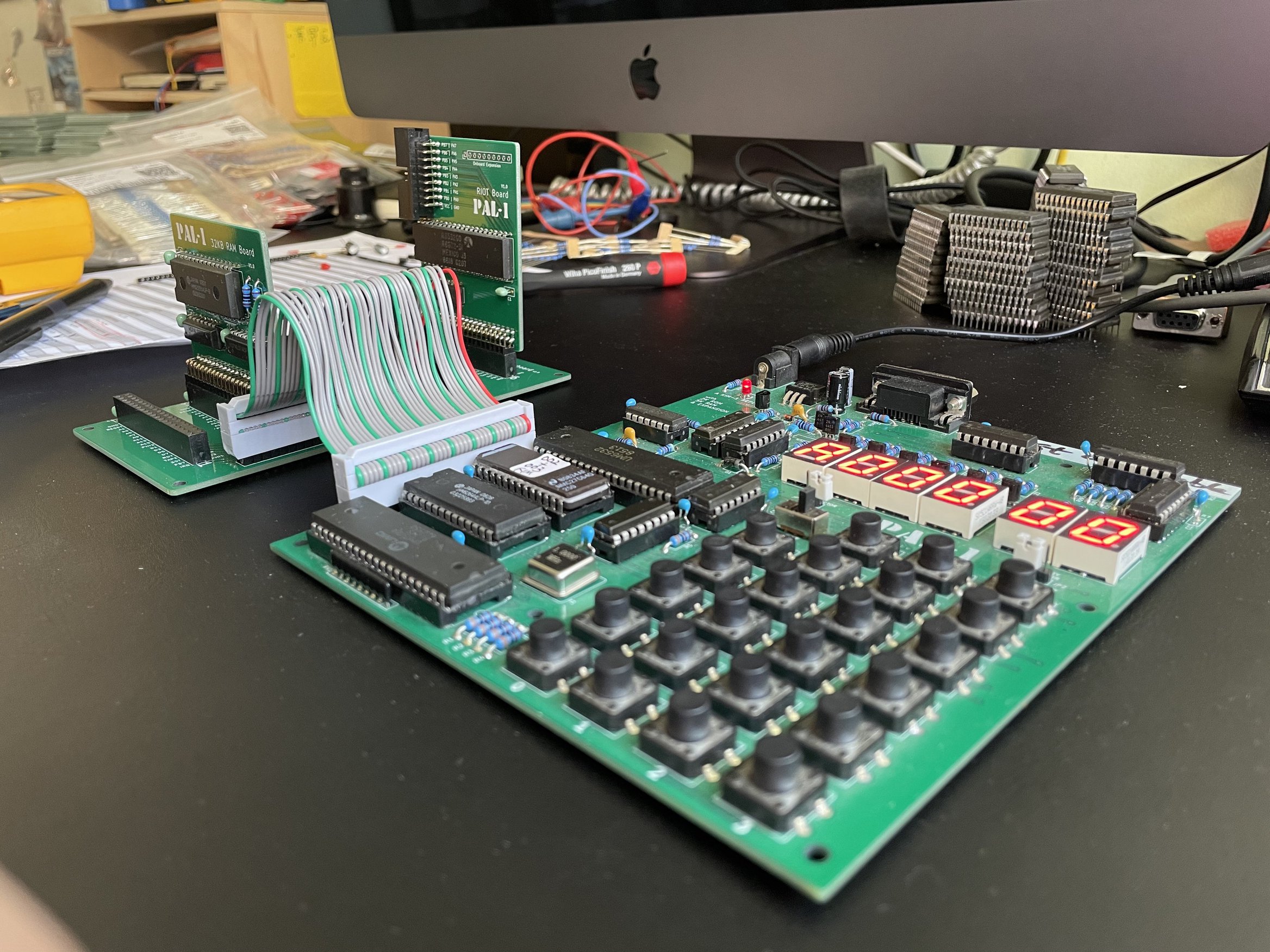
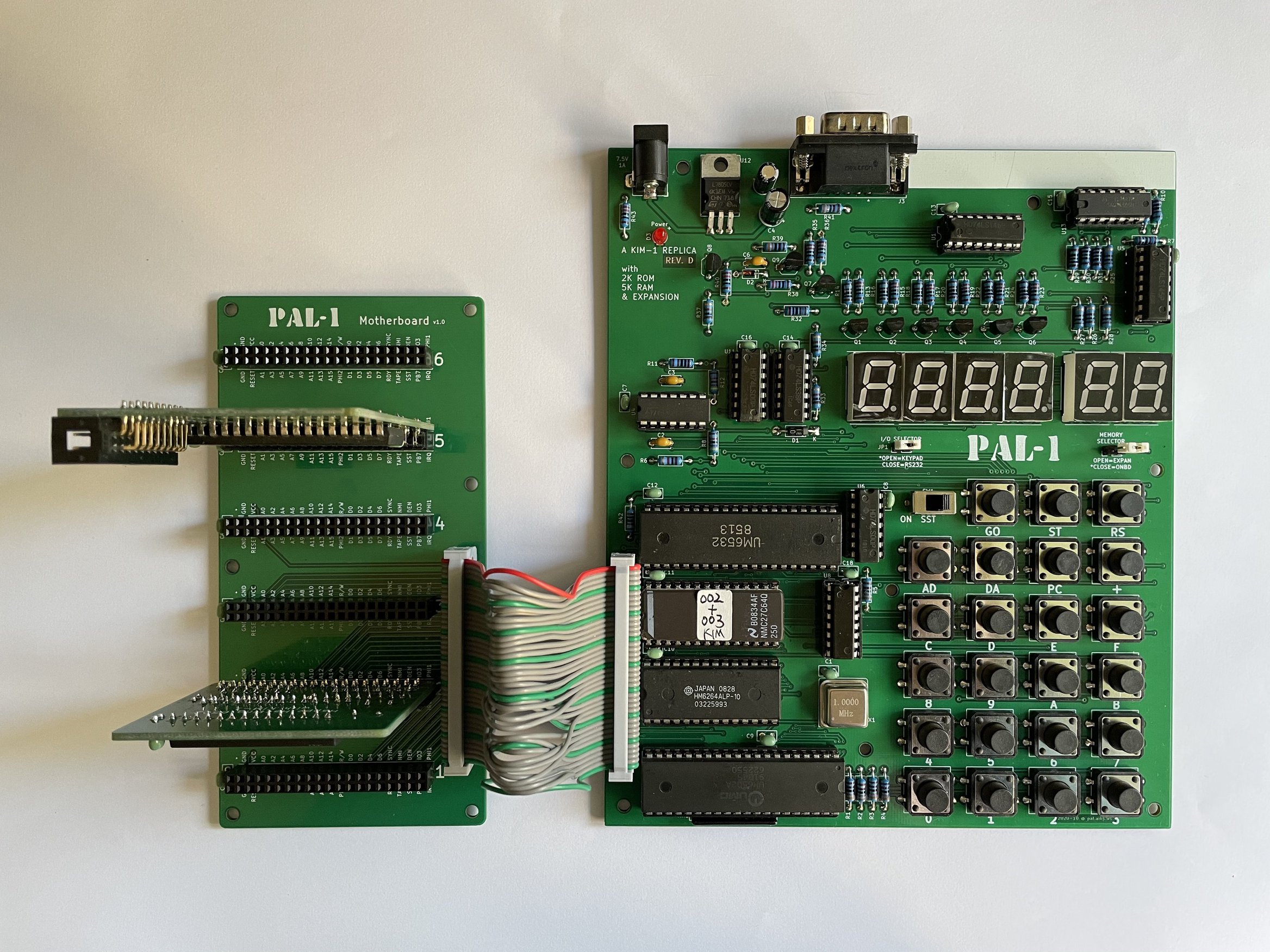
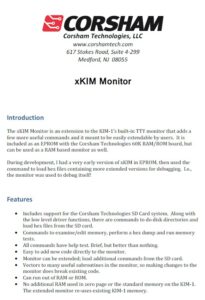
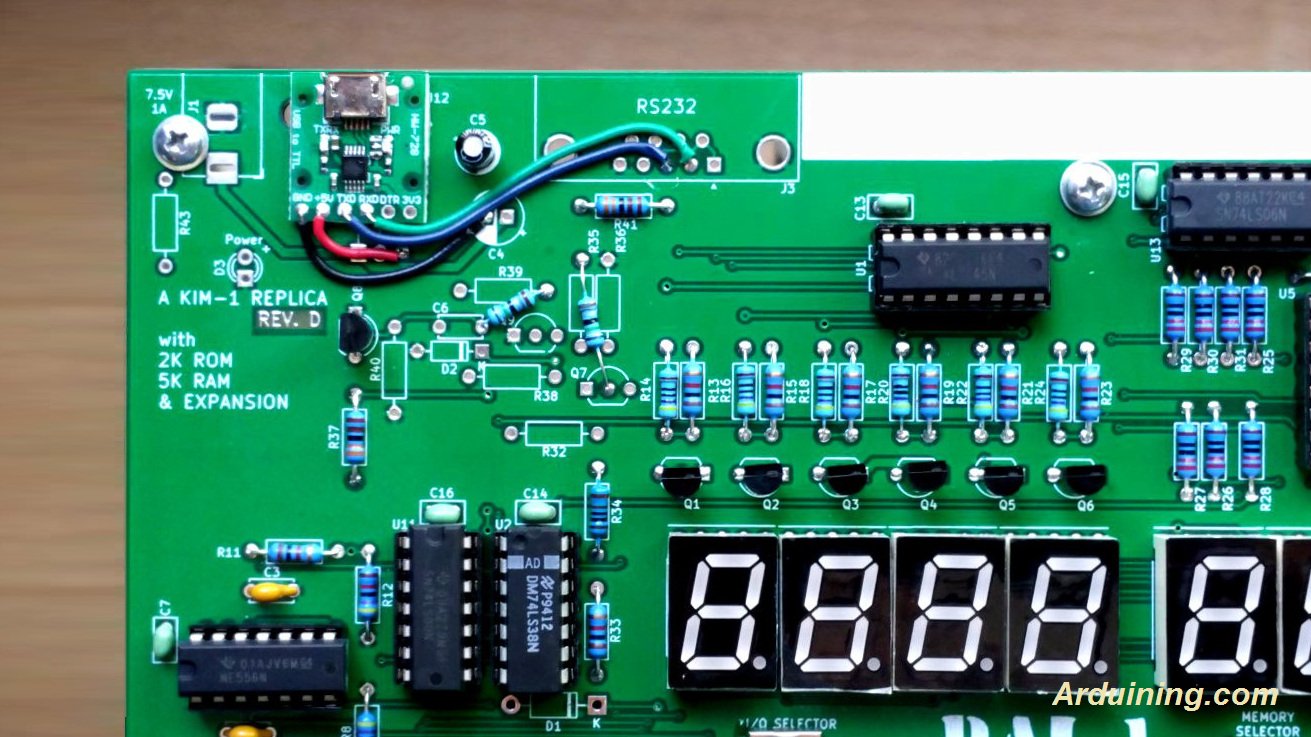
A KIM-1 clone build by Bob Applegate of Corsham Technologies.

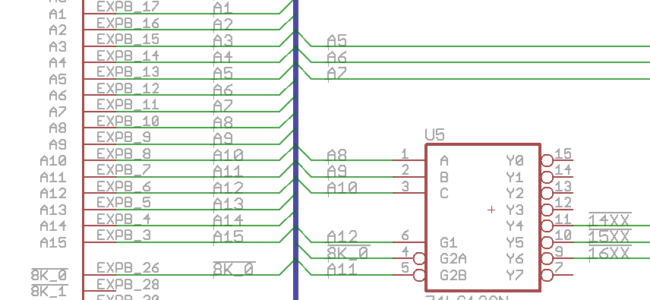
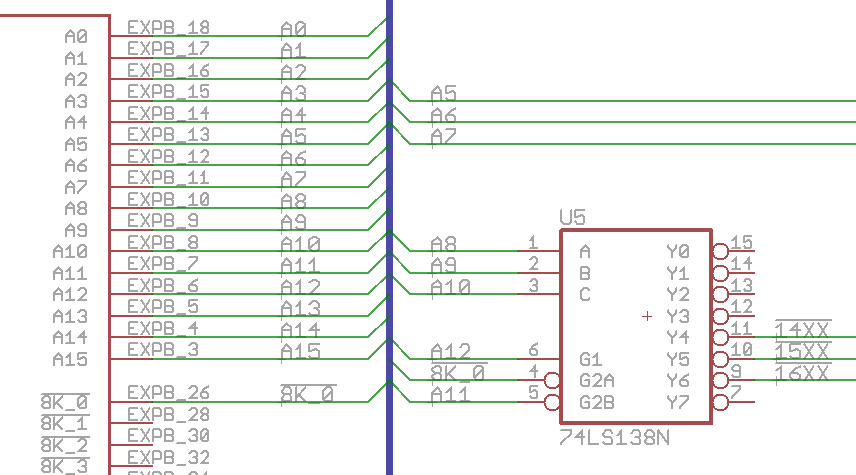
The idea was replace the 6530’s with 6532 and by careful memory decoding have the I/O, timer and RAM of the 6532’s appear at the same locations as the 6530-002 and -003. ROM is added with an EPROM.
Not an exact copy in dimensions , and the ROM has been changed/enhanced/improved with a xKIM Monitor by Bob Applegate (hex upload e.g.), though the original KIM-1 ROM should work also.

The result is a high quality build, and an exact KIM-1. With many extra’s

Available assembled and tested or as a kit. I have bought the Rev 2 PCB with essential parts from Corsham to build it!

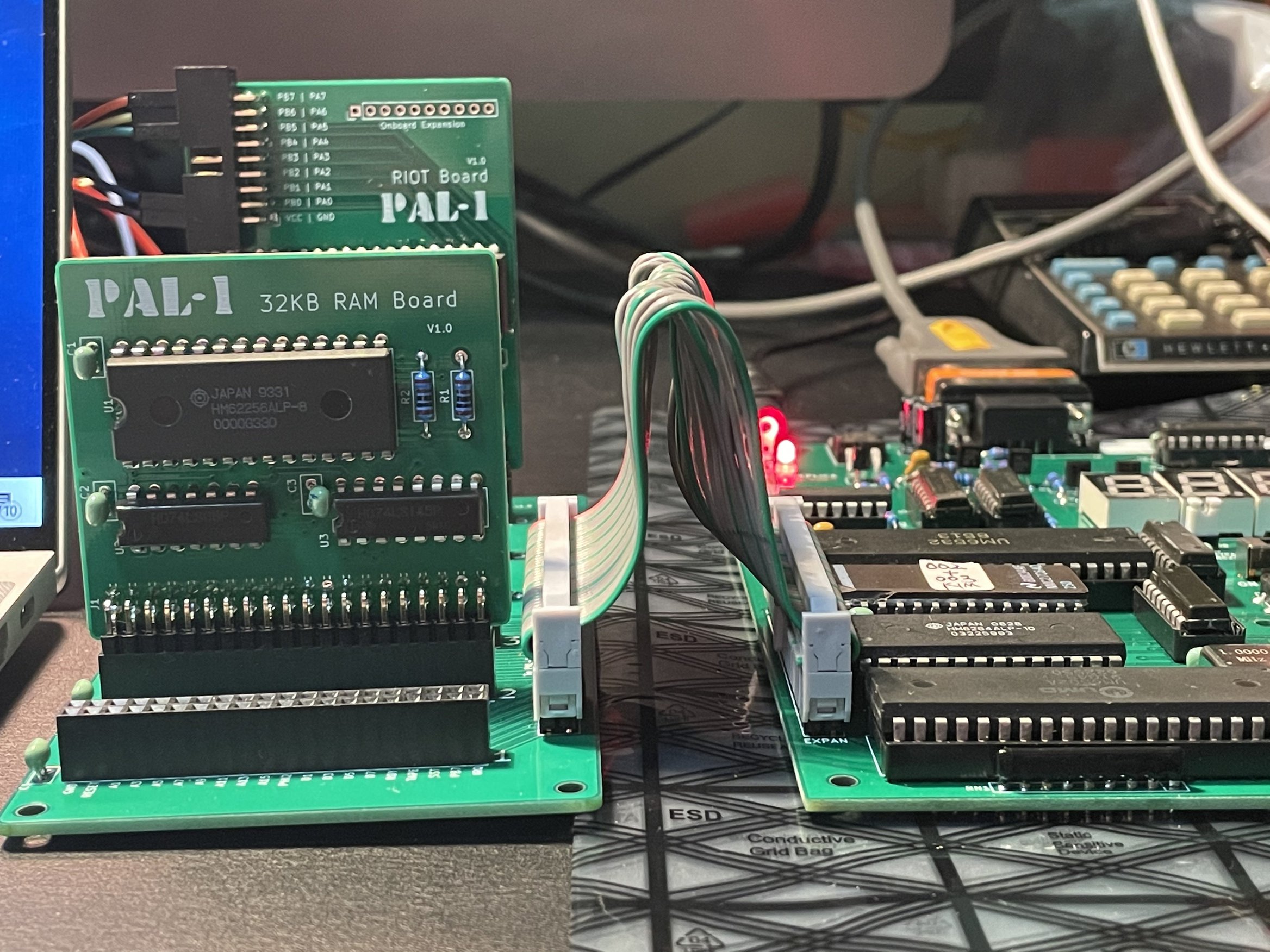
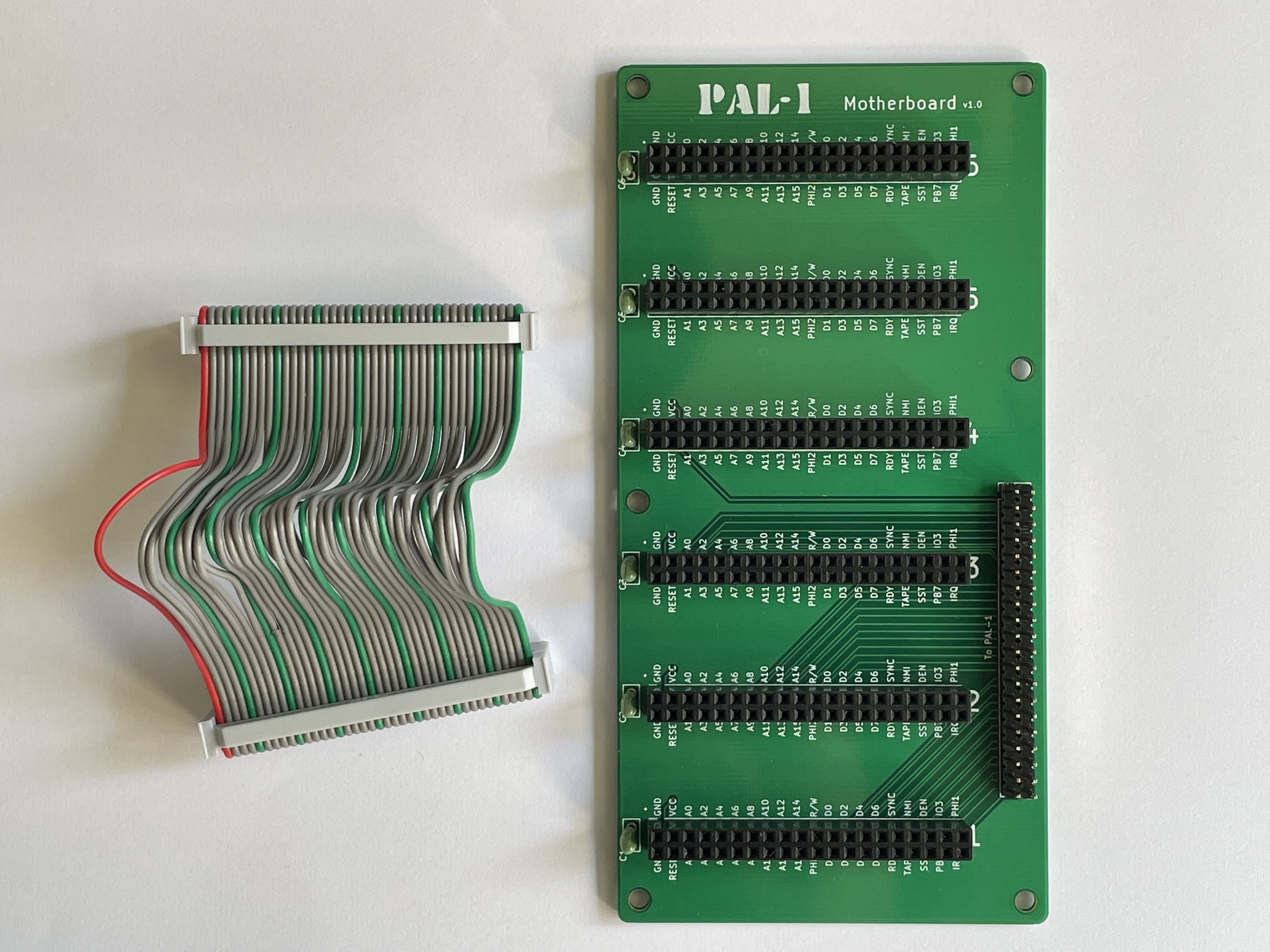
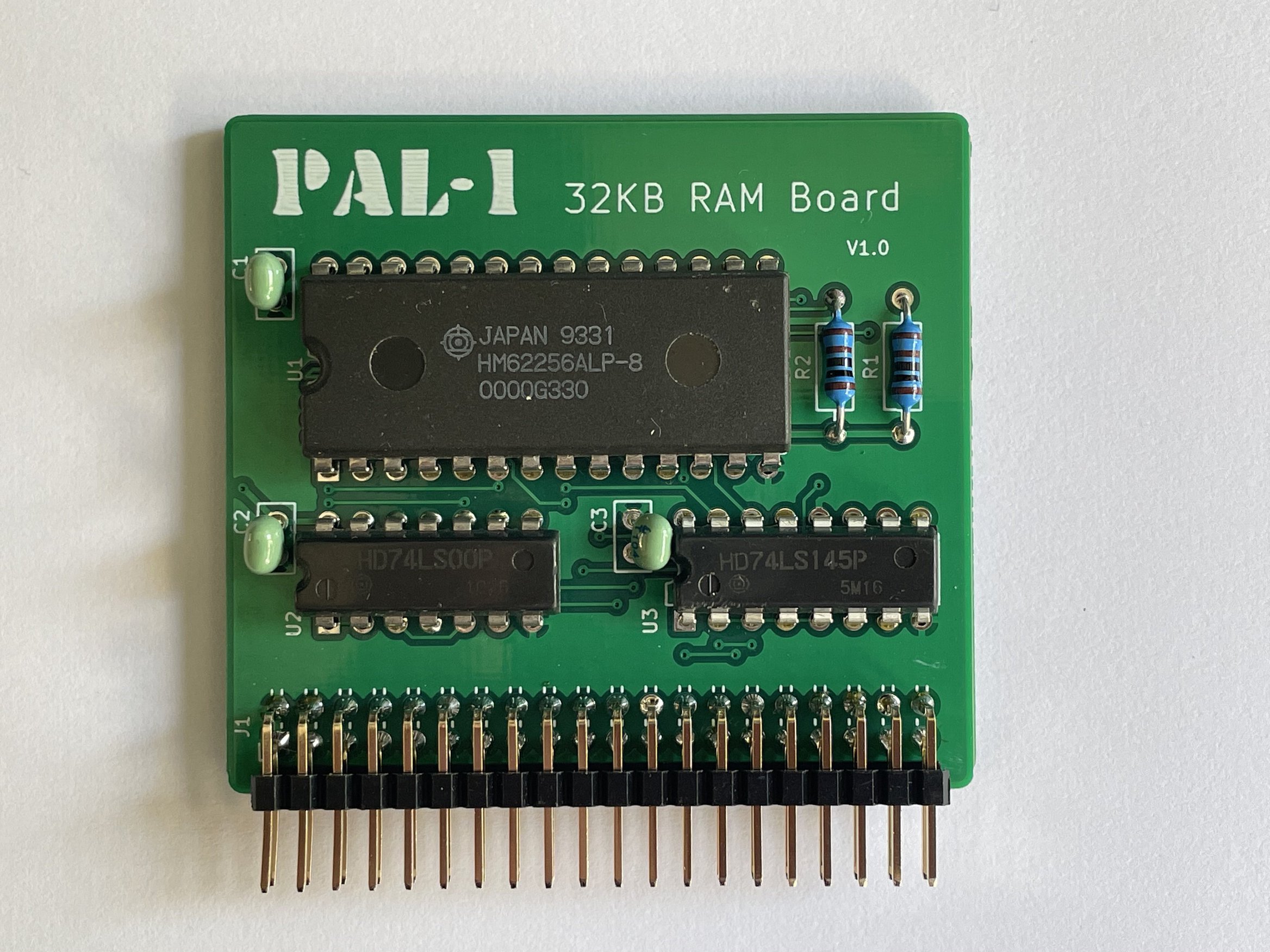
And also bought the assembled Rev 5 with expansion connector, motherboard, Proto board,  KIM Clone I/O and SD/RTC Shield.

This is a dream of a 6502 development system! The SD shield has a simple interface in the xKIM monitor to load and save files on the SD, which is a FAT formatted card, Fast enough of course and easy to exchange fiiles on a PC with a cross assembler.

What you find here:


Photos of my Corsham Technologies cards:


Rev 1A Corsham, close to Rev 2

KIM-1 RAM/ROM and I/O board connected to a KIM-1

post

Radio Bulletin Articles

Here a selection of interesting 6502/KIM and general RB electronics/computer articles, written by me and others, (in Dutch) in Radio Bulletin in the period 1977 to 1987. Note that some articles were reprinted in the CB specials, see the RB Specials page.

Grote prijsvraag, het begin van mijn redactionele bijdragen aan Radio Bulletin
Jaarinhoud 1977 1
Jaarinhoud 1977 2
De Microprocessor, mei juli 1977, Dick de Boer
Digitale dokatimer, oktober 1977, Hans Otten
Geheugenuitbreiding voor de KIM, November 1977, Dick de Boer
De KIM-1 aanschaf via Radio Bulletin
De KIM-1, Augustus 1977, D.M. de Boer
Mastermind op de KIM-1, December 1977, J.M. van der Peijl en D.M. de Boer
Melodiant, Augustus 1977, D.M. de Boer
Microgebeuren Augustus 1977, a.o. KIM gg club
Microgebeuren November 1977, BEM Brutech, Visser Assembling Electronics
De Videoscoop, December 1977, Hans Otten
Zelf programmas maken, September 1977, D.M. de Boer
Jaarinhoud 1978 1
Jaarinhoud 1978 2
Automatische register uitlezing, Februari 1978, D.M. de Boer
De VIM getest, November 1978
Digitale Voltmeter IC’s, Augustus 1978, Hans Otten
Press Communication Award Dick de Boer
Eprom programmeer apparaat, Juni Juli 1978, J.M. van der Peijl
Grafisch TV-display 1978 1979, D.M. de Boer
Microgebeuren,HCC, Ing Bureau Koopmand nieuws TVT-6, Memory+, First Book of KIM, Mei 1978
Programmeren stap voor stap, 1978, 1979 (zie ook RB CB Special voor laatste deel, D.M. de Boer
Televisiespelletjes, October 1978, Hans Otten
Zelf een print maken, October 1978, Hans Otten
Cosmicos computer voor zelfbouw, H.B. Stuurman, boek en serie
Jaarinhoud 1979 1
Jaarinhoud 1979 1
De 8088, November 1979, Hans Otten
De MCS Alpha 1 getest, Augustus 1979, Hans Otten
De Challenger Ohio 1P getest, Juli 1979, Hans Otten
De Compucolor II goed getest, Juni 1979, Hans Otten
De Heathkit H14 printer, Oktober 1979, D.M. de Boer
De PET getest, April 1979, Hans Otten
De TRS 80 getest, November 1979, Hans Otten
Geheugenuitbreiding voor de KIM, September October 1979, Hans Otten
Het Heathkit 8 systeem getest, Juli 1979, Hans Otten
Letters op het grafisch display, Mei Juni Juli 1979, D.M. de Boer
Memory plus getest, Mei 1979, Hans Otten
Morse decodering met de KIM, juli Augustus 1979, M.B. Immerzeel
Professioneel toetsenbord voor de PET, November 1979, Hans Otten
Zelf voedingen ontwerpen en bouwen, Januari 1979 – Januari 1980, Hans Otten
Zero Page shifter, Augustus 1979, D.M. de Boer
Jaarinhoud 1980
Amicos systeem getest, September 1980, Hans Otten
Overdruk Amicos systeem getest, Hans Otten
Basic versus Pascal, December 1980, Hans Otten
BEM Impact 1000, Januari 1980, Hans Otten
De Apple II getest, Januari 1980, Hans Otten
De KTM2 getest, April 1980, Hans Otten
De PC100 getest (AIM 65), Augustus 1980, Hans Otten
Hexadecimaal toetsenbord 6502 systemen, September 1980, D. Hul
Kim timer en klok, Mei 1980, Herman Perk
Knutselen met cassettedeck, Maart 1980, Hans Otten
Logitester, Augustus 1980, Hans Otten
Microgebeuren April 1980, BEM Brutech
Persprijs H.B. Stuurman , eervolle vermelding Hans Otten, November 1980
Samson en Satellite getest, November 1980, Hans Otten
Sinclair ZX80 getest, Januari 1980, Hans Otten
U/ART schakeling, Juni 1980, Hans Otten
Video modulatoren getest, Maart 1980, Hans Otten
WH89 getest, Juni 1980, Hans Otten
Baudrate generator, Augustus 1980, Hans Otten
Apple Z80 Softcard, Mei 1981, Hans Otten
Jaarinhoud 1981
Leeftimer , 1 april 1981, Paul de Beer
50 jaar RB, Januari 1981
4 Kbytes EPROM-kaart, September 1981, Paul de Beer
Baudrate generator, Augustus 1980, Hans Otten
CBM8032 getest, Oktober 1981, Hans Otten
Challenger 8P getest, Maart 1981, Hans Otten
De Apple speelt muziek, Januari 1981, Hans Otten
Frequentiemeter, Januari 1981, Dohmen en Koekoek
Grafisch display monitor voor de KIM, 1979 1981, Dohmen en Koekoek
Gregoriaanse klok, Mei 1981, Dohmen en Koekoek
Logische variabelen in Basic, April 1981, Hans Otten
Mini assembler, Maart April 1981, Dohmen en Koekoek
Moederprint, Juli 1981, Paul de Beer
Ombouw van een Philips TX televisie, Juli 1981, Hans Otten
Ozz Programma CBM8032, Oktober 1981, Hans Otten
P2000 getest, Augustus 1981, Hans Otten
Tekentabletten voor de Apple, September 1981, Hans Otten
Telex monitor programma april juni 1981, M. B. Immerzeel
TRS 80 grafische uitbreiding, Maart 1981, Hans Otten
UCSD Pascal op de Apple, Februari 1981, Hans Otten
VIC-20, Mei 1981, Hans Otten
Jaarinhoud 1982
Uitslag van de RB-Programmeerwedstrijd, Oktober 1982, Hans Otten
Alarm 1982, april 1982, P. Sanders
Andere cursor voor de Apple II, Februari 1982, Hans Otten
Apple III getest, Juni 1982, Hans Otten
Assembly Language Development System, December 1982, Hans Otten
Beeldbewerking, Mei Juni 1982, Paul de Beer
Color Computer TRS80, September 1982, Hans Otten
IBM Personal Computer, Maart 1982, Hans Otten
ITT3030 microcomputer, November 1982, Hans Otten
Lijnen op het grafisch display, Februari 1982, R. Koekoek
Lilith Personal Computer, April 1982, Hans Otten
Osborne 1 December 1982, Hans Otten
Omegasoft Pascal compiler voor de 6809, Augustus 1982, Hans Otten
PC8000 getest Augustus 1982.pdf
Printer software in Pascal, April 1982, Hans Otten
VIC-20 getest, Juli 1982, Hans Otten
WH89 software, Januari 1982, Hans Otten
YD-8100 8110 getest, Mei 1982, Hans Otten
Z-8-ontwikkelsysteem, Oktober 1982, Hans Otten
Jaarinhoud 1983
48K ram kaart voor de 6502, September 1983, Paul de Beer zie ook de Cosmicos pagina voor 48 kaart ontwerp
ACIA6850, seriële in- en uitvoer September – November 1983, Hans Otten
Apple als terminal, April 1982, Hans OttenAssembler source
Apple IIe Lisa, Mei 1983, Hans Otten
Atari Computers, Februari 1983, Hans Otten
Basis108, Januari 1983, Hans Otten
BBC Microcomputer, December 1983, Hans Otten
Commodore 64, Mei 1983, Hans Otten
Digiscope voor 6502-systemen, April 1983, Hans Otten
Microprofessor 1, April 1983, Hans Otten
RB en de Teleac-cursus Pascal, Oktober 1983, Hans Otten
TRS-80 model 100, November 1983, Hans Otten
Uitbreidingskaart voor de VIC-20, Februari 1983, Hans Otten
Zenith 100 computers, Juni 1983, Hans Otten
Jaarinhoud 1984
Computer terminal voor zelfbouw, December 1984 Februari 1985, Hans Otten
Computers en analoge schakelaars, Juli 1984, Hans Otten
COMX35 Hobbycomputer, September 1984, Hans Otten
FM Meetzender, Juli 1984, Hans Otten
Centronics Standaard Augustus 1984, Hans Otten
Kaypro II Personal Computer, Maart 1984, Hans Otten
MDCR voor de 6502, April 1984, Hans Otten
MDCR elementaire routines, Hans Otten
MDCR datasheet
Microcomputers en Pascal, Januari 1984, Hans Otten
Micro-professor MPF-1 Plus Mei 1984, Hans Otten
Parallele in- en uitvoer VIA en PIA, Mei 1984, Hans Otten
Teach robot November 1984, Hans Otten
Zin en onzin van benchmark testen, September 1984, Hans Otten
ZX-Spectrum, Januari 1984, Hans Otten
/td> Alles over EPROMs, October November 1985, Hans Otten
/td> Bondwell-12, April 1985, Hans Otten
/td> Centronics Parallel Interface, September 1985, Hans Otten
/td> Elektronica bouwdozen van Philips April 1985, R.J.Majoor
Opvolgers van de 6502, Augustus 1985, Hans Otten
Rechtstreekse netvoeding 1985, De M.
Stabilisatoren-toepassingen April 1985.pdf, R. ten Mijtelen
Voor U gelezen, Hans Otten
82S123 PROM programmeren
Alles over de seriele RS-232-C interface, Januari 1986, Hans Otten
Armeluis datacommunicatie, Maart 1986, Hans Otten
Centronics printer voor RS-232-C interface, April 1986, Hans Otten
Delta vertrager, December 1986 Mei 1987, Hans Otten
Gassensor, Oktober 1986, Hans Otten
Luchtvochtigheidsmeter, November 1986, Hans Otten
Magneetsensor, Oktober 1986, Hans Otten
Motor sturen uit de computer, December 1986, Wildevang
RS-232-C Interface voor de Commodore 64, Februari 1986, Hans Otten
Digitale in- en uitgangen via RS-232-C, April 1987, Hans Otten
RB Historie 1 September 1987
RB Historie 2 September 1987

Scanned full older Radio Bulletin magazines

post

RB Specials

When I was an editor at Radio Bulletin we published several specials. Some were additions to the magazine, two specials were on sale.

RB CB Special 1980. The early KIM-1 articles by Dick de Boer.
RB CB special inhoud
De Keuze van een Personal Computer, Hans Otten
rbspecialmicrocomputers, D.M. de Boer
EPROM programmeerapparaat met de KIM, J.M. v.d. Peijl
Grafisch TV-display, D.M. de Boer
Mastermind op de KIM, J.M. v.d. Peijl
Morse-decodering met de KIM, M.B. Immerzaal
Programmeren, stap voor stap
Zero page shifter. D.M. de Boer
Automatische registeruitlezing, D.M. de Boer
CB Special 1982. KIM uitbreidingen Paul de Beer en Hans Otten.
Inhoud CB Special
EPROM programmeerapparaat PET en KIM, J.M. v.d. Peijl, P.G.J. de Beer
Geheugenuitbreiding voor 6502-systemen, H.J.C. Otten, P.G.J. de Beer
Mini-assembler voorde 6502, M. Dohmen, R. Koekoek
ASCII-toetsenbord UART-schakeling Baudrate generator, H.J.C. Otten
5V 20A Voeding voor microprocessorsystemen, Manudax
AMI-COS getest, overdruk Radio Bulletin Sepember 1980, H.J.C. Otten
De microprocessor van morgen, P.G.J. de Beer, H.J.C. Otten
uprofessioneel bijlage 1980, BEM Brutech

KIM-1 ROMs

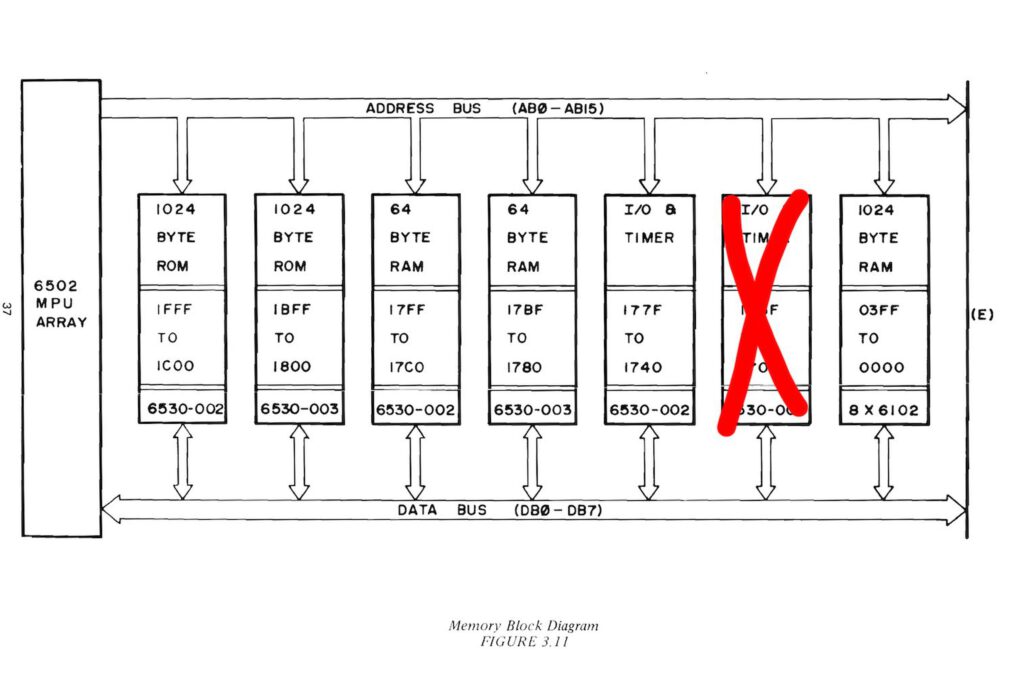
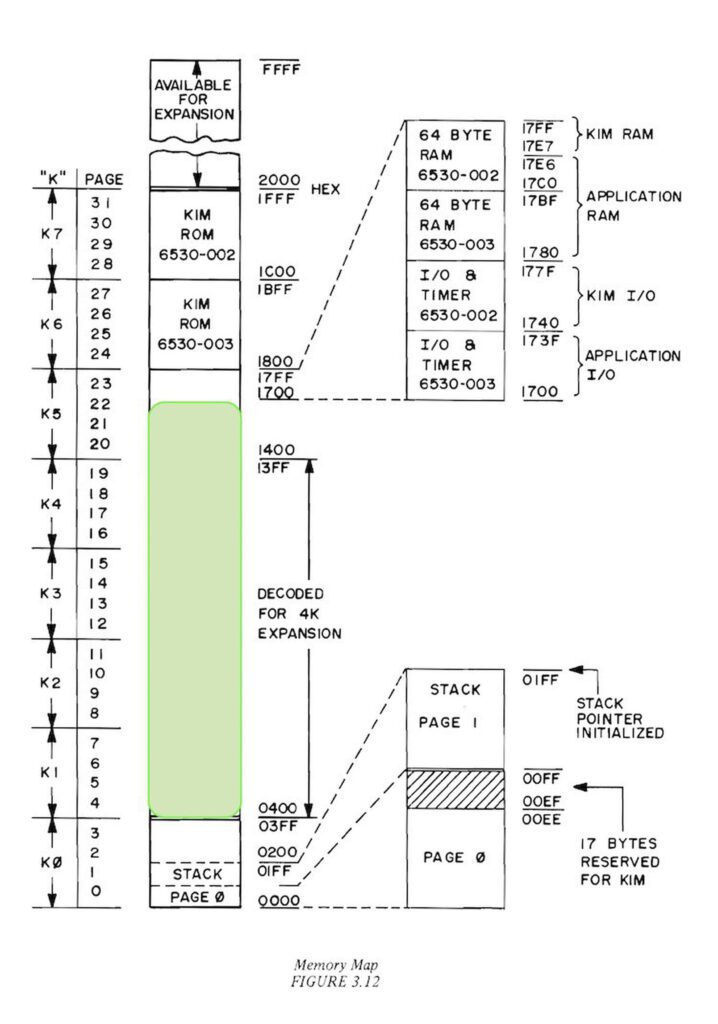
The KIM-1 has 2K total ROM, in two 1K maskable ROMS of the 6530-002 and 6530-003.
The 6530-002 implements a TTY interface, a keyboard interface (hence the name Keyboard Interface Monitor) and 6 7 segment LED displays.
6530-003 is an audio cassette recorder extension of the KIM monitor.

On this page binaries and source listings and assembler sources for various assemblers.

I have two sets of KIM-1 ROMs. On the KIM-1 ROM dump done by Dwight Elvey, the filler bytes (unused locations in the ROM) are filled with $00.
I confirmed the dumps of Dwight (who were faulty) by making a dump of the ROMs in my own KIM-1.

The other set, found all over the internet, is the result of assembling the source (see below) in which the assembler used $FF for the filler bytes. It makes sense to use $FF, since EPROMs can be programmed to make ‘1’s to 0’s. Functionally the filler byte is irrelevant, so I present here the ROMs with filler byte 00 (original KIM-1 dumps) and filler byte FF (assembly result).

6530-002 $1C00-$1FFF, filler bytes $FF 6530-002 ROM
6530-003 $1800-$1BFF, filler bytes $FF 6530-003 ROM

6530-002 $1C00-$1FFF, filler bytes $00 6530-002 ROM
6530-003 $1800-$1BFF, filler bytes $00 6530-003 ROM

Source code listings

Listing from the User Manual appendix
Listing from the User Manual appendix in text HTML format
Listing from the User Manual appendix in text format

Assembler sources

Source in MOS Technology format
Source in Ruud Baltissen assembler format
Source in CC65 format

KIM-1 articles

Articles, translated to English, from the Dutch KIM/6502 Kenner magazine:

Articles
See also the section on 6502 and KIM-1/SYM-1/AIM 65 articles in the magazines of the seventies and eighties.

Data-1K Resident Assembler
ASCII parallel keyboard encoder
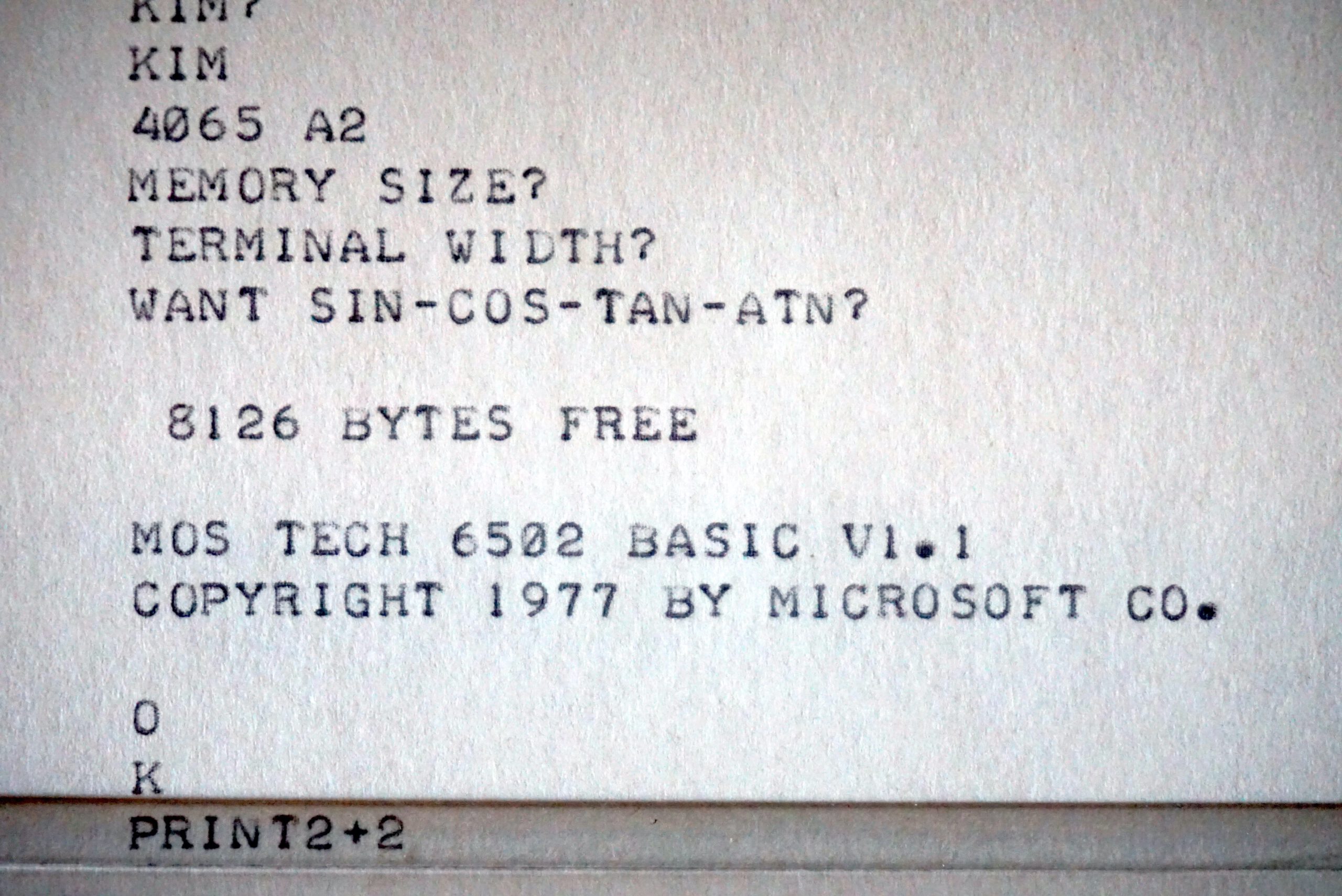
Micro-soft Basic Q and A
Using KIM as Dedicated Controller KIM app note 11477
es lebe der kim Es Lebe der KIM-1
ELCOMP article how to start with the KIM-1, includes sample programs
and a LED hardware experiment.
A programmers guide to the KIM-1
German introduction the the hardware of KIM-1 and KIMClone,
Erik Bartmann
Introduction
Hardware
Programming
KIM cursus Digitaal schakelen
Dutch course on programming the KIM-1
by KIM User Club Siep de Vries.
The KIM-1 as eight-channel datalogger
Hardware and system description,
James Campbell, John Forest 1984
Computer Performance of Music
Hal Chamberlin, Byte 1977
KIM Hypertape
Hyper about slow Load Times, Kilobaud, Jim Butterfield
Computers in Classrooms
Teaching the teachers, Lance Leventhal, Kilobaud 20 1978
A KIM-1 Sidereal/Solar clock
John O. Bumgarner, Interface Age, August 1977
Highest-speed audio dump
Program by U.O. Schröder
Huey Calculator
Don Rindsberg, adapted by C.Bond
Pocket Calculator
KIM Club Publication For LED display or TTY
KIM Kenner version by Siep de Vries
Suppress echo of TTY Get Character
Prevent echo when reading a character from the TTY input
and make TTY input deaf, written by Hans Otten.
KIM Kenner 17. Page 1, Page 2, making deaf,
idea by Siep de Vries in KIM Kenner 5
KIM-1 versus SYM-1 routines
Equivalent but slightly different KIM-1 and SYM-1 ROM routines
KIM Tape Copy v1.1
KIM Tape Copy v1.1, copy all files on a KIM cassette.
Uses two recorders attached as shown in the Micro Ade manual.
Source in Micro Ade format
Listing of Tape Copy
2708 programmer
EPROM-Programmierer KIM-1:2708, Ingo Dohman, 65XX MICROMAG
A Digital Video Display System on KIM-1
N. Solntseff M.D. Drummond
KIM-1 expansion
Non-volatile DS1220 SRAM 2KB, 128K Flash
How to flash the 28F010, assembler source
Real-time exec for KIM-1
KIM-1 Microcomputer Module a user’s note
by T.E. Travis, Microtrek August 1976
KIM-1 TTY tot RS-232-C Circuit diagram how to connect
the current loop KIM-1 TTY interface to RS-232-C. Hans Otten
Improved KIM Communications
RS-232-C interface, extra serial output listing,
Micro June 1981, Ralph Tenny
Data exchange between KIM-1 and TRS-80
Datenaustausch zwischen KIM und TRS-80,
Claus Wunsche, 65XX Micromag
KIMATH and MATHPAC
KIMATH is a floating point package, 16 digit precision for the
KIM-1 6502 system. Original MOS Technology listings, binary, documents in PDF and text format, sources.
MATHPAC is a supplement by John Eaton, Dr Dobbs nr 20, to aid in using KIMATH.
Original article in PDF and text format with sources and binaries.
See also the KIMath manual in the KIM-1 manuals page
KIM Memory test
For TTY and KIM keypad.
Siep de Vries, KIM user Club
Driving the bits of the display directly
Shows how to light any segment of the KIM-1 LED display.
TSC
Listing of games for the KIM-1 via the TTY interface.
Easy to adapt to any 6502 machine.
An 8080 Simulator for the KIM-1
Listing of 8080 CPU simulator, Dan Mccreary.
KIM goes to the Moon
Lunar Lander game, Jim Butterfield, Byte April 1977.
Frontpanel for the KIM: UPanel
Hardware and software for a frontpanel,
George Laing, January 1979
KIM-1 Breakpoint Routines
Breakpoint routines, Willi Kushe, Dr Dobbs June 1977.
KIM-1 Disassembler
Apple disassembler ported to KIM-1
T. E. Bridge, Dr Dobbs Number 20
KIM-1 Extended Monitor Users Manual
OSI Extended Monitor ported to KIM-1
KIM-1 Microprocessor Fundamentals
Seminar workbook R. Bennett, J. Ross
Is the KIM-1 For Every-1
Introduction to the KIM-1
Robert M. Tripp Kilobaud August 1977
Where is KIM going
News on the KIM-1 Richard Simpson, Kilobaud 1977
Build the TVT-6
A low cost direct video display Part 1, July, Part 2 August,
Don Lancaster, Popular Electronics, 1977
Experimenting with the 6551
Introduction to the 6551 Marvin L. de Jong, Compute 10 March 1981
KIM-1 in FPGA
Make a KIM-1 clone with the cheap EP2C5T144 FPGA board.
Connect via TTY or add a physical LED and keypad like the KIM-1.
Presentation by Stephen A. Edwards
Archive with the design files
LEDIP A KIM/6502 Text Editor
Line editor source, Kium Akingbehin, Dr Dobbs Number 29

PC utilities KIM Simulator Convert hex etc

To aid in the handling of KIM-1 program and dataformats I have written some programs for Windows and Linux (Raspberry Pi), sources included.

Convert 8 bit hex formats
KIM-1 simulator
Pascal-M cross compiler
KIM Tape WAV to BIN conversion
KIM Tape Convert BIN and BIN to WAV
KIMPaper
KIMPoser Tape Convert hex to WAV online

All programs come with source (Free Pascal Lazarus), compiled for Windows but thanks to Freepascal and Lazarus also compiled and tested on Linux (Ubuntu and Raspberry PI OS).

Convert 8 bit hex formats

A general purpose utility to convert common 8 bit hex and binary formats, such as Intel HEX, Motorola S records, MOS Papertape, hex format, and binary files.
Version 2.9, June 2024. Define assembler output and bugfix MOS papertape format, PRG Commodore file format, TIM papertape format

Convert8bithexformat source files (Freepascal Lazarus).
Convert8bithexformat Setup for Windows, Executables for Ubuntu and Raspberry PI OS
Available formats:
– BIN binary, raw data, no formatting, no information on start address.
– HEX formatted as hex numbers raw data, no start address included.
– IHEX Intel hex 8 bit format, multiple memory block, start address included.
– PAP MOS Technology papertape format, multiple memory blocks, start address included.
– SREC Motorola 8 bit S record, contiguous memory block, start address included.
– A1hex Apple Woz monitor hex format, start address included.
– KIM Tape as used in the KIM-1 Simulator as emulation of audio tape files.
– assembler formatted bytes as .byte or your prefix text
– PRG files (binary with start address)
– TIM papertape format (MOS Papertape with simple end record)

KIM-1 Simulator

6502/65C02 CPU emulation, disassembler, TTY, KIM-1 keypad and LEDs.

See the KIM-1 Simulator page for more information.
KIM Paper

Note that the Conver8bitHexFormat program is also capable of converting to and from Papertape format from many more formats.
Originally written for the launch of the MicroKIM, an older version is on the support CD.

When you attach a serial device like the teletype or a modern PC with Hyperterminal you can use the KIM monitor of the KIM-1. One of the functions is loading from and saving to a papertape device on the teletype. Now since this is a way to load and save data as a textfile this is in fact quite useful.
The Micro-KIM triggered me to modernize my conversion utility for MOS Technology papertape format dating from 1983, VAX/VMS and Turbo Pascal. A Windows and a commandline/console version are available.

KIMPAPER for Windows

A program for Windows to convert between papertape and binary format.

Windows setup KIMPAPER
Sources (Freepascal Lazarus, build also on Linux)

KIMPAPER V1.1 for DOS

Not too modern, but handy, a commandline utility. Does exactly the same as the Windows program KIMPAPER. Runs fine in a commandline DOS box. Can also be compiled for Linux with Freepascal. In the KIMPAPER DOS archive the program, source and information on the program and papertape format can be found.

C:\MICROKIM\kimpaper
KIM-1 MOS Technology BIN papertape format conversion utility, Hans Otten, 2007 v1.1

Syntax is:
KIMPAPER [-[b|p] filename [startaddress]
C:\MICROKIM\kimpaper -h
KIM-1 Mos Technology BIN papertape format conversion utility, Hans Otten, 2007 v1.1
Syntax is: KIMPAPER [-[b|p|h] filename [startaddress] first parameter switches
-h help
-p convert to papertape
-b convert to binary
second parameter (first if no parameters, assumed binary to papertape)
name of file to convert
.BIN for binary, forces conversion to PAPertape
.PAP for papertape, forces conversion to BINary
third parameter (assumed 0000 if not present)
startaddress for BIN to papertape conversion
Files of type .BIN wil force conversion to papertape.PAP
Files of type .PAP wil force conversion to binary .BIN

Examples:
C:\MICROKIM\kimpaper mastermind.bin 0200
KIM-1 Mos Technology BIN papertape format conversion utility, Hans Otten, 2007 v1.1
C:\MICROKIM>kimpaper mastermind.pap
KIM-1 Mos Technology BIN papertape format conversion utility, Hans Otten, 2007 v1.1
Start address 0200 in file mastermind.BIN

Convert KIM tape to text


KIM Tape to Text is a utility to convert between binary format of a KIM-1 tape dump to a DOS text file.
The KIM tape dump is a binary file and is just a dump of part of the memory of the KIM-1.
This binary file can be a text file as used in editors Micro Ade or CW Assm/TED.
By using the tape write routine in the KIM-1 one can write an audio file on cassette.
When this audio file is captured on a PC as WAV file (22K, mono) this can be converted back to a binary memory dump with ED’s Utility KIMTape
These text files can be converted to DOS text files with this utility.

First open the binary file. If this is recognized as Micro Ade or CW Moser format, the Save as text file can be used.

Windows program.
Full source for Freepascal and Lazarus, no Windows dependencies. Compiled on 64 bits Windows 10 as 32 bit application.
Note on detection of assembler editor type
1. Micro Ade file must start with CR: when present this is Micro Ade
line nr follows 2 byte
line ends with $0D
file ends with $40
2. Assm/Ted by CW Moser starts with line number $10 $00
end of line is high bit set
There may be rare situations that a file starts with a $0D or a different line nr. You can force CW Mose detection by changing this to a sequence of $10 $00 $0D and if necessary blanks $20 to make it consistent. If in doubts: use an editor that shows the file in hex (Ultra Edit, or the free Notepad ++, Text editor PRO) and study the tape file.

Methods to get the binary file out of a Junior or KIM-1.
Read the record tape into a binary with Ed’s KIMTAPE conversion *see below). It is MS-DOS and runs fine in VDOS (https://www.vdos.info/) or DOsbox (slow).
Make a note of start address as shown by KIMTAPE.
Non-printing ASCII characters are filtered out of the resulting text file.

KIM Tape Convert WAV to BIN and BIN to WAV

Not my program, but so handy!

KIMTAPE v0.5 – tape conversion utility for KIM-1 and SYM-1 (2004-05-17) Local copy of http://dxforth.mirrors.minimaltype.com/#kimtape)

KIMTAPE allows programs stored on cassette tape to be decoded to a program file. It handles both MOS Technology KIM-1 and Synertek SYM-1 tape formats including HYPERTAPE. The reverse process – converting a program file to an audio wavefile is also possible, allowing one to produce perfectly regenerated cassettes. KIMTAPE works with 8-bit mono WAV, VOC or RAW audio files recorded
at 22050 samples per second.

Download: kimtap05.zip (MS-DOS) It is MS-DOS and runs fine in VDOS (https://www.vdos.info/) or DOSbox (slow).

The binary files in the KIM-1 program archives have been reproduced, from the original cassette recordings, with the tool KIMTAPE on a PC in a DOS box. See Eds DX-Forth and Utilities Page for this and other nice programs.
This program also makes it possible to reproduce the original cassette recordings that can be read by a KIM-1.

The files were made as follows: The KIM-1 cassette audio was connected to the PC audio input and (with e.g. Audacity) recorded as a wave file (mono 22KHz).
For example: qchess.wav
The wave file was then converted with KIMTAPE to a binary file (the exact content of of the KIM-1 memory when recorded).
And the KIMTAPE utility then displays load address (for example and tape ID

c:\kimtape qchess.wav qchess.bin
KIMTAPE version 0.5 17-May-04
infile: qchess.wav
outfile: qchess.BIN
Program 01 address 0200 checksum OK xxxx bytes done

This .bin file (any extension is fine!) is NOT a wave file! It contains the exact content of the KIM-1 memory when recorded. The size is exactly the number of bytes as stored in the memory of the KIM-1 and much smaller than the wave file. This binary file can be converted back to a wave file with KIMTAPE or converted to a papertape file with KIMPAPER:

C:\kimtape -M -A0200 -D01 -B2 qchess.bin qchess.wav 

As you can see: you have to specify the load address and the program ID. The B parameter indicates hypertape speed (2 here, slow)
The resulting wav file should be acceptable for the KIM-1. It is (as I have tested) acceptable as input for KIMTAPE!

All command parameters can be seen by typing KIMTAPE without parameters:

Pascal-M Cross compiler

Executables of cross compiler, workflow, sources, command line utilities.