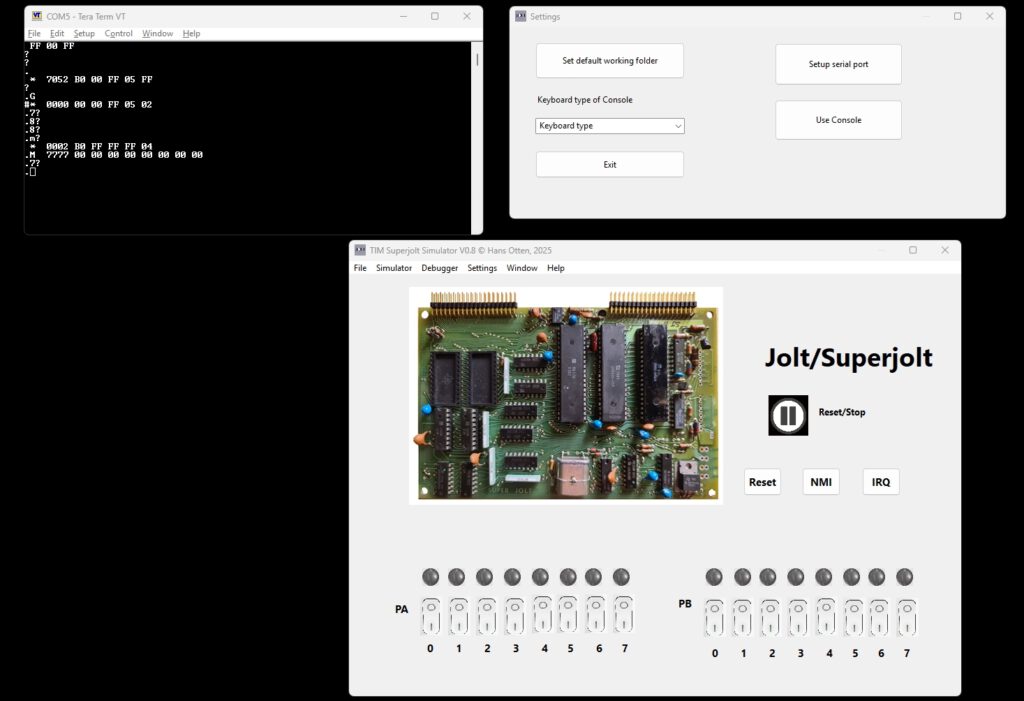
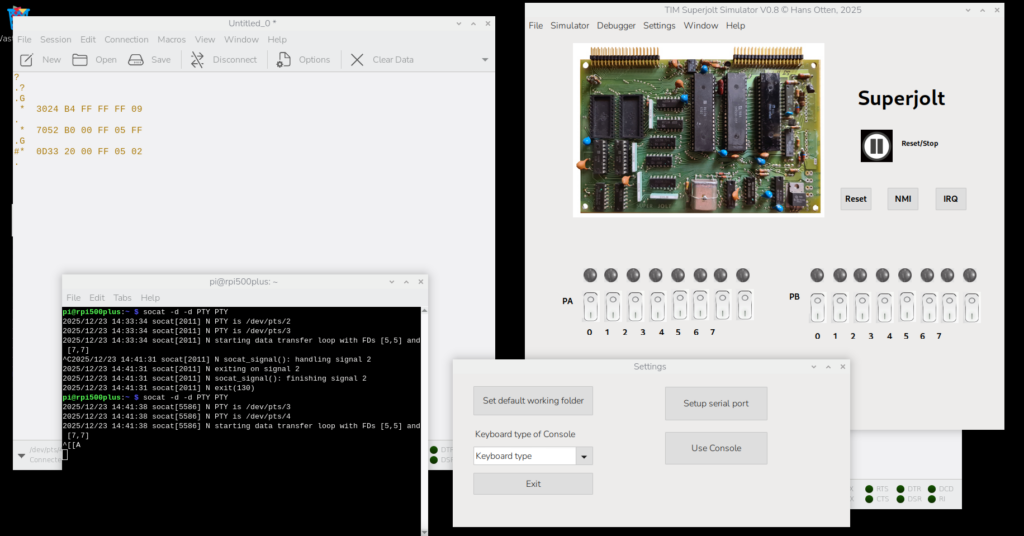
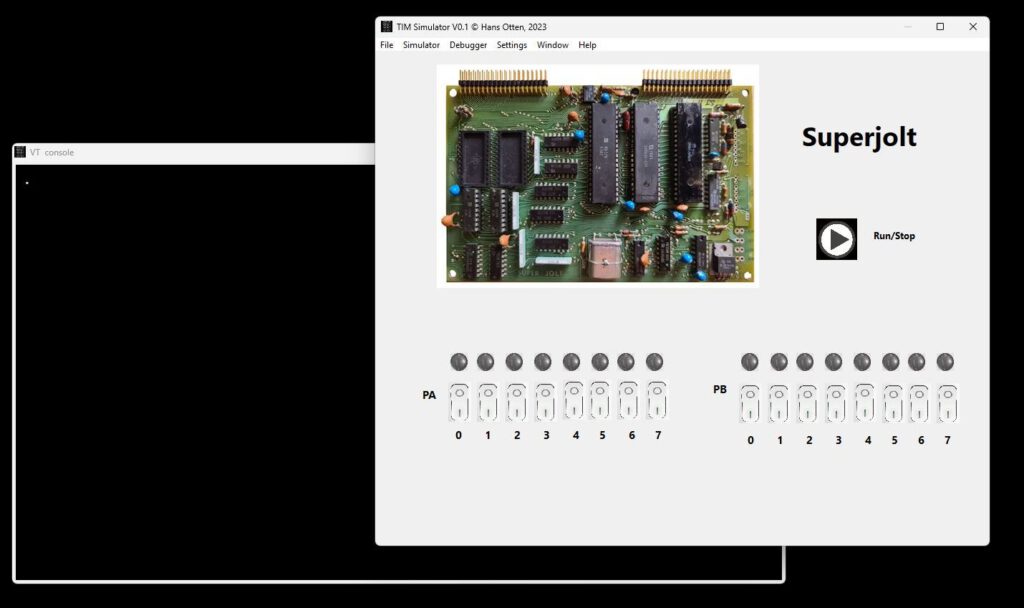
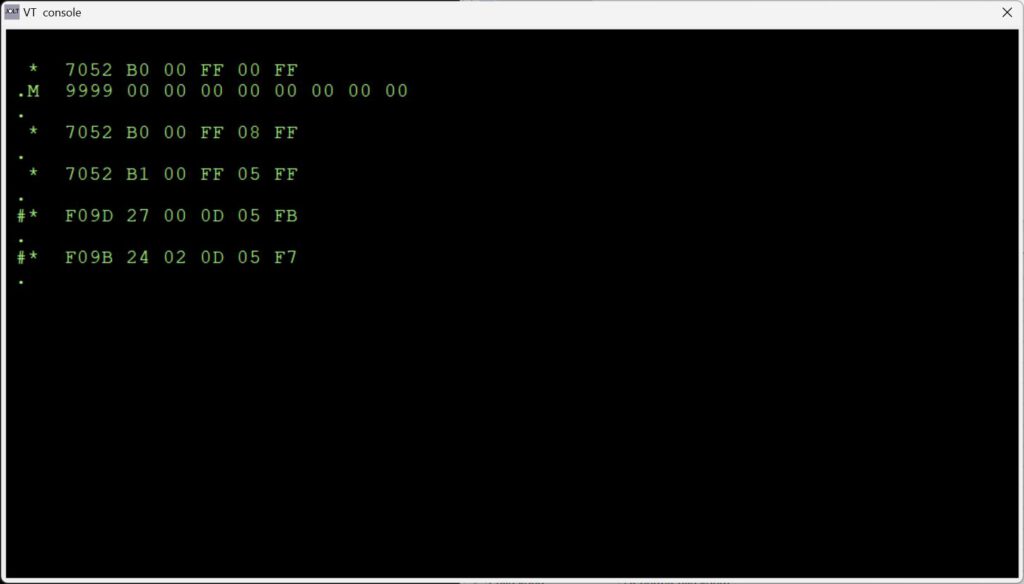
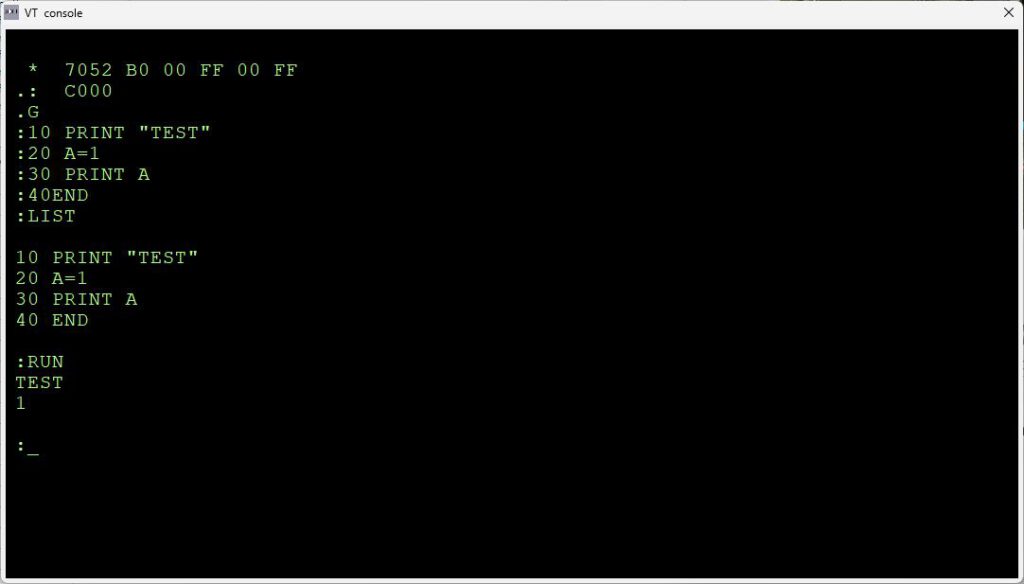
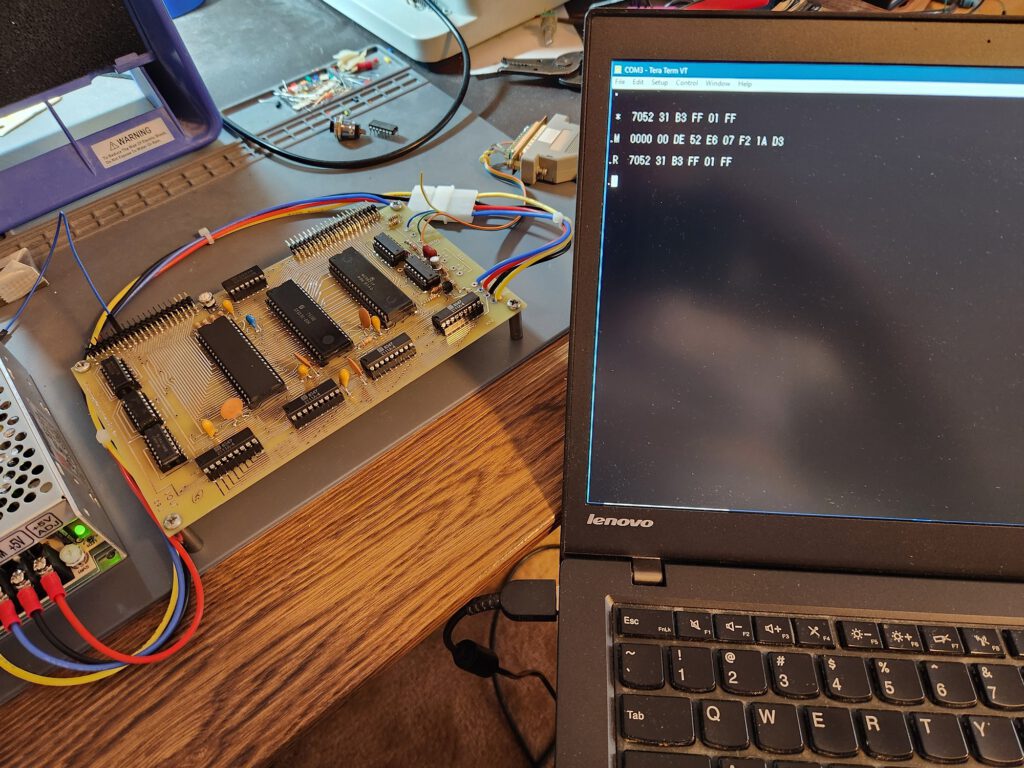
Jolt/SuperJolt/TIM Simulator now has serial input/output

The TIM Simulator comes with a ‘console’, a glass teletype 24×80 screen. It has a subset of ANSI/VT100 support.Jolt/SuperJolt/TIM Simulator now has serial input/output!

Of course there are much better terminal emulators, like Teraterm, Putty, Coolterm, Minicom etcetera.
And a real VT100 type device is really fun! Or a real Teletype …

A local terminal emulator on the same PC can also be used, with a virtual null modem like, com0com on Windows, socat on Linux


Windows with com0com and teraterm

Raspberry Pi with Coolterm

Jolt pages extended

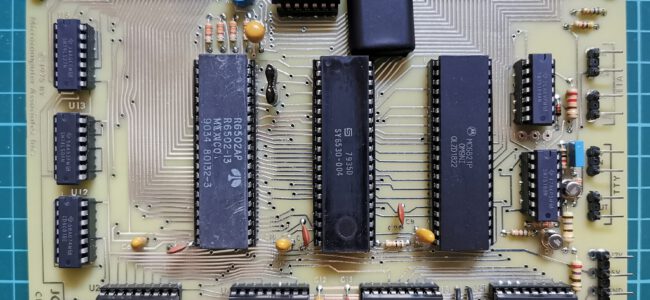
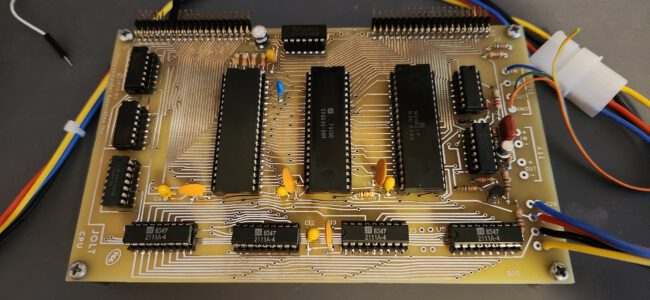
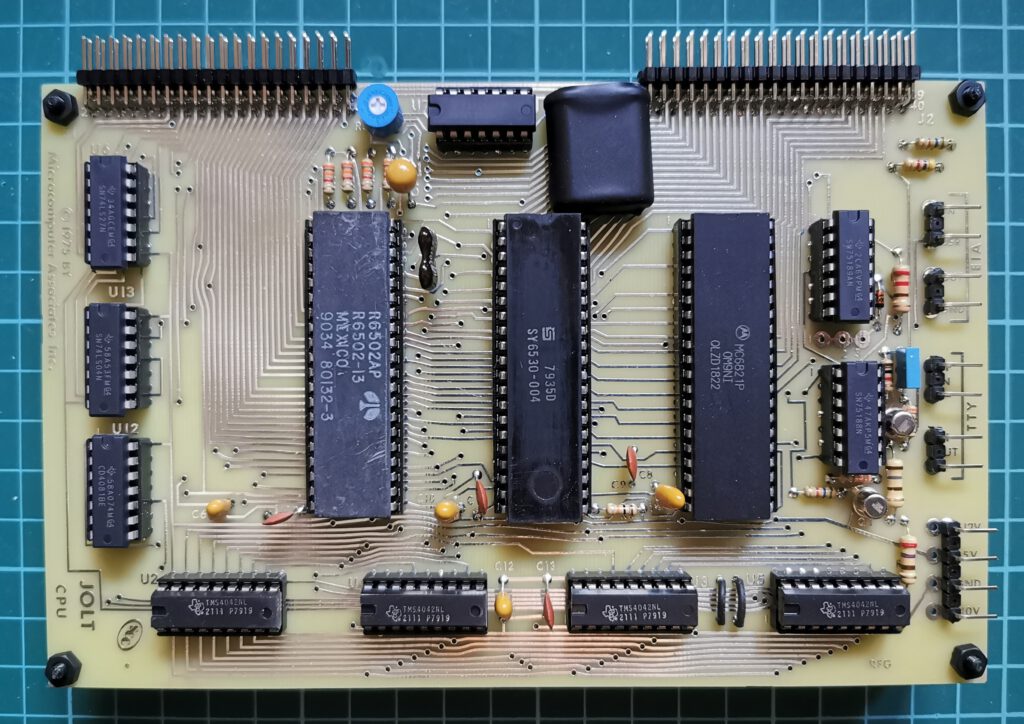
The Jolt by Micro Associates, Inc, is one of the first 6502 systems. A small SBC with a 6502, 6821 PIA and the RRIOT 6530-004 also known as TIM. 512 byte RAM, a serial Teletype and RS-232 interface. The DEMON software (also known as TIM) is the 1K operating system.
Expansion cards were available, such a 2x PIA card, 2K EPROM card with 1702, Power Supply and a 4K RAM card with 2111 SRAM ICs.

As application software Tiny basic and the Resident Assembler Program RAP are available.

More about the Jolt, Micro associates and Superjolt at the Jolt and Superjolt pages

post

History of the TIM in the Jolt

post

Jolt software

On this page software for the TIM is described.

– DEMON
– Tiny Basic ad Resident Assembler Program
– Focal-65 V3D
– adaptations to Jolt sofware by Scott LaLombard
– Jolt/Superjolt/TOM simulator

DEbug MONitor (the program in the TIM 6530-004)

The JOLT CPU card comes complete with DEMON, MAl’s debug monitor program. The program is located in the 1,024 byte, Read Only Memory (ROM) of the multi-function 6530 chip and is therefore
completely protected against any alteration. DEMON provides a permanently available general purpose monitor program to aid users in developing hardware and software for MAl’s JOLT series of microcomputers.
DEMON’s Features Include:
• Self adapting to any terminal speed from 10-30 cps,
• Display and Alter CPU registers,
• Display and Alter Memory locations,
• Read and Write/Punch hexadecimal formatted data,
• Write/Punch BNPF format data for PROM programmers,
• Unlimited breakpoint capability,
• Separate non-maskable interrupt entry and identification,
• External device interrupts directable to any user location or defaulted to DEMON recognition,
• Capability to begin or resume execution at any location in memory,
• Completely protected, resident in Read Only Memory,
• Capability to bypass DEMON entirely to permit full user program
control over system,
• High speed 8-bit parallel input option, and
• User callable I/O subroutines.
DEMON’s Command Set Includes:
.R Display registers (PC,F,A,X,Y,SP)
.M ADDR Display memory (8 bytes beginning at ADDR)
: DATA Alters previously displayed item
.LH Load hexadecimal tape
.WB ADDR1 ADDR2 Write BNPF tape (from ADDR1 to ADDR2)
.WH ADDR1 ADDR2 Write hexidecimal tape (from ADDR1 to ADDR2)
.G Go, continue execution from current PC address
.H Toggles high-speed-reader option (if it is on, turns it off; if off, turns on)
See the TIM manual for more information on DEMON, the name MAI uses for the TIM program.

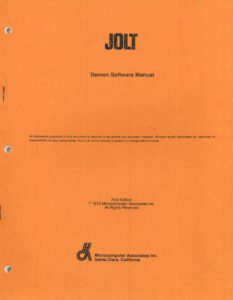
DEMON software manual
(this manual has an alternative listing of the TIM 6530-004 monitor)

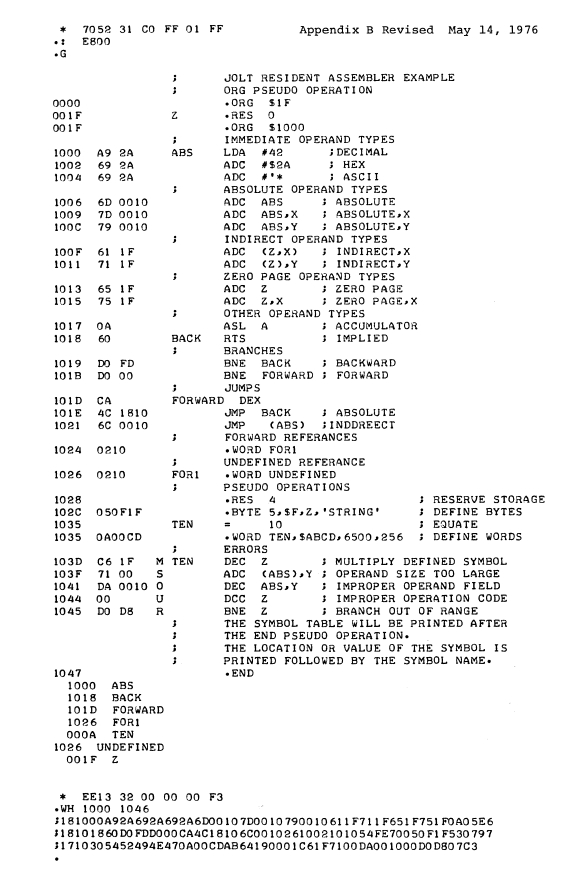
RAP — 1.75K Byte Resident Assembler Program
(This looks like a predecessor of the RAE of the SYM-1). The JOLT Resident Assembler Program (RAP) is designed for use on JOLT systems equipped with at least 4K bytes of RAM memory. RAP has some significant advantages over conventional assemblers:
1. Resident as part of the JOLT system on PROM chips. The assembler never has to be read into volatile memory before use. It, just like the DEMON monitor, is instantly available. In addition, costly time sharing services are not needed for cross assemblies.
2. Operates on one pass of the source code. The source tape is read in only once, thereby increasing assembler speed by a factor of two over conventional assemblers that make two or three passes over the source code.
3. Small in size. The assembler is smaller by a factor of 4 or 5 over comparable assemblers. Its size guarantees the smallest number of PROM chips needed and minimizes printed circuit board space requirements. With the assembler PROM chips installed in your JOLT PROM board (at address E800 hex), the assembler may be activated by reading the source code input on the console input device and transfering to location E800 hex using the DEMON monitor. As source code is being read in, a listing is produced on the console printer and the object code is generated directly into RAM at the addresses specified by the origin directive (.ORG).
After the assembly is complete, the object code may be punched onto paper tape or executed directly using DEMON. The assembler assumes RAM at locations 1FFF hex and lower to be available for symbol table usage. RAP uses an efficient symbol table algorithm and users can normally expect that about 4 to 6 bytes of RAM will be used for each symbol or that a 3000 byte program would use approximately 800 bytes for the entire symbol table (locations 1CEO to 1FFF hex). This space need not be left unused if buffers,’ etc. are allocated to it. The Resident Assembler Program is compatible with the MAS Technology Cross Assembler with the following exceptions:
1. Expressions and * (used for current program counter) are not allowed.
2. Thee .OPT and .PAGE pseudo operations are not implemented.
3. Octal and binary numbers are not implemented.
4. .ORG is used instead of *= to origin program.
5. .RES is used for reserving storage.

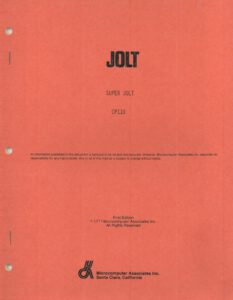
Superjolt CP110 User Manual
Contains Tiny Basic, RAP userguide

RAP and Tiny basic ROMS

FOCAL

See the FOCAL065 V3D page for a TIM version of the FOCAl language.

Scott LaLombard software

While building a Jolt replica with many expansion boards. Scott Lalombard adapted some software like Tiny Basic. Read about his programs here.

TIM/Jolt Simulator


A Jolt/Superjolt/TIM simulator.

Jolt replica by Scott LaBombard

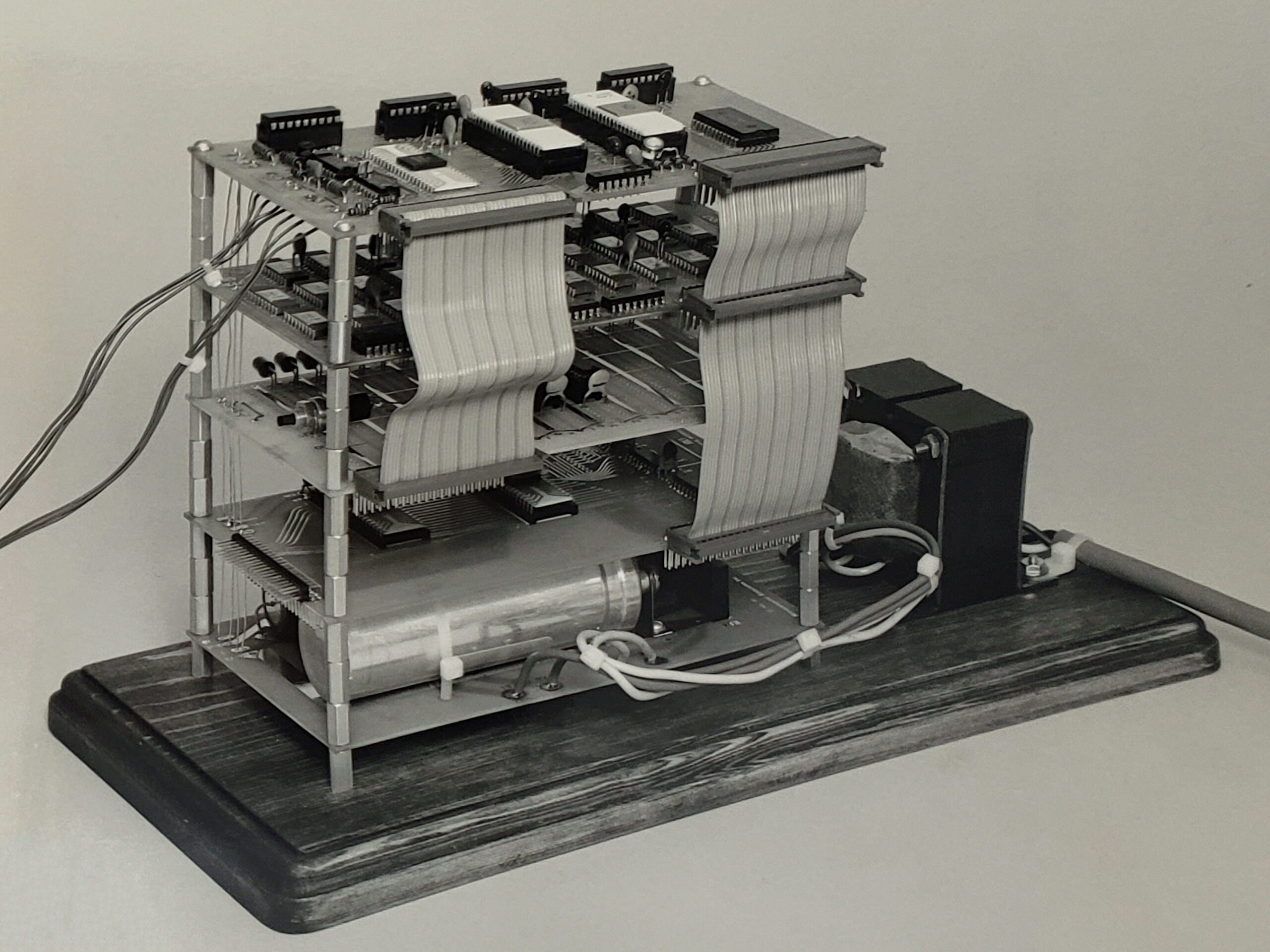
Scott LaBombard started many years ago on a replica of the Jolt. Quite a challenge, since only photos are known.

He succeeded in finishing a working replica as shown on this page.

post

A Jolt Replica

Scott LaBombard started many years ago on a replica of the Jolt. Quite a challenge, since only photos are known.

He succeeded in finishing a working replica as shown in the next photos sent by Scott.

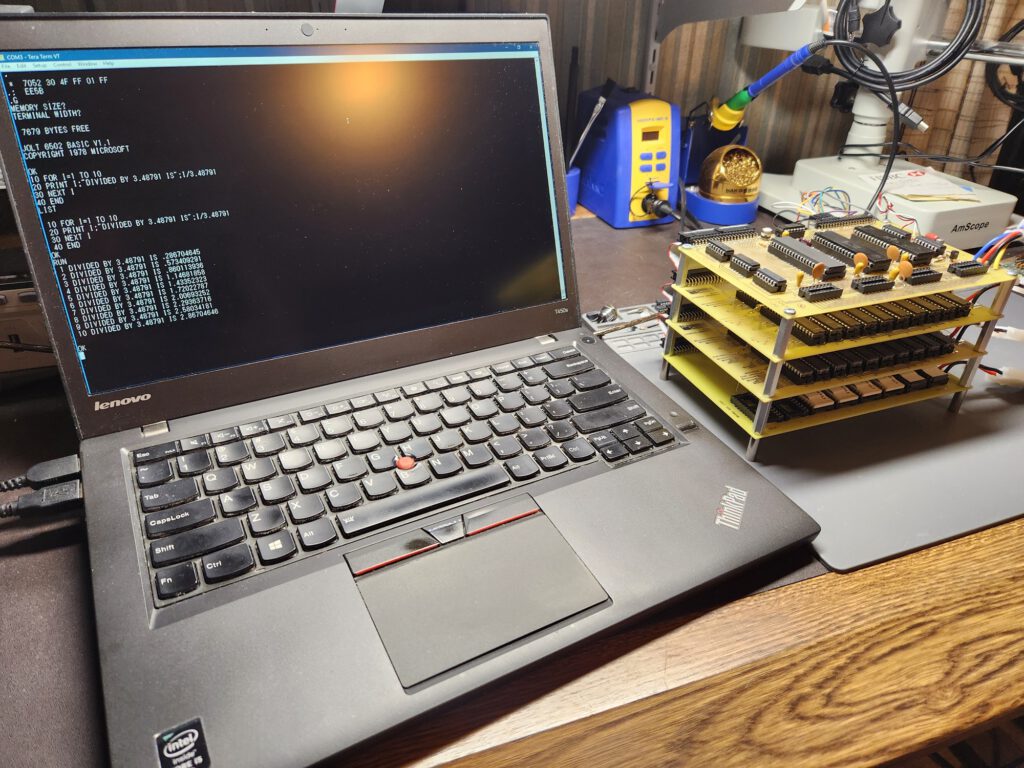
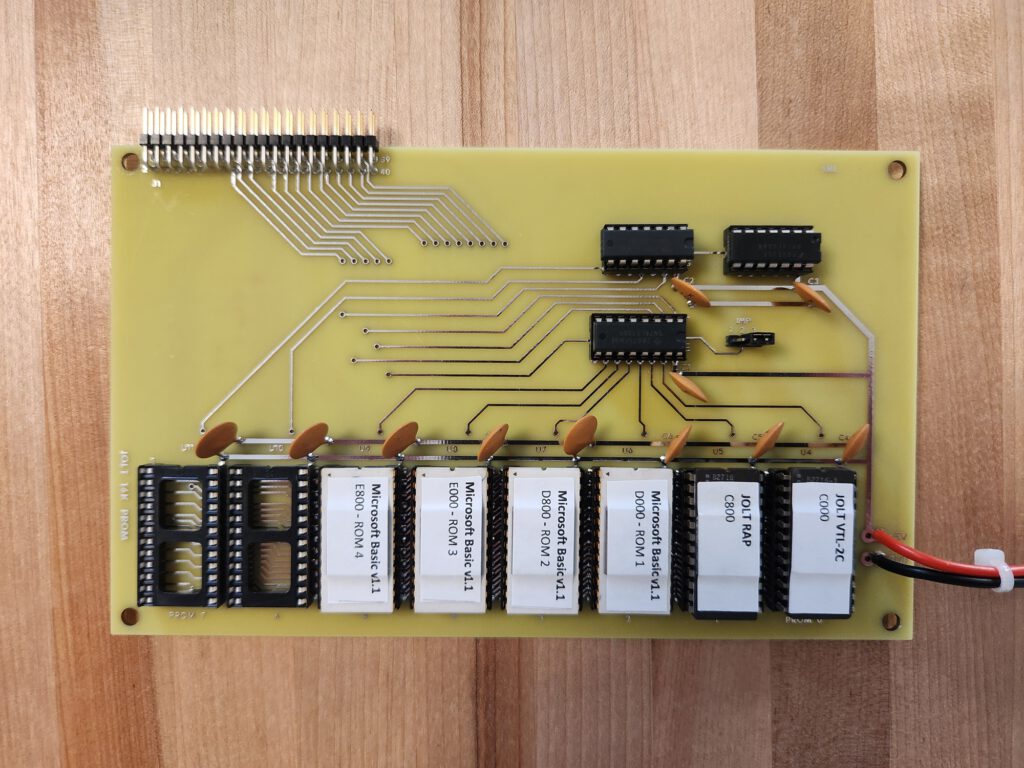
Attached is a picture showing the Jolt ‘stack’ running a late iteration of Microsoft’s 6502 Basic that Scott ‘ported’ to the Jolt. He even have it configured to support integer arrays and extended precision. Also included a picture of a replica of the George Morrow ‘naked’ 4k RAM board that was specifically marketed for Jolt owners back in the day (two are installed in the stack for 8k total). Last, there’s a picture of Scott’s own design of a 16K eprom board based on the mostly period correct 2716 eprom. It is jumper selectable for a base address of $8000 or $C000 (when configured for $C000, it only decodes $C000 – $EFFF because the Jolt decodes $Fxxx). One could install 28K of eprom with two of these boards!

In addition to Microsoft Basic, the eprom board has VTL-2 (Very Tiny Language) that is also ported to the Jolt. And last but not least, the eprom board has MAI’s RAP installed as well.

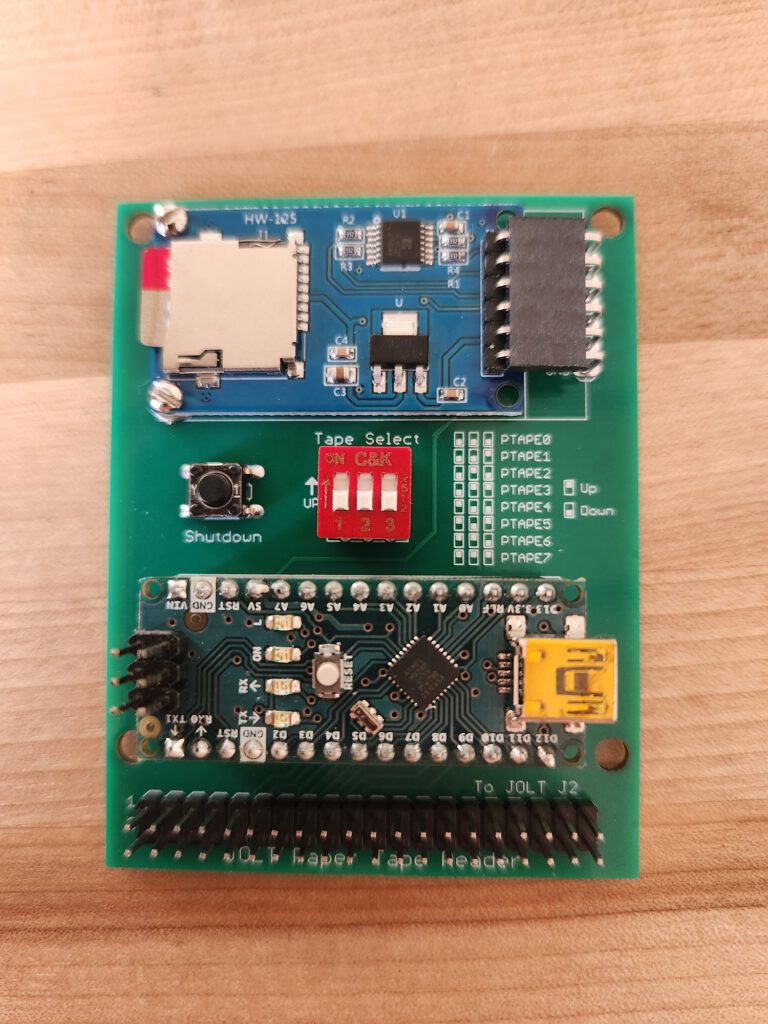
You may notice some wires hanging off from the J2 connector, that is connected to a ‘high speed tape reader’ that Scott designed specifically for the Jolt. It works directly with the TIM monitor just as documented (using the ‘H’ command to switch to the high speed tape reader, and then ‘LH’ to load ‘tapes’ in MOS Technology hex format). It’s super fast compared to loading via the console.

Scott has also created replicas of the original 2K eprom board that uses the venerable 1702 eproms, as well as the original power supply board.

He also did a replica of a George Morrow Micro-Stuff “Naked” 4K RAM board that was primarily marketed for the Jolt as an alternative to the original Jolt 4K RAM board.

Here an archive with a Tiny Basic Enhancement ROM Scott did. See below for what has been enhanced.
It also runs on the TIM Superjolt Emulator!
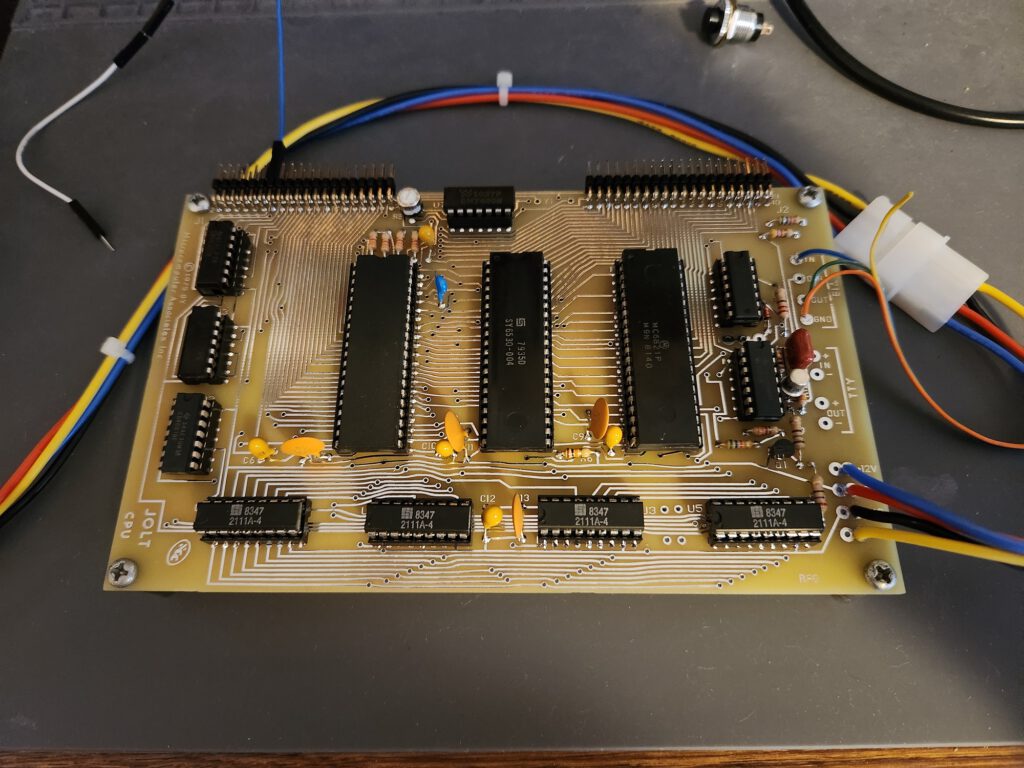

The JOLT replica

EPROM card
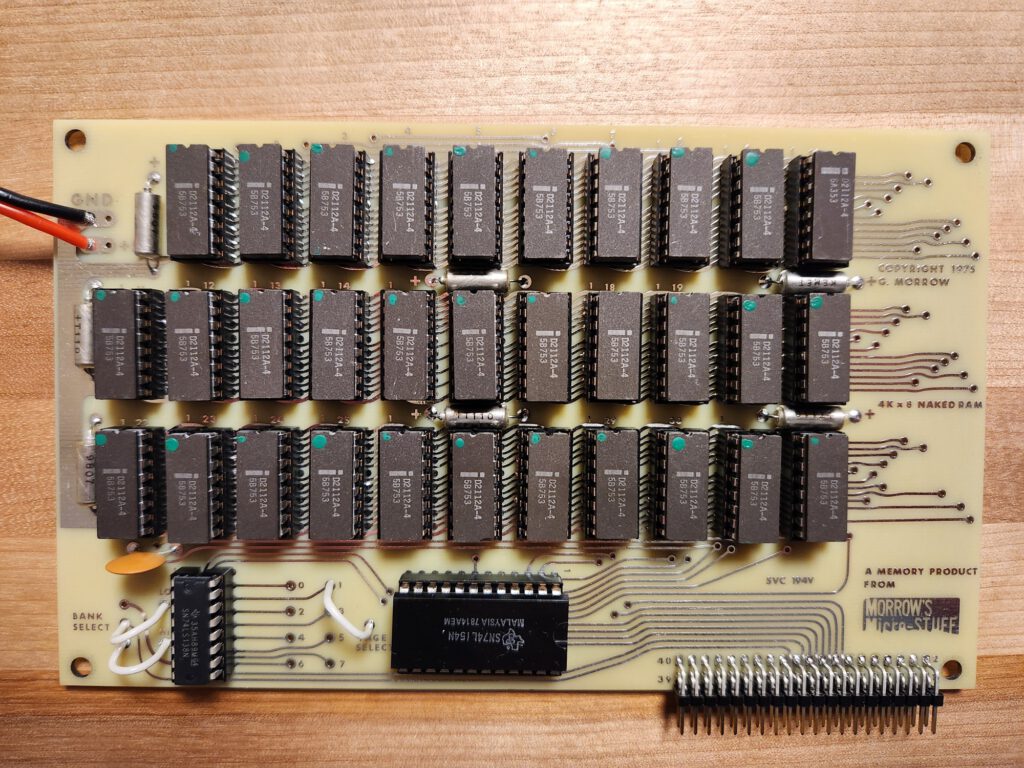
RAM card
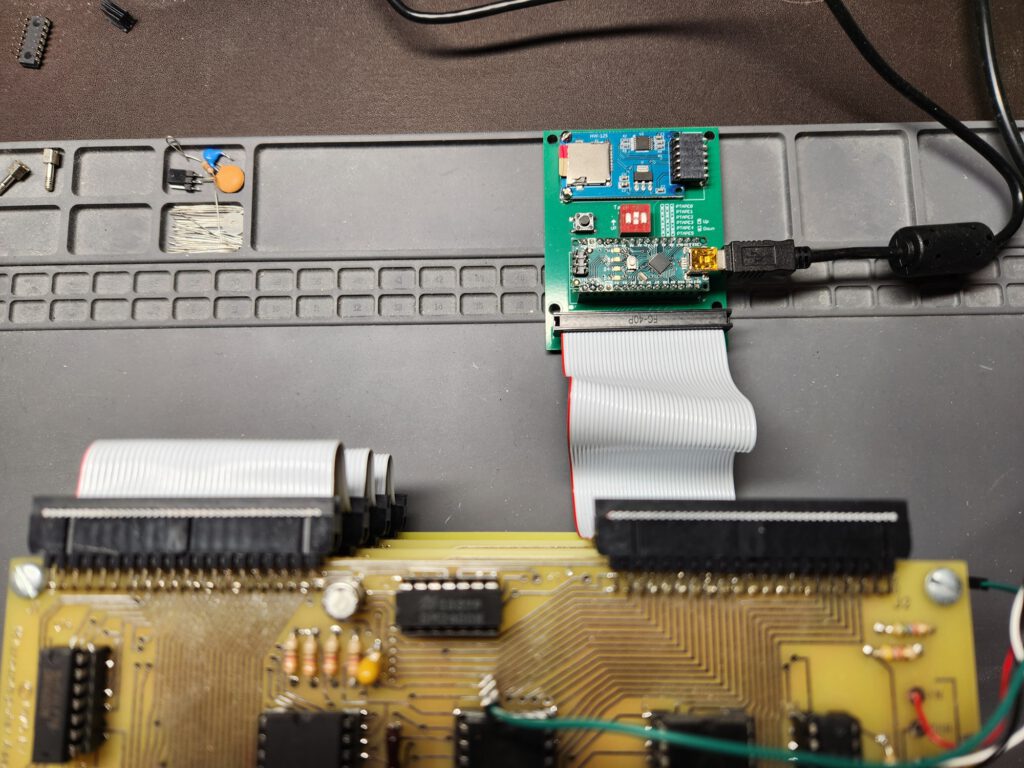
PTP Highspeed reader
The text of the Tiny Basic enhancement:

+++++++++++++++++++++++++++++++++++++++++++++++++++++++++
JOLT TinyBasic Enhancement ROM Notes
Scott LaBombard
August 2025
+++++++++++++++++++++++++++++++++++++++++++++++++++++++++

Just add the ROM at $D000. No SW/HW modifications are
required.

Commands added: MON, HSPTR, NEW, AND, OR, NOT, PEEK, POKE
                ABS, FRE, FOR, NEXT, LOAD, and SAVE
+++++++++++++++++++++++++++++++++++++++++++++++++++++++++

AND
example:  PRINT AND(125,589)
output:   77

OR
example:  PRINT OR(125,589)
output:   637

NOT
example:  PRINT NOT(43)
output:   -44

ABS
example:  PRINT ABS(-43)
output:   43

FRE
Prints free memory.
Usage:    PRINT FRE(0)

HSPTR
Toggles between using the high speed paper-tape reader
or the console for input.

NEW
Clears the current program.

PEEK
Print the contents of the specified decimal memory address.
example:  PRINT PEEK(8192)

POKE
Store the specified value at the specified memory address.
example:  POKE 8192,44
result:   value 44 will be stored at address 8192

PEEK
example:  PRINT PEEK(8192)
output:   44

FOR/NEXT
Standard FOR/NEXT loop support. STEP is not supported,
however reverse order loops are:
FOR I=1 TO 10      FOR I=10 TO 1
PRINT I            PRINT I
NEXT I             NEXT I
END                END

SAVE
Will save the current Basic program in MOS Tech Hex format
to the console. After entering the SAVE command, you will
be at the TIM monitor prompt.

After the SAVE command has finished, you will be at the
TIM monitor prompt. Just enter the TIM 'G' command to
return to TinyBasic (via the TinyBasic warm start entry
point, so the Basic program remains intact).

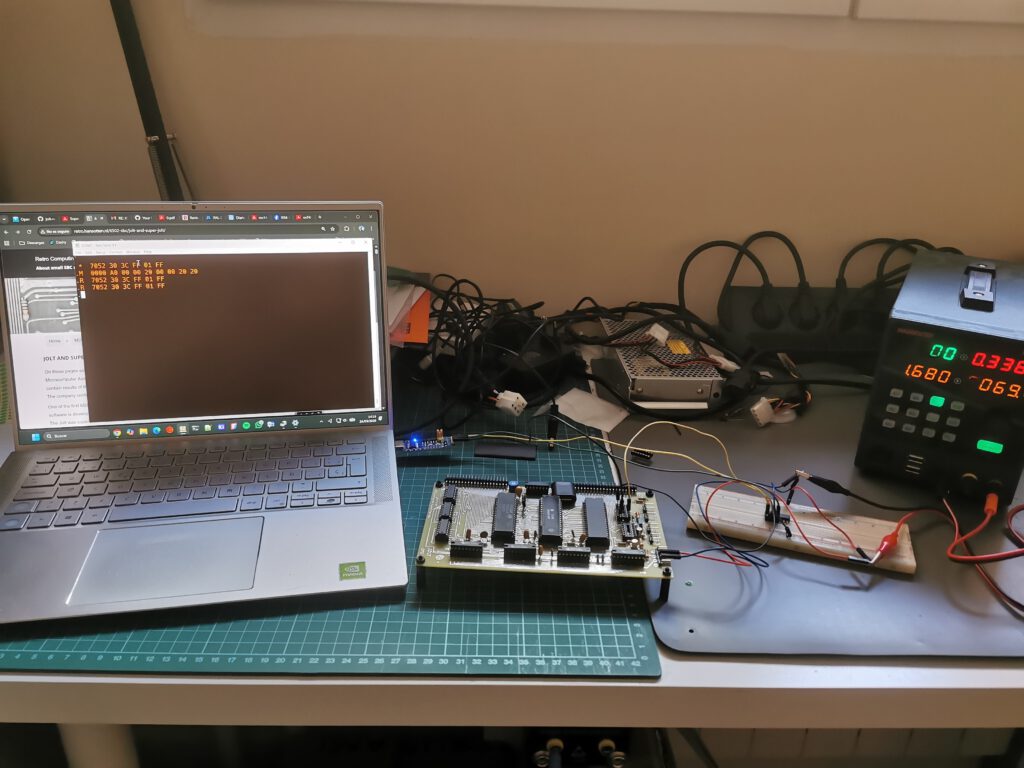
LOAD
Will load a Basic program in MOS Tech Hex format from the
console or the high speed paper-tape reader (depending on
which is selected for program input by the HSPTR command
or via the TIM monitor's H command).
After the LOAD command has finished, you will be at the
TIM monitor prompt. Just enter the TIM 'G' command to
return to TinyBasic (via the TinyBasic warm start entry
point, so the Basic program remains intact).
Testing my 6530 collection

I have a small collection of the MOS 6530 RRIOTs as made by MOS Technology.
Mask programmed, ROM and also ports can be used as chip select. See the 6530 pages!

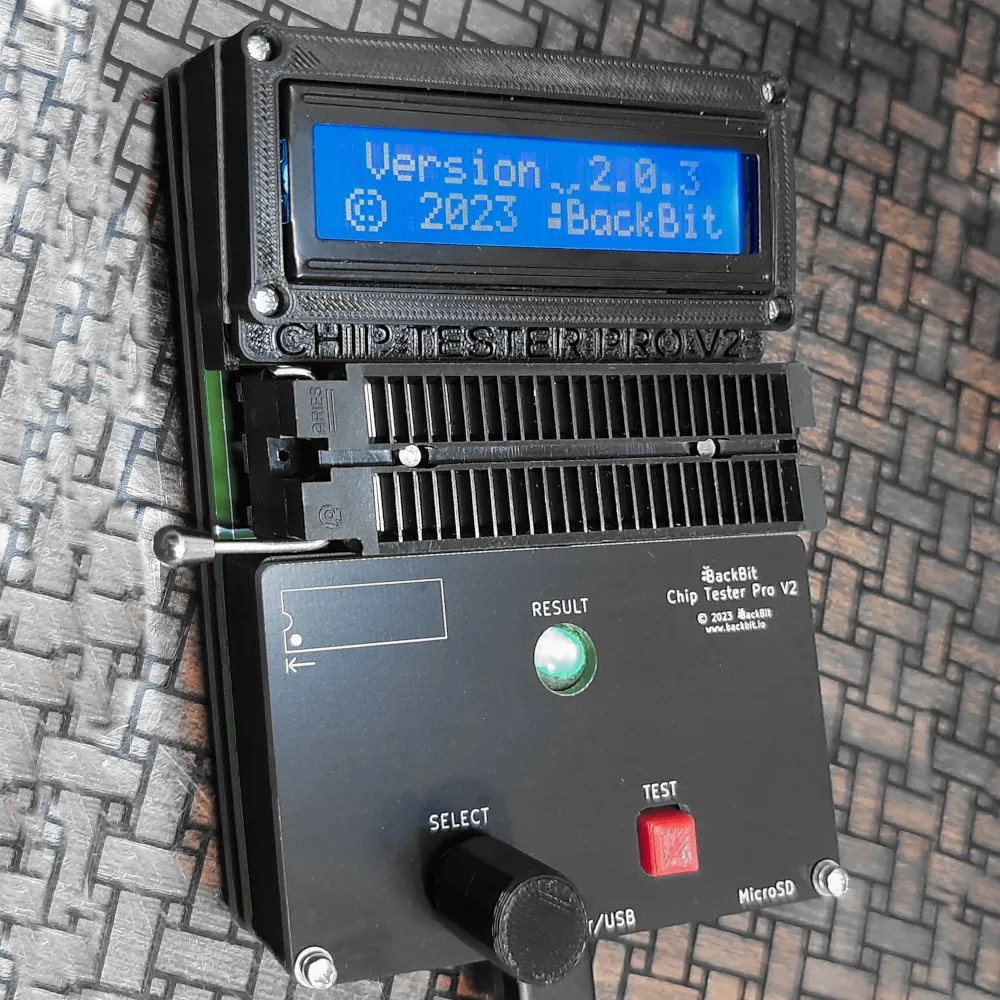
I have tested my 6530s with the excellent Backbit Chiptester Pro V2.

6530-002 black all tests passed and ROM dumped OK, confirmed to be the 002 ROM, main KIM-1
6530-002 ceramic all tests passed, ROM test fails
6530-003 black all tests passed and ROM dumped OK, confirmed to be the 003 ROM, audio cassette KIM-1
4x 6530-004 all tests passed, except the PORT B and no ROM dumped, TIM
3x 6530-005 all tests passed, except the PORT B and the ROM (which is to be expected, the 005 has no ROM)
2x R6530P/R3004-11 all tests passed, except the PORT B and no ROM dumped, pinball
2x 6530-24 all tests passed a except the PORT B and no ROM dumped, Commodore diskdrives

I also tested a 6530 replacement, built with a 6532 and some glue logic and an EEPROM, both 002 and 003 variants tested OK.

SO I suppose all these 6530’s except the ceramic 6530-002 are all right. The Port B test fails, since the 6530-002 and 6530-002 use pin PB6 for a chip select and the others may have this as I/O pin. Now waiting for an answer of the Backbit Chiptester Pro to my query about Port 2 testing.

Another update to the Simulators

KIM-1 and TIM Simulator have seen a small update.
Improvements on console handling and little annoyances. Focal added as programming language, for KIM-1 and TIM!
The Apple 1 Monitor, wozmon is now available as a Setting to be added the not used space in the 6530-003 tape ROM.

KIM-1 Simulator 1.4.0
TIM Simulator 0.6beta
Convert Hex Formats 2.8 (bundled also with simulators)

post

Focal-65 V3D for TIM and KIM-1

Focal on the 6502, a page on this small language, originating for Digital Equipment.
A small interpreter (about 5K) for a convenient interpreted language. Floating point 9 digit accuracy. At least two versions were distributed around 1977, one by Aresco, called “Focal V3D” and another by the Program Exchange as representative of the Denver 6502 Group, often called “Focal-65E”

Latest addition is a reconstruction of the source, by Wayne Wall of the Denver 6502 Group in 1977, of Focal V3D for the TIM to binary, and a port to the KIM-1.
Based upon a listing of the TIM Focal-65 from 1977 and a Focal-65 User manual, repaired and cleaned up.
And that enabled the reconstruction of the soource Focal-65 V3D as distributed by Aresco!

Read all about Focal-65 here!

post

Focal-65 V3D for TIM and KIM-1

Focal on the 6502, a page on this small language, originating for Digital Equipment.
A small interpreter (about 5K) for a convenient interpreted language. Floating point 9 digit accuracy. At least two versions were distributed around 1977, one by Aresco, called “Focal V3D” and another by the Program Exchange as representative of the Denver 6502 Group, “Focal-65″ or FCl_65” or “FCL-65E”

Information from the German 1981 article in MC Magazine, see the articles, indicates the existence and sale of Focal versions by the 6502 Program Exchange:

  • FCL-65 and FCL-65E with Mini userguide
  • My version from Aresco Focal V3D, 1-oct-1977 binary and userguide
  • Focal V3D for TIM, listing known and available on this page
  • Focal-65 V3E 1-oct-1979, Apple II, source listing known at MC Magazine in 1981
  • V4 for Apple, listing known and in possession of Wayne Wall, not public available

I suppose this list is incomplete, other versions may have existed. None but my binary of Aresco Focal-3D, the Aresco V3D Userguide, a User Guide by the Denver 6502 group and a listing of Focal-65 V3D for the TIM survived and is available.

Latest addition to this page is a reconstruction of the sources, of Focal V3D for the TIM to binary, and a port to the KIM-1. Also the Aresco version source is reconstructed and identical to the tape dump of 1978.

On this page you will find:

  1. My experience with Focal-65 as started in 1979
  2. Reference material: User manuals, listings
  3. Magazine articles about Focal-65
  4. Reconstructed sources of Focal-65 for TIM and KIM-1
  5. Reconstructed source of Focal-65 for the KIM-1 Aresco version
  6. On the origin of Focal-65

My experience with Focal-65 started in 1979

In 1979 my good friend Anton Muller, at a meeting of our Dutch 6502 KIM Club, surprised me with a package Anton had imported from the U.S.A. : Focal V3d by Aresco.
The package came with a cassette tape and a user manual. We installed it on the KIM-1 and played with it. Impressive what was done in about 5K!
Floating point, string handling, a trick to suppress the hardware echo of TTY input.
After an article in our club magazine more members of the club became Focal-65 users and published articles about it.

This version of Focal-65 has survived. I have dumped a working version from cassette in 2004 (not the original alas, but a working copy with a bit too much) and scanned the user manual.
Manual and binary version have been available on this website now several years. Also I added DEC Focal manuals, Digital Equipment Corp. developed and sold Focal as a product for the PDP computers. In the KIM/6502 User notes articles were published on making Focal even more interesting, also published here.

When the KIM Simulator became usable, I tested Focal and saw that suppressing the TTY echo worked, but the wait for keyboard input loop preceding the read character routine did not. So I added a setting to let Focal-65 survive that loop. So Focal-65, Aresco version, runs unaltered on the KIM-1 Simulator!

The FOCAL programming language

In 2023 a source listing appeared, thanks to Paul Birkel, of Focal-65, programmed by Wayne Wall and friends in 1977. Target system is a TIM such as Jolt or Superjolt. I typed in that listing exactly with modern assembler syntax and made that version operational.
Here I present several reconstructed versions, for TIM (653-004) such as Jolt and KIM-1 based systems.
– A TIM/Jolt/Superjolt system needs minimum 8K RAM in lower memory.
– The KIM-1 needs memory, minimum 8K, from $2000 and up.
See below for the TIM version and a port to KIM-1. These are 90% identical to the Focal-65 V3D Aresco version, so that was the start to recreate that source too .


Reference material for download

First some downloadable reference material.

DEC-08-AJAB-D PDP-8-I FOCAL Programming Manual.
Focal by DEC is the beginning of all Focal implementations. A typical DEC manual, easy to read, complete, well organized.
DEC-08-AJBB-DL Advanced FOCAL Technical Specification April 69
This manual is where Wayne Wall got his design. From the flowcharts and labels, similar names and concepts can be found in the Focal-65 source
Focal-65 users guide V3D, by Aresco
Focal-65 Users Guide V3D by the Denver 6502 Group.
Cleaned up version made by me.
TIM Focal-65 V3D source listing
Cleaned up version made by me.

Articles on Focal-65

KIM/6502 User notes
Articles from the magazine, Focal corner

  1. Introduction to FOCAL, 6502 User Notes 12
  2. Improve on echo problems with KIM TTY, 6502 User Notes 13
  3. Make room for enhancements, extend to 8K, User Notes 14
  4. Speed it up, 6502 User Notes 15
  5. Cassette save/write an LED display listing, 6502 User Notes 16

KIM Kenner
Introduction to FOCAL, how to program, Dutch

Compute II
Modify and Move FOCAL 65-E into EPROM, Compute II Issue 3

MC Magazine
German article on Focal-65, has interesting information on versions

Working versions, reconstructed from sources

Denver 6502 Group Focal for TIM

In 2023 a listing of Focal-65, by Wayne Wall, for a Focal-65 version for the TIM, showed up, thanks to Paul Birkel.
A low low quality scan, so I cleaned it up, improved contrast, removed artefacts and cropped it. The result is readable, but not fit for OCR.

TIM Focal-65 V3D source listing
Original printed listing 1977 by Wayne Wall. Cleaned up version.

I typed this source in, exactly as the listing: uppercase, same comments, same line numbers.In this way I honor the original author and also enable checking of the binary result.
I did change the assembler syntax to a modern assembler. The original was written for PAL-65, an assembler by Wayne Wall in PDP macro assembler format.
When it assembled I compared the binary out to the binary in the listing by hand. Of course typos and the curse of direct addressing, the #!, caused some extra work.
The result was a binary with the same length. as shown in the listing.

Then the binary was loaded in my TIM Simulator, with a small external patch for the ‘no echo’ input character routine in the source. The TIM has ‘software echo’ hardcoded in the monitor for reading a character from TTY, so the monitor code is copied with optional echo.
It runs!


Focal-65 for the TIM, here the source as typed in, listing, binaries in Intel hex and Papertape format and the TIM Simulator patch.

Denver 6502 Group Focal for the KIM-1

To illustrate how easy it is to adapt Focal to other 6502 systems, I ported the TIM version to the KIM-1.
Changes required:

  1. Program moved from $1000 to $2000
  2. Replaced the TIM I/O package with a KIM-1 version: IRQ/BRK vector, no echo character input (partly taken from the Aresco disassembly for character output
  3. Further no changes, same line numbers, same size

This version runs fine in the KIM-1 Simulator with the Focal V3D setting.


Focal-65 for the KIM-1, here the source as typed in, ported to KIM-1, listing, binaries in Intel hex and Papertape format

Aresco Focal-65 V3D

Here the original Aresco Focal V3D dump from cassette. Note that the dump contains a bit more than necessary. The zeropage is completely dumped, and filled in by a running Focal session.
It runs on a KIM-1 and on the KIM-1 Simulator with the Settings – Type of Break setting set to Focal V3D.

First attempt to get a source, unfinished, does not assemble, but informative.
Disassembled source by Paul R. Santa-Maria (2004) and Hans Otten (more comments) (2022).

Focal-65 users guide V3D, by Aresco

Reconstructed source of Focal-65 for the KIM-1 Aresco version

With the source of the KIM-1/TIM and the binary of the Aresco version I have since 1978, it was an easy job to reconstruct the source of the Aresco version.
By comparing the binary output of the assembled source and the binary of the tape, differences can be seen and fixed in the source.

The interpreter code is 100% identical to the tape dump (minus the extra unused bytes saved at the end). Zero page is clean.

The code runs in the KIM-1 Simulator with the Focal V3D setting. No surprise, the binary of the tape dump also runs and the binaries of the code are identical.

Focal-65 for the KIM-1, Aresco version, here the source , listing, binaries in Intel hex and Papertape

The history of Focal for the 6502

Excerpt from the history of the Denver 6502 Group.
In 1975, Denver was a hotbed of computer activities. There was a new computer club called the Denver Amateur Computer Society (DACS), and every meeting was packed with radio amateurs and hobbyists anxious to learn about this exciting new technology. DACS was dominated by Intel 8080 based computers, but there were a few people interested in the 6502. Wayne Wall was one of the first to appreciate the power and speed of the 6502, and he decided to form a subgroup of DACS for 6502 users.

Wayne was a genius assembly language and systems programmer who worked at the Colorado School of Mines. He began holding meetings every Tuesday night at the School of Mines Computing Center for anyone interested in the 6502. At first it was called the 6502 sub-group of DACS, but as time went on, it became the 6502 Group.

All told, there were probably about 100 members, but on a typical night, 30 to 40 people would crowd into the meeting room, anxious to hear Wayne’s latest ideas and see his demonstrations. He was famous for his magic shows that invariably consisted of doing something hitherto unimaginable like simulating human speech with 13 bytes of assembly code. Wayne quickly gained the well deserved reputation as a computer wizard.

Most members of the group owned Digital Group systems. The Digital Group was a local company that had a short but spectacular career manufacturing computer kits. They were powerful, easy to assemble and way ahead of their time, with memory-addressable video cards, system monitors and relatively large memory boards. In addition to the Digital Group systems, the group had a scattering of Kim’s, Tim’s, Jolt’s and even a few odd homebrew machines.

At the time, there was virtually no software available for the 6502. All programs had to be tediously hand-assembled and typed into the machines. Wayne decided that his first task was to find a way to deal with this problem.

The School of Mines had a huge black mainframe called a PDP-10, and Wayne wanted to use the power and capabilities of this computer to write 6502 code. The first possibility was to use a FORTAN cross-assembler that was available from MOS Technology, but it was slow and buggy. Instead, Wayne chose to write 6502 macros for the PDP-10’s “PAL” assembler. After a few days work, Wayne had a fast new assembler that he called “PAL-65.” Suddenly we had the ability to write relatively large assembly language programs for the 6502.

Initially, Wayne cranked out a series of assembly language games. The first was a simple text based game where you shot arrows at a mythical beast called a Wumpus. Most of our computers had between 512 and two kilobytes of memory, but as Wayne’s games grew in complexity, we struggled to keep up, spending our nights soldering memory chips onto circuit boards.

Wayne now turned his attention to a high level language. The Intel based microprocessors had a version of BASIC written by Microsoft. Wayne decided that we should have a similar language, and he chose to write a version of the DEC language called FOCAL. Even though it was a relatively obscure language, FOCAL had some subtle advantages over BASIC, the biggest was its ability to evaluate strings as expressions.

Wayne wanted FOCAL to be a group project, and one evening he showed up with a stack of photocopies of the DEC flowcharts for the language. His plan was to assign each section of the chart to one of the 6502 Group members. We were supposed to go home, write 6502 assembly code for the section, and in a few weeks, we’d have an operating version of FOCAL. Unfortunately, Wayne had overestimated our skills. Most of us had been assembling code by hand and had no idea how to work from a flow chart. In the end, Wayne and Bob Ulshafer did most of the coding.

When it was finally finished, FOCAL was a big breakthrough. Suddenly we had a true programming language. Complex new games began to appear on our computers including a version of the famous mainframe game Star Trek, written by Larry Fish. Over the next few weeks Wayne wrote a five-byte floating point package for FOCAL based on a Dr. Dobbs article. With the new floating point power, simulations and mathematical programs sprouted up everywhere.

With thanks to Paul Birkel for the scan of the listing.