50 years of KIM-1 and me

With any product it is not always easy to establish a ‘day of birth’.
For the 6502 it is the WESCON trade show in San Francisco beginning on September 16, 1975.

For the KIM-1 no introduction event is known. The first publications in magazines about the KIM-1 were in the second quarter of 1976, so press releases and first products must have come from MOS Technology in the first quarter.
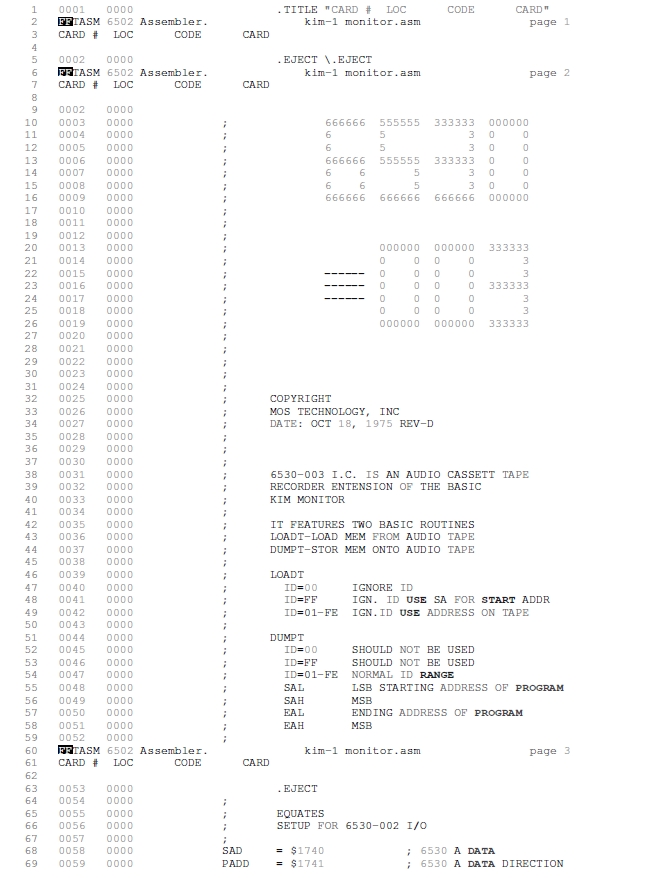
Design of the KIM monitor (the ROM in the 6530-002) happened at the same time as development of the TIM monitor (the ROM in the 6530-004) in 1975. The ICs became available end of 1975, see the Hardware manual.

The KIM-1 computer development, with 6530-002 and 6530-003 (the ROM with the audio tap routines), most likely was done in the second half of 1975.

The only real date I can pinpoint is the publication date of the User Manual, January 1976. So I date the ‘birth’ of the KIM-1 computer in January 1976.

I have collected some KIM-1’s over the years. The first KIM-1 in 1978 I bought and sold many over the years. Now I have nine original KIM-1s, from first edition to Rev A, B, D, E , 2x F, 2xG.
The KIM-1 replica by Eduardo Casino (still building, I have original 6530-002 and -003 for it), and a Digitus Sweden clone.
And several reproductions with 6532’s as replacements.


Top row : first edition, Rev A, Rev B, Rev D, Rev E
Middle row: Rev F, REV F, Rev G, Rev G, Digitus
Botton row: Rev D Eduardo Casino, KIM-1 Ralph, KIM-1 Dave Williams, KIM-1 Dave Williams (not shown an unbuilt blue Dave Williams KIM-1).

KIM-1 clones! (Briel MicroKIM, Corsham KIM clone, PAL-1, PAL-2).
Vince Briel was the first to design and sell a KIM-1 clone, the Micro-KIM. Essential was the replacement of the 6530 RRIOT with a 6532 RIOT and an external ROM. The idea came from Ruud Baltissen. The PAL-1 and PAL-2 are still available as kit. The design files for the Micro-KIM are on github.

Top row: Briel MicroKIM, Corsham KIM Clone and PAL-2.
Bottom row: PAL-1 , Corsham breadboard

10 PRINT for KIM-1 and AIM 65

Michael Doornbos (of https://imapenguin.com/) posted two “10 PRINT” articles for our beloved small 6502 SBC’s.

The KIM-1 version displays on the seven segment LED displays. The AIM 65 prints it on the thermal printer.

KIM-1 version of 10 PRINT in BASIC and assember

10 PRINT CHR$(47+INT(RND(0)*2)*45);:GOTO 10
; BY MICHAEL DOORNBOS MIKE@IMAPENGUIN.COM; 2025 
; SOFT START AT $0200

; THIS PROGRAM GENERATES A RANDOM PATTERN OF SLASHES AND BACKSLASHES
; AND DISPLAYS IT ON THE KIM-1'S 7-SEGMENT DISPLAY.

; THE PATTERN SCROLLS TO THE LEFT, CREATING A CONTINUOUS EFFECT.

; A LOT OF THIS CODE IS BORROWED FROM:
; https://netzherpes.de/blog/index.php?entry=KIM-1-scrolltext
; kim_msg.asm
; testing lin2c64 6510 assembler
; using J. Butterfield's scan display from Wumpus
; 01/03/2013 ces


; CONSTANTS FOR 7-SEGMENT DISPLAY CHARACTERS
BACKSLASH  .EQU $64        ; BACKSLASH CHARACTER
SLASH      .EQU $52        ; FORWARD SLASH CHARACTER
SPC        .EQU $80        ; SPACE CHARACTER

; KIM-1 HARDWARE ADDRESSES
SAD     .EQU $1740      ; DATA PORT FOR PINS 1-4
SADD    .EQU $1741      ; DATA DIRECTION REGISTER A
SBD     .EQU $1742      ; DATA PORT FOR PINS 5-6
SBDD    .EQU $1743      ; DATA DIRECTION REGISTER B
TIMER2  .EQU $1747      ; OPTIONAL 2ND 6532 TIMER
LOUT    .EQU $7F        ; SET PINS AS OUTPUT TO LEFT 4 LEDS
ROUT    .EQU $1E        ; SET PINS AS OUTPUT TO RIGHT 2 LEDS

; ZERO PAGE VARIABLES
SEED    .EQU $00D0      ; RANDOM SEED LOCATION
TMR     .EQU $00DB      ; TIMER COUNTER
PTR     .EQU $00DC      ; POINTER
XFRHI   .EQU $00DD      ; USED FOR CHARACTER BUFFER HIGH BYTE
XFRLO   .EQU $00DE      ; USED FOR CHARACTER BUFFER LOW BYTE
TMP1    .EQU $00DF      ; TEMPORARY STORAGE
CBUFF   .EQU $00E8      ; CHARACTER BUFFER (6 BYTES)
MSGBUF  .EQU $0180      ; BUFFER FOR GENERATED PATTERNS (30 BYTES)

        .ORG $0200      ; START OF PROGRAM CODE

MAIN    
        ; CLEAR THE MESSAGE BUFFER FIRST TO PREVENT GLITCHES
        LDX #$00
CLRLOOP LDA #SPC        ; USE SPACE CHARACTER TO INITIALIZE
        STA MSGBUF,X
        INX
        CPX #$30        ; CLEAR THE ENTIRE BUFFER AREA
        BNE CLRLOOP
        
        LDA #$00        ; ADD NULL TERMINATOR AT THE END
        STA MSGBUF+23
        
        ; INITIALIZE THE TIMER
        LDA #$FF        ; LOAD MAXIMUM VALUE
        STA TIMER2      ; START TIMER
        
        ; USE TIMER VALUE AS SEED
        LDA TIMER2      ; READ CURRENT TIMER VALUE
        STA SEED        ; USE AS RANDOM SEED
        BNE SEEDOK      ; IF NOT ZERO, IT'S FINE
        INC SEED        ; OTHERWISE INCREMENT TO MAKE NON-ZERO
        
SEEDOK  JSR GENPAT      ; GENERATE INITIAL PATTERN
        
INFINIT LDY #>MSGBUF    ; LOAD BUFFER LOCATION
        LDA #<MSGBUF
        JSR SCAN        ; DISPLAY THE PATTERN
        
        ; GENERATE NEW RANDOM SLASH AT END OF BUFFER
        JSR RANDOM      ; GET RANDOM BIT
        BCC GENBACK     ; BRANCH IF CARRY CLEAR (50% CHANCE)
        
        LDA #SLASH      ; FORWARD SLASH
        JMP STORE
        
GENBACK LDA #BACKSLASH  ; BACKSLASH
        
STORE   STA MSGBUF+22   ; ADD NEW CHARACTER TO END OF BUFFER
        
        ; SHIFT BUFFER LEFT ONE POSITION (SCROLL EFFECT)
        LDX #$00        ; START AT FIRST POSITION
SHIFT   LDA MSGBUF+1,X  ; GET NEXT CHARACTER
        STA MSGBUF,X    ; STORE IN CURRENT POSITION
        INX             ; MOVE TO NEXT POSITION
        CPX #$22        ; CHECK IF WE&#39;RE AT END OF BUFFER
        BNE SHIFT       ; CONTINUE IF NOT AT END
        
        ; ENSURE NULL TERMINATOR IS ALWAYS PRESENT
        LDA #$00
        STA MSGBUF+23
        
        JMP INFINIT     ; LOOP FOREVER

; GENERATE INITIAL PATTERN BUFFER WITH RANDOM SLASHES
GENPAT  LDX #$00        ; START AT FIRST POSITION
GPLOOP  JSR RANDOM      ; GET RANDOM BIT
        BCC GBACK       ; BRANCH IF CARRY CLEAR
        
        LDA #SLASH      ; FORWARD SLASH
        JMP GSTORE
        
GBACK   LDA #BACKSLASH  ; BACKSLASH
        
GSTORE  STA MSGBUF,X    ; STORE IN BUFFER
        INX             ; NEXT POSITION
        CPX #$17        ; CHECK IF BUFFER IS FULL
        BNE GPLOOP      ; CONTINUE IF NOT FULL
        
        LDA #$00        ; ADD NULL TERMINATOR
        STA MSGBUF+23   ; AT END OF BUFFER
        RTS             ; RETURN

; RANDOM NUMBER GENERATOR (8-BIT LFSR)
RANDOM  LDA SEED        ; LOAD CURRENT SEED
        ASL             ; SHIFT LEFT (C GETS HIGH BIT)
        BCC NOEOR       ; SKIP EOR IF BIT 7 WAS 0
        EOR #$B4        ; APPLY FEEDBACK POLYNOMIAL
NOEOR   STA SEED        ; STORE UPDATED SEED
        RTS             ; RETURN WITH CARRY = RANDOM BIT

; SCANNING ROUTINE FROM ORIGINAL CODE
SCAN    STY XFRLO       ; Y AND A GET LOADED BEFORE JSR TO SCAN
        STA XFRHI
        LDA #$07        ; INIT SCAN FORWARD
        STA TMP1
        LDY #$05        ; INIT Y
CONT    LDX #$05        ; INIT X
CHAR    LDA (XFRHI),Y   ; GET CHARACTER
        CMP #$00        ; LAST CHARACTER?
        BNE MORE        ; IF NOT, CONTINUE
        RTS
MORE    STA CBUFF,X     ; STORE CHAR
        DEY             ; SET UP NEXT CHAR
        DEX             ; SET UP NEXT STORE LOC
        BPL CHAR        ; LOOP IF NOT 6TH CHAR
        CLD             ; BINARY MODE
        CLC             ; PREPARE TO ADD (CLEAR CARRY FLAG)
        TYA             ; GET CHAR POINTER
        ADC TMP1        ; UPDATE FOR 6 NEW CHARACTERS
        STA PTR         ; SAVE NEW POINTER
        JSR DSPDLY      ; DELAY DISPLAY
        LDY PTR         ; RESTORE POINTER
        JMP CONT        ; CONTINUE WITH REST OF MESSAGE

DSPDLY  LDX #$0A        ; SET THE DELAY RATE HERE
        STX TMR         ; PUT IN DECR. LOCATION
TIME    LDA #$52        ; LOAD TIMER
        STA TIMER2      ; START TIMER
LITE    JSR DISP        ; GOSUB DISPLAY RTN
        BIT TIMER2      ; TIMER DONE?
        BPL LITE        ; IF NOT, LOOP
        DEC TMR         ; DECREMENT TIMER COUNTER
        BNE TIME        ; NOT FINISHED
        RTS             ; NOW GET 6 NEW CHARACTERS

DISP    LDA #LOUT       ; CHANGE LEFT LED SEGMENTS
        STA SADD        ; TO OUTPUTS
        LDY #$00        ; INIT RECALL INDEX
        LDX #$09        ; INIT DIGIT NUMBER
SIX     LDA CBUFF,Y     ; GET CHARACTER
        STY $00FC       ; SAVE Y FOR MONITOR DISP ROUTINE
        JSR $1F4E       ; MONITOR ROUTINE - DISP CHAR, DELAY 500 CYCLES
        INY             ; SET UP FOR NEXT CHAR
        CPY #$06        ; 6 CHAR DISPLAYED?
        BCC SIX         ; NO
        RTS

AIM 65 version in BASIC

10 PRINTCHR$(47+(INT(RND(1)*2)*45));:GOTO 10

that print random ‘/’ or ‘\’

Transform a Commodore 1541 into a KIM-1

By replacing the ROM(s) of a Commodore 1541 disk drive it can be made in a KIM-1.

Well, it runs the KIM-1 ROM modified to use the 6522 driving the IEC bus as TTY serial input/output.
The ROM is also moved to E000 for obvious reasons (the 1541 is unchanged!).

Only serial TTY, no LED, no keypad (code removed), no application or expansion connector.
Tiny basic in the other 1541 ROM socket also runs.

But it behaves like a KIM-1, as Dave McMurtrie shows in the video!

This is a first step to a KIM-1 with a 6522 instead of the 6530 or 6532.

Code here in Dave’s github.


(drawing by netzherpes)

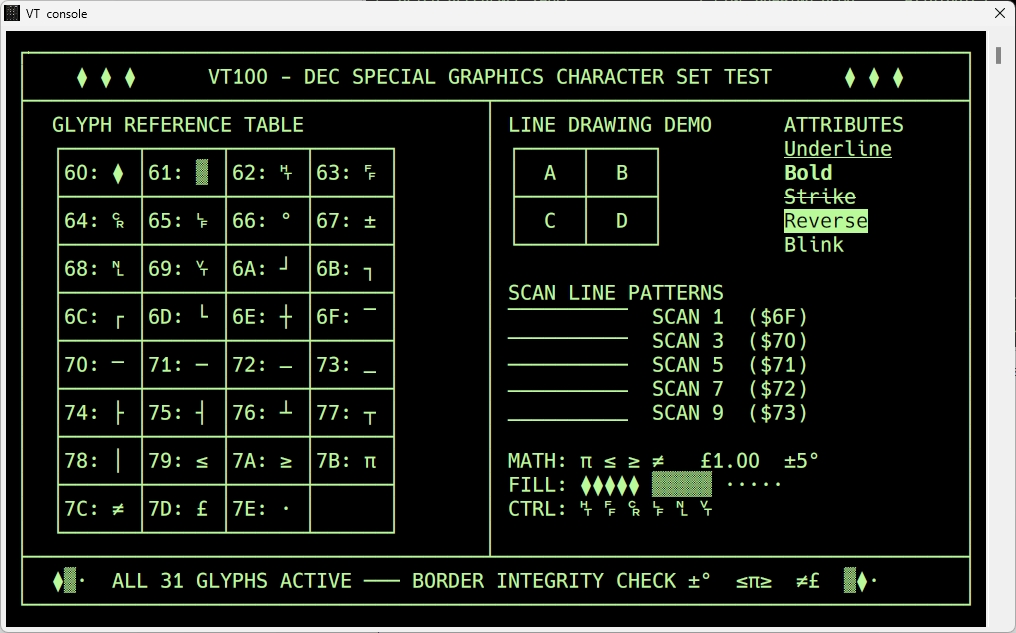
KIM-1 Simulator can now be used with serial terminals

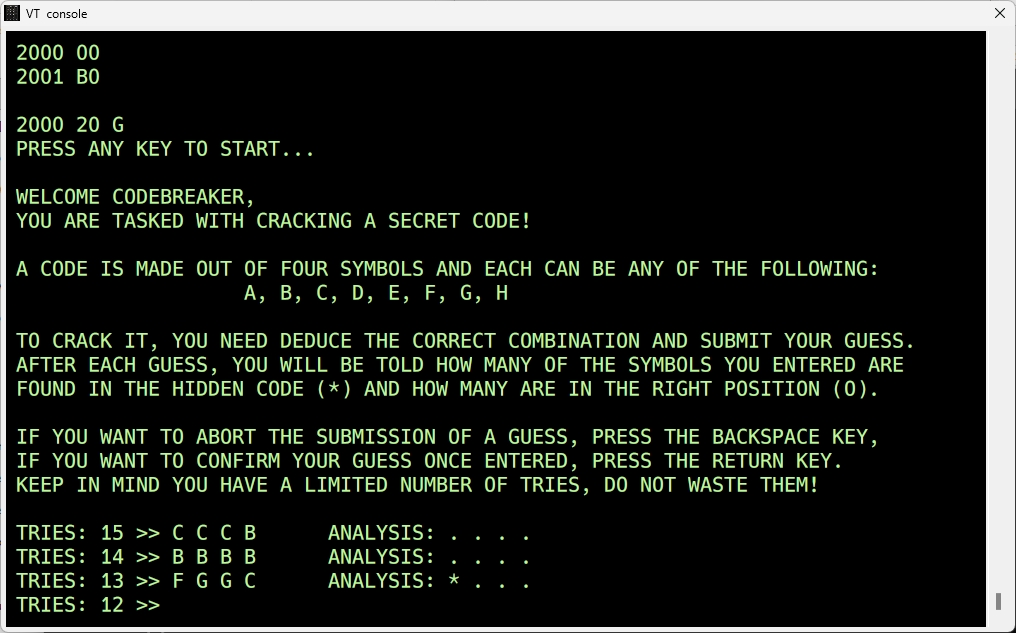
And now the KIM-1 Simulator can also use a serial terminal, external or a terminal emulator such as Teraterm, Minicon, Putty etc on the same PC with a null modem eliminator.

KIM-1 Marquee

This has been waiting some time to be published.

Udo Juerss wrote in 2024 a program KIM-1 Marquee to display running text wit a near complete alphabet on a KIM-1 or clone LED display.

Here the source and binaries.

post

KIM 6530 replacement board

Christer from Sweden built an Eduardo Casino designed KIM-1 replica. And as we know, the 6530 replacement is an issue.
Not only for replica’s also for broken original KIM-1s.

So he designed his own, more compact original looking adapter.
He created this adapter because he wanted something that would work and look a little more unobtrusive than the other adapter boards that are available but still look somewhat genuine (no FPGA). The design is inspired by the Corsham 6530 replacement board but made way smaller by using SMD components and stacking the 6532 on top of the adapter board.

A newer design promised to be much more compact.

KIM-1 Simulator 1.5.4 published

A fresh version of the simulator.

New functionality

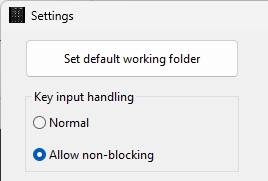
1. The audio tape routines interception can be switched off and on in settings. So no more popups if browsing in the -003 ROM
2. The console window stays open untouched when the LED display is chosen. When switched back to the LED display, the LED lights up again. More close to the KIM-1.

Testing my 6530 collection

I have a small collection of the MOS 6530 RRIOTs as made by MOS Technology.
Mask programmed, ROM and also ports can be used as chip select. See the 6530 pages!

I have tested my 6530s with the excellent Backbit Chiptester Pro V2.

6530-002 black all tests passed and ROM dumped OK, confirmed to be the 002 ROM, main KIM-1
6530-002 ceramic all tests passed, ROM test fails
6530-003 black all tests passed and ROM dumped OK, confirmed to be the 003 ROM, audio cassette KIM-1
4x 6530-004 all tests passed, except the PORT B and no ROM dumped, TIM
3x 6530-005 all tests passed, except the PORT B and the ROM (which is to be expected, the 005 has no ROM)
2x R6530P/R3004-11 all tests passed, except the PORT B and no ROM dumped, pinball
2x 6530-24 all tests passed a except the PORT B and no ROM dumped, Commodore diskdrives

I also tested a 6530 replacement, built with a 6532 and some glue logic and an EEPROM, both 002 and 003 variants tested OK.

SO I suppose all these 6530’s except the ceramic 6530-002 are all right. The Port B test fails, since the 6530-002 and 6530-002 use pin PB6 for a chip select and the others may have this as I/O pin. Now waiting for an answer of the Backbit Chiptester Pro to my query about Port 2 testing.

post

KIM-1 revisions, what changed?

I know of seven KIM-1 revisions, labeled Rev A-G and the first one unlabeled. Rev C is unknown!

What changed between these revisions?

Not much. The PCB underwent several changes around the logo area, from KIM-1 MOS to Commodore C-MOS. That happened from Rev A to Rev D, indicating the takeover by Commodore of MOS Technology. And some small numbers/artefacts etched in various Revs. The big change was in the clock circuit between the first edition and Rev A.

Some have serial numbers, the first ones on the back on the right, later had stamped/written numbers like PAxxx (Palo Alto) and SCxxx (Santa Clara) of Commodore production facilities

Clock circuit change
The first batch of KIM-1 suffered from the issue that the clock would not start. It was fixed in Rev A, with more components and a change in PCB layout.The change was also made in the circuit diagram as you can see in the images below.
First KIM-1 (I call it first edition)
Here the crystal is connected between pin 3 and pin 37 without any other components.


On my first edition the change was already ‘patched’ on to the KIM-1.

Rev A
More components were added, like resistors, diode and capacitor and pin 3 was left alone in the oscillator circuit.

MICRO JOURNAL letter sent to the editor July/September Issue 38 and 40 1981

There was a change in the PCB from Rev A to B.

Rev A

Rev B

Another change appeared going from Rev B to Rev D. The keyboard changed, the SST switch moved to the other side. And there were some extra holes required for the new keybaord, some traces needed to move also.

Rev A front keyboard


Rev A back keyboard


Rev D front keyboard


Rev A back keyboard


The User Manual went from version 15 (January 1976) to 15A (March 1976) to 15B (August 1976) without significant changes, mostly typing errors and the change of keyboard from Rev B to Rev D.
The keyboard changed from rev B to Rev D. The SST switch moved to the other side, the first Rev keyboards were not very reliable.

Rev B

Rev D

What did not change?

The 6530 – 002 and -003 were from many different dates between 1976 and 1980. The functionality stayed the same, no software changes are known. It seems the same mask was used to produce another batch due to the demand for KIM-1s. On Rev F and G I have seen older 6530s (ceramic ones) from much earlies dates, old stock being used?

The large Circuit Diagram poster stayed the same for all revisions as far as the circuit itself. Colors changed to only blue background in the last revisions.

Parts used

The parts used in all these revisions changed from as much as possible made by MOS Technology (6102) to industry standard compatible types (2102). E.g the RAM ICs were all third party in later revisions.
The capacitors, mostly yellow tube types, also came in various colors and sources between revisions.

Except for Rev G no IC sockets were used.

6530 replacement board

Christer from Sweden built an Eduardo Casino designed KIM-1 replica. And as we know, the 6530 replacement is an issue.
Not only for replica’s also for broken original KIM-1s.

So he designed his own, more compact original looking adapter.
He created this adapter because he wanted something that would work and look a little more unobtrusive than the other adapter boards that are available but still look somewhat genuine (no FPGA). The design is inspired by the Corsham 6530 replacement board but made way smaller by using SMD components and stacking the 6532 on top of the adapter board.

A newer design promised to be much more compact.